How to Test Your Internet Speed Properly Before Complaining

I spent six years on a helpdesk where I watched grown adults lose their minds because a video call stuttered for three seconds. Most of the time, they’d spend an hour restarting their router or buying a “high-performance” mesh system they didn’t actually need, when the real issue was just a bad connection from the street. They’d search for how to check your internet speed and end up on some flashy site filled with pop-ups and “premium” diagnostic tools that charge you a monthly subscription just to tell you what you already know: your internet is slow.

I’m not going to sell you a subscription or a fancy piece of hardware to fix a problem that might not even be yours. Instead, I’ll show you exactly how to run a test that actually matters, what those confusing numbers like ‘ping’ and ‘jitter’ actually mean for your daily life, and—most importantly—how to tell if you’re being ripped off by your provider. We’ll keep it simple: what to click, what to look for, and how to know when it’s time to stop troubleshooting and start calling your ISP to demand what you’re paying for.

Table of Contents

The Fastest Internet Speed Test Sites That Actually Work

The Fastest Internet Speed Test Sites That Actually Work

Most of the sites you’ll find when you search for this are bloated with ads that make your browser crawl, which is the last thing you want when you’re already dealing with a slow connection. I usually stick to the basics. Speedtest by Ookla is the industry standard for a reason; it’s fast, it’s reliable, and it gives you a clear look at your download and upload rates. If you want something a bit more stripped-back and less “corporate,” Google has a built-in tool that pops up right in the search results. It’s great for a quick check, though it doesn’t give you much depth if you’re deep in the middle of internet connection troubleshooting.

If you’re trying to figure out why your video calls are dropping, you need to look closer at the numbers. Don’t just look at the big download number; check the latency and ping values. If those are high, it doesn’t matter how much bandwidth you have; your connection will feel sluggish. I also recommend Fast.com. It’s run by Netflix, so it’s specifically designed to show you if your provider is throttling your video streaming, which is a common trick used to save them money.

Bandwidth vs Speed What Youre Actually Paying for
Bandwidth vs Speed What Youre Actually Paying for

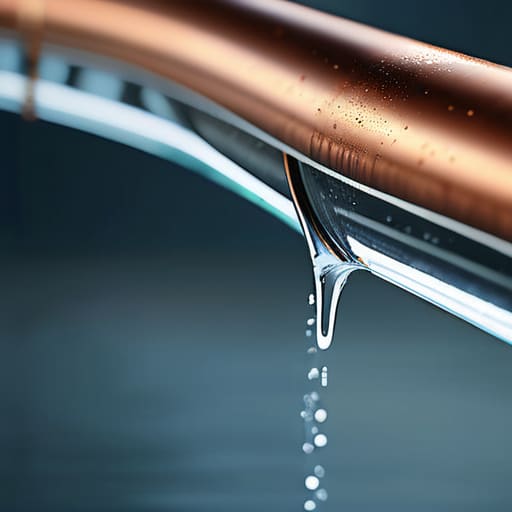
People tend to use these terms interchangeably, but if you’re staring at a spinning loading icon, understanding the difference is the first step in actual internet connection troubleshooting. Think of it like a water pipe. Speed is how fast a single drop of water travels from the reservoir to your tap. Bandwidth, however, is the width of the pipe itself. You can have a massive pipe (high bandwidth), but if the water pressure is low (low speed), you’re still going to have a slow experience.

This distinction is usually where the frustration starts. You might pay for a massive fiber optic vs broadband speeds package that promises huge bandwidth, but if you have ten people in the house all trying to stream 4K video at once, you’re essentially trying to shove a fire hose through a straw. You aren’t necessarily lacking “speed”; you’re just hitting the ceiling of your available bandwidth. When you start looking at bandwidth vs speed, stop asking how fast your connection is and start asking how much data your “pipe” can actually handle at a single moment.

Five things to do before you start clicking 'test'

  • Plug in via Ethernet if you can. Testing over Wi-Fi is fine for a quick check, but if you want to know if your provider is actually delivering what you pay for, you need a hardwired connection. Wi-Fi is prone to interference from your neighbor’s router or even your microwave, which will give you a fake low reading.
  • Turn off everything else. I’m talking about the Netflix stream in the living room, the PlayStation downloading a patch, and that cloud backup running on your laptop. If your bandwidth is being eaten by other devices while you’re testing, the results are useless.
  • Run the test at different times of the day. Your speed might be stellar at 10:00 AM but crawl to a halt at 8:00 PM when everyone in your neighborhood gets home and starts streaming 4K video. One test is a snapshot; three tests is a pattern.
  • Check your hardware, not just the signal. If you’re using a router from 2014, it doesn’t matter if your provider is sending you gigabit speeds—that old box is a bottleneck. If your speed tests are consistently low across all devices, the router is usually the culprit.
  • Don’t panic over small fluctuations. Internet speeds are never a flat line; they’re a wave. If you’re expecting exactly 100Mbps and you get 92Mbps, you aren’t being cheated. If you’re getting 20Mbps, then we have a reason to start making phone calls.

The short version

Test with a single device plugged directly into the router via Ethernet if you want the truth; Wi-Fi is great until you start measuring actual line speed.

If your speed test results are lower than what you pay for, call your ISP before you start buying new cables or resetting your computer.

Remember that “up to” speeds are marketing promises, not guarantees, and your actual usable bandwidth will always be lower once your devices start talking to each other.

## Don't let the numbers lie to you

A speed test isn’t a magic wand that fixes a bad connection; it’s just a diagnostic tool to prove whether your provider is actually delivering the bits and bytes you’re paying for, or if you’re just fighting a losing battle with a dusty router.

Saoirse Doyle

The bottom line on your connection
The bottom line on your connection.

At the end of the day, checking your speed isn’t about chasing the highest number on a leaderboard; it’s about making sure you aren’t being overcharged for a service that isn’t actually reaching your front door. Run your tests wired if you want the truth, remember that bandwidth is a shared pool, and if your results are consistently lower than your contract promises, stop tweaking your settings and start calling your ISP. Most of the time, the issue isn’t your laptop or your browser—it’s the line coming into the house. Once you have those baseline numbers, you finally have the leverage you need to demand what you’re paying for.

Technology should serve you, not become another item on a growing list of things to troubleshoot. If your internet works well enough to get your job done and stream your shows without a spinning loading icon, you don’t need to obsess over every megabit. My advice is to get your numbers, confirm they’re “good enough,” and then close the tab. Go back to whatever you were actually supposed to be doing before you started worrying about your router. Life is too short to spend it staring at speed test progress bars.

Frequently Asked Questions

Why does my speed test look great, but my Netflix still keeps buffering?

It’s the classic “speed test lie.” A speed test measures the pipe between your device and a single server, but it doesn’t account for the traffic jams happening inside your house. If your phone is testing fast but Netflix is buffering, you’re likely dealing with local congestion or a weak Wi-Fi signal. Too many devices fighting for the same frequency, or a router tucked behind a heavy bookshelf, will kill your streaming every time.

Should I plug my computer directly into the router for a more accurate result?

If you want the truth, yes. If you’re testing over Wi-Fi, you aren’t testing your internet; you’re testing how much interference your microwave or your neighbor’s router is causing. Plugging in via an Ethernet cable removes all that guesswork and shows you what’s actually coming through the wall. It’s a bit of a faff to run a cable across the floor, but it’s the only way to know if your provider is actually delivering what you pay for.

If my speed is much lower than my contract says, do I call my ISP or just reset my router?

Do both, but in a specific order. Start by power-cycling your router—unplug it, wait thirty seconds, and plug it back in. It clears out the digital cobwebs and is the first thing any ISP will ask if you call them. If the speeds are still rubbish after a reset, then pick up the phone. At that point, it’s a provider problem, and you’ll want that paper trail of slow tests when you demand a credit.
How to Organise a Kitchen Around How You Actually Cook

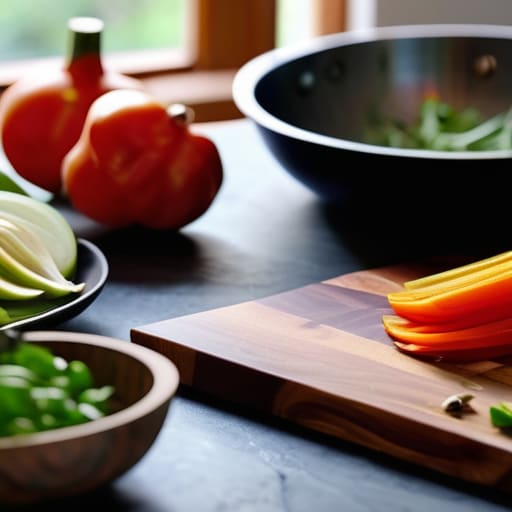
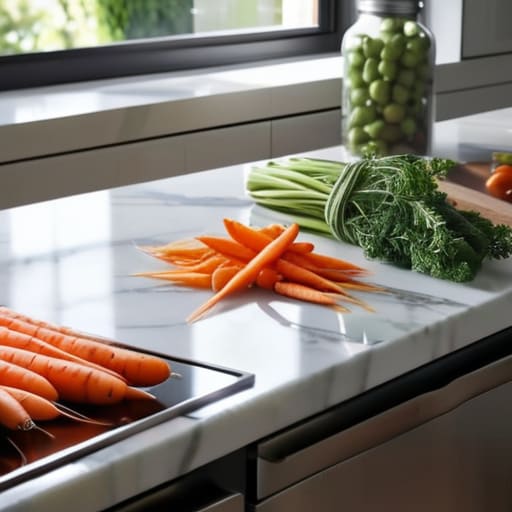
I spent six years on a helpdesk listening to people explain why their “perfect” software wasn’t working, only to realize they just hadn’t bothered to learn the basics. Kitchen organization is exactly the same. I see these endless social media videos of people buying $40 acrylic bins and labeling every single grain of quinoa, as if a clear plastic box is going to magically make them a better chef. It’s nonsense. If you want to learn how to organise a kitchen for cooking, you don’t need a boutique shopping spree; you need to stop fighting your own layout and start putting things where your hands actually reach when the pan is already hot.

I’m not here to sell you a lifestyle or a specific brand of spice rack. My goal is to give you the boring, functional version of a working kitchen: where to put the knives, how to group your tools so you stop digging through drawers, and how to set things up so they don’t break the moment you actually start using them. We’re going to focus on logical flow and accessibility, stripping away the aesthetic clutter so you can actually get through a recipe without wanting to throw a spatula at the wall.

Table of Contents

The Kitchen Triangle Rule Isnt Magic Its Just Physics

The Kitchen Triangle Rule Isnt Magic Its Just Physics

You’ve probably heard people talk about the kitchen triangle rule like it’s some sacred geometry that will instantly turn you into a Michelin-star chef. It isn’t. It’s just a way of saying that if you have to walk twenty paces every time you need to grab a carrot from the fridge, move a pot from the sink to the stove, and then hunt for salt in a cupboard across the room, you’re going to hate cooking. An efficient kitchen layout is really just about minimizing the “dead air” between your three most used points: the sink, the stove, and the fridge.

When I was running the helpdesk, I saw people try to fix slow computers by installing massive, heavy software suites they didn’t need. Kitchens are the same. You don’t need a fancy, high-tech island if it actually breaks your flow. Instead, focus on your cooking station setup. Keep your oils, spices, and most-used knives within arm’s reach of the heat. If your current setup forces you to play a game of musical chairs just to make an omelet, it’s not a “style choice”—it’s just bad ergonomics.

An Efficient Kitchen Layout That Actually Stops the Shuffle

An Efficient Kitchen Layout That Actually Stops the Shuffle

Once you’ve got your triangle sorted, you need to look at your actual movement. An efficient kitchen layout isn’t about having the most expensive marble countertops; it’s about minimizing the number of steps you take between the fridge, the sink, and the stove. I used to watch people in my old apartment do a weird little dance every time they made pasta—reaching for the pot, walking three steps to the cupboard, then turning around to grab the colander. It’s exhausting for no reason.

Try setting up a dedicated cooking station setup right next to your main heat source. This means your oils, salt, and most-used spices live within arm’s reach, not buried in a corner cabinet. If you have to walk across the room to find the olive oil while your garlic is already sizzling, your layout has failed you. Keep the stuff you use every single day in the “prime real estate” zones—the drawers and shelves between your waist and your shoulders. Everything else can go in the lower cabinets or the higher shelves, but don’t make yourself a gymnast just to make a basic omelet.

Five ways to stop fighting your own cabinets

  • Group your tools by how they are used, not by what they are. Don’t put all your “cooking stuff” in one drawer; put your oils, salt, and most-used spices right next to the stove, and keep your prep bowls near your main cutting area. If you have to walk three steps to find the salt every time you season something, the layout has failed you.
  • The “Prime Real Estate” rule applies to your counters and most accessible drawers. If you don’t use that fancy pasta maker more than once a year, it shouldn’t be sitting on the counter or in the top drawer. It goes in a cupboard. If you use a specific knife every single day, it stays within arm’s reach of your prep station.
  • Stop buying matching sets. You don’t need a twelve-piece spice rack or a matching set of twenty Tupperware containers to be “organized.” Most of those extra pieces just create clutter that you have to move around to find the one thing you actually need. Stick to what you use; if a mismatched lid fits the bowl, let it stay.
  • Label your storage, but keep it low-tech. I’m not talking about expensive label makers that cost thirty quid in refills. Use a pencil or a piece of masking tape on the inside of a bin or a container. If you can’t tell if that’s flour or cornstarch without opening it, you’re just adding more mental work to the cooking process.
  • Audit your “just in case” items. We all have that one gadget we bought because a video told us it would change our lives, only for it to sit in the back of a dark cupboard. If you haven’t touched it in six months, move it to a high shelf or get rid of it. A kitchen is a workspace, not a museum for gadgets you’re too busy to use.

The three things that actually matter

Stop moving things for the sake of it; if you use the same heavy pan every Tuesday, it belongs near the stove, not at the back of a bottom cupboard.

Group your tools by how you use them, not how they look, so you aren’t walking across the room just to grab a spatula mid-sauté.

Don’t buy fancy organizational gadgets that require a subscription or specialized refills; if a drawer divider isn’t a simple, solid piece of plastic or wood, you’ll probably just end up throwing it in the bin in six months.

The truth about kitchen efficiency

Most people think they need a bigger kitchen or a more expensive gadget, but they actually just need to stop walking five steps to find a spoon every time they start a sauce. Efficiency isn’t about having more stuff; it’s about making sure the stuff you actually use is within arm’s reach when the pan is already hot.

Saoirse Doyle

Stop overthinking the setup

Stop overthinking the setup in your kitchen.

At the end of the day, you don’t need a designer kitchen or a set of matching ceramic canisters to make things work. You just need to stop fighting your own layout. Start by moving the heavy stuff to the bottom, grouping your spices where you actually use them, and ensuring your prep area isn’t blocked by a rogue toaster. If you follow the logic of the work triangle and keep your most-used tools within arm’s reach, you’ve already won half the battle. It isn’t about aesthetic perfection; it’s about reducing the friction between you and the meal. If a system feels like a chore to maintain, it is a bad system, no matter how good it looks on a Pinterest board.

My advice is to just start with one drawer or one corner of the counter. Don’t try to overhaul the entire room in a single Saturday afternoon, or you’ll end up with a pile of clutter and a very expensive sense of defeat. Fix the things that annoy you most—the dull knife that lives in a junk drawer or the spices you can never find—and let the rest settle into place over time. A kitchen is a tool, not a museum. Once you get the basics right, the space will finally start working for you instead of the other way around, leaving you with more time to actually enjoy the cooking part.

Frequently Asked Questions

What do I do with all the gadgets I never actually use but can't bring myself to throw away?

The “just in case” pile is a trap. If you haven’t touched that specialized garlic press or the bread maker since 2019, it’s not a tool; it’s just taking up mental space.

How do I organize my pantry so I don't end up buying a third bag of flour because I couldn't find the first two?

The “hidden in plain sight” problem is usually just a visibility issue. Stop stacking things in deep, dark corners. If you can’t see it, you don’t own it; you’re just renting space for it. Use clear, stackable bins for the basics like flour and sugar, and keep them at eye level. If you use a lazy Susan for spices or oils, it actually works—provided you don’t overstuff it. If you can’t see the label, you’ll buy it again.

Is it worth investing in expensive drawer dividers, or can I just make do with what I have?

Honestly? Don’t bother with the fancy, branded sets. Most of them are overpriced plastic that doesn’t actually fit your specific drawer dimensions, which just leads to more wasted space and frustration.