
I spent six years on a helpdesk watching people have a minor meltdown because they dropped a tiny, silver piece of plastic into the dark abyss of a hotel carpet. If you’ve ever been hunched over a desk in a foreign airport, squinting at a slot the size of a needle, trying to figure out what is an esim and whether it’s actually worth the hassle, I promise you aren’t alone. Most tech blogs will try to sell you on this as some revolutionary, life-changing digital magic, but let’s be honest: it’s just a way to stop fumbling with physical SIM cards so you can get on with your actual life.
I’m not here to give you a sales pitch or a list of features you’ll never use. Instead, I’m going to tell you exactly how it works, how much these digital plans actually cost once you factor in the convenience, and the specific moment when the setup process tends to glitch. I’ll also explain what happens to your connection if you forget to cancel a travel plan before you fly home. No hype, just the straightforward reality of making your phone work for you.
Table of Contents
Embedded Sim Technology Explained Without the Marketing Fluff
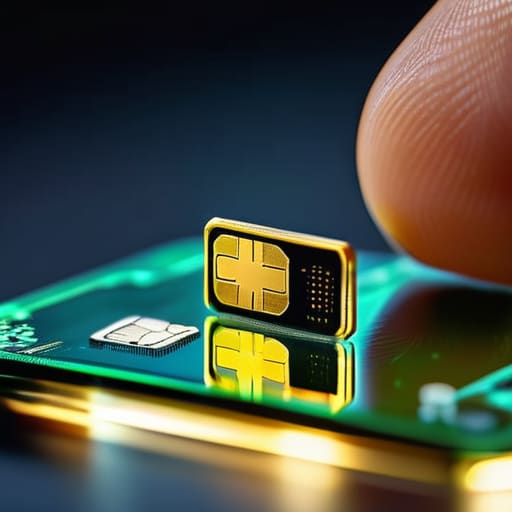
Look, the marketing teams love to call this “revolutionary,” but it’s actually quite simple. In the old days, you had a tiny piece of plastic that you physically shoved into a slot to tell your phone which network to talk to. Embedded SIM technology explained simply is just moving that logic from a piece of plastic to a tiny chip that is already soldered onto your phone’s motherboard. You aren’t changing the hardware; you’re just changing how you tell the software which tower to use.
When we look at the digital SIM vs physical SIM card debate, the real difference isn’t about magic—it’s about convenience versus control. With a physical card, you have a tangible thing you can hold, lose, or snap in half. With an eSIM, you’re essentially downloading a profile. It’s much faster, but it means you can’t just pop the card out and hand it to a friend if your phone dies. You’re tied to the digital handshake between your device and the carrier, which is fine until you realize you can’t “see” your connection anymore.
Digital Sim vs Physical Sim Card What Actually Breaks

The physical SIM card is a tiny piece of plastic that you can hold, drop, and lose. It’s a mechanical solution to a digital problem, which means it’s prone to the usual physical headaches: the tray gets stuck, the metal contacts get scratched, or you accidentally bend the SIM with a paperclip. When you’re traveling, the “breakage” is usually human error—fumbling with a toothpick in a dark airport lounge trying to swap cards without losing your primary one in the carpet.
With digital SIM vs physical SIM card comparisons, the “breakage” changes from hardware to software. You aren’t going to snap an eSIM, but you can run into provisioning errors. This is that annoying moment where the signal bars just refuse to appear even though you’ve followed the instructions perfectly. It’s usually a handshake issue between your device and the carrier’s server. Unlike a physical card, you can’t just wipe it clean with a cloth; you’re stuck waiting for a signal or toggling settings until the digital handshake finally sticks.
Five things I wish I’d known before swapping my plastic SIM for a digital one
- Check your device’s “lock” status first. An eSIM is useless if your phone is still tied to your current carrier via a contract. If you try to download a new travel eSIM onto a locked phone, you’ll just end up with a very expensive paperweight and a headache.
- The “one-and-done” trap. Unlike a physical SIM you can move from an old phone to a new one, many eSIMs are tied to the specific hardware they were activated on. If you upgrade your phone next month, you might have to pay for a new digital profile rather than just sliding a chip into the new slot.
- Keep your physical slot as a backup. I always recommend keeping one physical SIM slot empty if you can. If your eSIM profile gets corrupted or the carrier’s provisioning server goes down (it happens), having a physical SIM you can swap in is the fastest way to get back online without waiting on a support chat.
- Watch the “hidden” expiration dates. Travel eSIMs are notorious for this. Some start their 7-day countdown the moment you buy them, not the moment you land in a new country. Read the fine print so you aren’t paying for data while you’re still sitting in the departures lounge.
- Know the exit strategy. Before you hit ‘buy,’ check if the provider lets you export the profile or if it’s a “dead-end” subscription. Most cheap travel eSIMs are one-way streets; once the data is gone or the period ends, that digital profile is essentially trash, and you can’t “top it up” like a traditional monthly plan.
The quick version
An eSIM is just a digital chip already inside your phone, meaning you can swap data plans through settings instead of hunting for a paperclip to open a tray.
It is much better for travel because you can download a local plan before you even land, but it’s a headache if you need to move your number to a new phone quickly.
Most eSIM providers are subscription-based; always check if you lose access to your data profile immediately once the billing cycle ends, or if you’ll be left with a useless digital ghost.
The reality of the digital switch
“An eSIM isn’t some revolutionary leap in telecommunications; it’s just a way to stop you from losing a tiny piece of plastic in your hotel bed while trying to switch networks. It makes life easier until the software update glitches or the carrier decides your device isn’t ‘compatible’ anymore, and then you’re right back to staring at a phone with no signal.”
Saoirse Doyle
The bottom line on eSIMs
At the end of the day, an eSIM isn’t some magical revolution; it’s just a more convenient way to manage your connection. You’ve seen the trade-offs: you gain the ability to switch carriers or add a travel plan with a few taps, but you lose that tactile certainty of having a physical card in your hand. Just remember that while the technology is more stable than a loose SIM tray, you are still tethered to the carrier’s software. Before you commit to a new plan, double-check if they allow you to move your profile to a new device easily, or if you’ll be stuck in a loop of calling support just to get your own number back.
Don’t let the tech jargon make you feel like you’re falling behind. Most of these “innovations” are just ways for companies to make things more seamless—and sometimes more profitable—for themselves. Use eSIMs when they actually make your life easier, like when you’re landing in a new country and don’t want to hunt for a kiosk, but don’t feel pressured to switch just because it’s the new standard. Technology should serve you, not the other way around. If your current setup works and it doesn’t get in your way, then honestly, you’re already winning.
Frequently Asked Questions
Can I actually switch back to a physical SIM if the eSIM fails or my phone gets lost?
The short answer is: yes, but it’s rarely as simple as sliding a piece of plastic in. If your eSIM profile gets corrupted or your phone dies, you can’t just “fix” it with a paperclip. You’ll usually have to log into your carrier’s portal or visit a shop to get a new physical SIM issued. If you’re switching back because you’re traveling, just make sure your phone isn’t “carrier locked” first.
How many different eSIM profiles can I keep stored on one device before it gets messy?
Most modern phones let you store anywhere from five to ten eSIM profiles, but that doesn’t mean you can use them all at once. Usually, you can only have one or two “active” at a time. It gets messy when you start juggling too many; your settings menu becomes a graveyard of old travel plans. My advice? If you aren’t using a profile for a specific trip or a secondary line, delete it. Clear the clutter.
What happens to my data and my phone number if I decide to cancel my carrier subscription?
Here’s the thing: your eSIM is just a digital key to a service. If you cancel your subscription, the “key” stays in your phone, but it won’t open anything. Your phone number and data live with the carrier, not the chip. If you stop paying, you lose the number. As for your files? They’re safe on your device, but don’t expect that eSIM to help you make a call or use data once the bill is unpaid.
