Most productivity gurus will try to tell you that you need a $20-a-month subscription and a complex, multi-colored workflow to get your life in order. They make it sound like you need a PhD in project management just to figure out what is a kanban board and how it might save your soul. Honestly, after six years of watching people drown in “optimized” software that they spent more time configuring than actually using, I’ve realized that most of this is just expensive noise. You don’t need a digital ecosystem; you just need a way to see what’s actually getting done and what’s currently rotting in your “to-do” pile.
I’m not here to sell you on a new way of life or a fancy suite of tools. I’m going to explain the mechanics of how these boards actually work, why they sometimes fail, and how you can set one up using nothing more than a pack of sticky notes if you want to. We’ll look at the setup, the potential costs of going digital, and—most importantly—what happens to your data if you decide to cancel that subscription next month. No hype, just the practical reality of making a system that actually stays out of your way.
Table of Contents
Visualizing Task Management Without the Expensive Fluff
Most people treat project management software like a digital junk drawer. They sign up for a premium subscription, spend three hours setting up color-coded tags, and then never look at it again because it feels like a second job. The reality of visualizing task management isn’t about having a pretty interface; it’s about seeing where your work is actually piling up. If you have twelve things in your “Doing” column, you don’t have a productivity problem—you have a bottleneck.
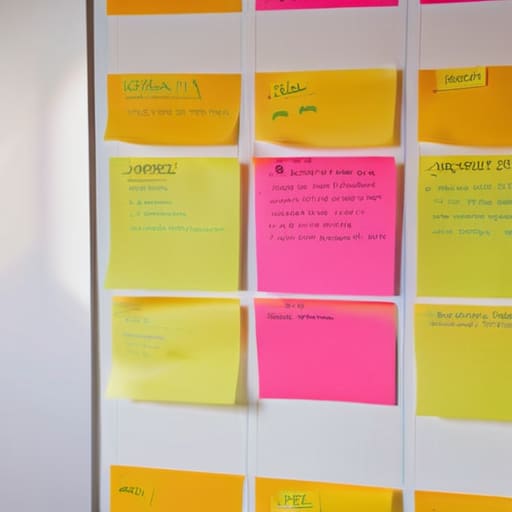
A real Kanban setup works by limiting multitasking with kanban principles, which is just a fancy way of saying “stop trying to do everything at once.” Instead of a massive, intimidating to-do list, you use columns to move a single task from left to right. You see the friction. If a task sits in “In Progress” for four days, you know exactly why you feel like you’re spinning your wheels. You don’t need complex agile project management principles or a team of developers to make this work; you just need to see the pile before it falls over.
Agile Project Management Principles That Actually Work
Most people hear “Agile” and immediately picture a group of exhausted developers in a glass-walled room having a daily meeting that could have been an email. In reality, agile project management principles are just a fancy way of saying “stop planning for six months and then realizing you built the wrong thing.” Instead of following a rigid, mile-long roadmap, you work in small, digestible chunks. You do a bit of work, see if it actually functions, and then adjust. It’s about being reactive rather than just stubbornly following a plan that stopped making sense three weeks ago.
When people bring up a kanban vs scrum comparison, they usually get bogged down in the technicalities of “sprints” and “ceremonies.” For most of us working from a home office or managing a small team, Scrum is often too much overhead. Kanban is the lighter alternative. It doesn’t force you into artificial time boxes; it just focuses on limiting multitasking with kanban by ensuring you aren’t starting ten things and finishing none. You pull one task into “Doing,” you finish it, and only then do you reach for the next one. It’s less about “being agile” and more about just not drowning in your own to-do list.
How to actually use one without making it a full-time job
- Keep your columns simple. You really only need “To Do,” “Doing,” and “Done.” If you start adding “Waiting for Feedback” and “Reviewing” and “Testing,” you aren’t managing work; you’re just managing a very complicated list that you’ll eventually stop updating.
- Watch your “Doing” column like a hawk. The whole point of Kanban is to see where things pile up. If you have ten tasks in “Doing,” you don’t have a productivity problem, you have a capacity problem. Stop adding new things until something moves to “Done.”
- Don’t over-engineer the digital version. If you’re using Trello or Notion, don’t spend three hours picking the perfect color-coded labels. A label is just a way to see if a task is urgent or not. If you spend more time decorating the board than moving cards, the board has become the work.
- Be honest about your “Done” column. I see people move things to “Done” just to feel a sense of accomplishment, even if the task isn’t actually finished. It ruins your data and makes the board a lie. If it’s not finished, it stays in “Doing.”
- Know the exit strategy. If you’re testing a digital Kanban tool, check the pricing tiers before you move your life into it. Many of them are free for three boards, but the moment you want to archive old projects or add a teammate, they’ll start asking for twenty quid a month. Make sure you’re okay with that cost before you make it your primary way of thinking.
The bottom line on Kanban
You don’t need a complex software suite to use this; a physical whiteboard or a basic digital list works just as well if it stops you from losing track of your tasks.
The goal isn’t to “optimize your workflow” for the sake of it, but to spot exactly where your work is piling up so you can actually finish things.
Before you commit to a paid Kanban tool, check the export options—you want to make sure you can get your data out in a simple CSV if you decide to cancel the subscription.
The reality of the board
“A Kanban board isn’t some magic productivity engine; it’s just a way to stop the mental loop of trying to remember everything you haven’t done yet by putting it where you can actually see it.”
Saoirse Doyle
The bottom line on Kanban
At the end of the day, a Kanban board isn’t a magic wand that will suddenly make you more disciplined or organized. It’s just a way to stop the mental clutter by putting your tasks where you can actually see them. We’ve looked at how it visualizes your workflow, how it uses those basic Agile principles to keep things moving, and why you don’t need a $20-a-month subscription to a fancy enterprise tool to make it work. You can use a physical whiteboard with some post-it notes, or a basic free digital tool, as long as it does one thing: shows you exactly what is stuck. Just remember that if you do go the digital route, check the export settings first. You don’t want to realize your entire life’s work is trapped in a proprietary format the moment you decide to cancel that subscription.
My advice is to keep it dead simple. Don’t spend your entire weekend color-coding categories or setting up complex automation rules that you’ll eventually forget to maintain. The best system is the one that stays updated because it isn’t a chore to use. If you find yourself spending more time “managing the board” than actually doing the work, you’ve over-engineered it. Strip it back, find the minimum viable setup, and let the board serve you rather than the other way around. You don’t need a perfect system; you just need a way to get out of your own way.
Frequently Asked Questions
Do I actually need a paid subscription, or can I just use a whiteboard and some sticky notes?
Honestly? If you can see the sticky notes from where you sit, use the whiteboard. It’s free, it doesn’t require a login, and it won’t lock your data behind a paywall if you stop paying the monthly fee. Digital boards are great for remote teams or when your task list gets too long for a physical wall, but don’t buy a subscription just because you feel like you “should” be more digital.
What happens to my data if I decide to stop paying for a digital Kanban tool?
This is the part most people skip until they see a “Subscription Expired” pop-up. Usually, your data isn’t deleted immediately, but you’ll lose the ability to move cards or add new tasks. You’ll be stuck in “read-only” mode. Some tools might even lock you out entirely after a grace period. Before you sign up, check if they offer a CSV or JSON export. If you can’t get your data out in a simple spreadsheet, don’t use them.
How do I know if my board is actually helping me or if I'm just spending all my time moving digital cards around?
If you’re spending more time color-coding tags than actually doing the work, your board has become a hobby, not a tool. A good board should be boring. If you look at it and immediately know exactly what needs your attention without a five-minute “organization session,” it’s working. If you find yourself moving cards around just to feel productive, stop. Close the tab, do the task, and only come back when the board tells you to.
