I spent six years on a helpdesk listening to people explain how “smart” their new gadgets were, only to watch them struggle to turn the thing on. When it comes to energy, there is a massive amount of marketing noise trying to convince you that a smart meter is some revolutionary piece of AI-driven home automation. It isn’t. If you strip away the glossy brochures, the question of what is a smart meter really boils down to a simple digital box that talks to your utility provider so a human doesn’t have to walk into your hallway once a month. It’s a tool for data, not a magic wand that will suddenly make your heating bills disappear.
I’m not here to sell you on the “future of living” or any other breathless nonsense. Instead, I want to walk you through how these things actually work, what they look like when they inevitably lose connection, and what happens to your data if you decide you don’t like the provider. I’ll give you the boring, honest version: the setup process, the potential pitfalls, and whether or not it’s actually worth the hassle of switching.
Table of Contents
Smart Meter vs Traditional Meter the Actual Differences
The main difference between a smart meter vs traditional meter isn’t actually about how they measure electricity—they both count units of energy the same way. The real shift is in how that information travels. A traditional meter is a passive device; it sits there, counts, and waits for a human to physically walk up to your house to write the numbers down once a month. A smart meter uses automated meter reading technology to send those numbers to your provider via a wireless network, usually without you ever noticing.
Because the data is sent digitally, you get the benefit of real-time energy monitoring if you use your provider’s app. With an old-fashioned meter, you’re essentially flying blind between readings, often guessing your usage based on a bill that is already three weeks old. The smart version lets you see the spikes when the kettle goes on or the dryer starts. Just keep in mind that while this helps with reducing electricity bills, it requires you to actually look at the data and change your habits, otherwise, it’s just a more expensive way to watch yourself waste power.
The Smart Meter Installation Process Without the Fluff
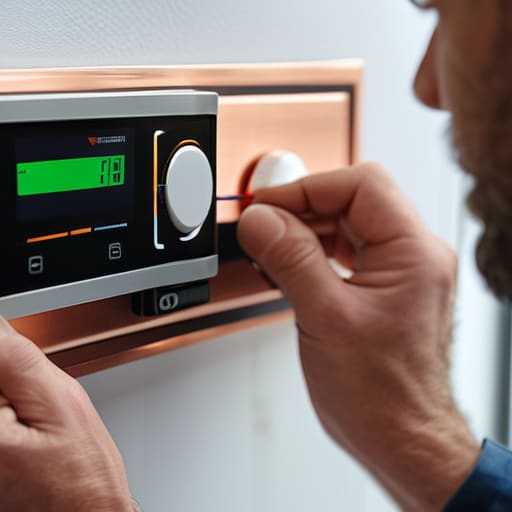
The smart meter installation process is usually less of a construction project and more of a quick swap. An engineer will arrive, typically during a standard four-hour window, and replace your old dial-based unit with the new digital one. They’ll need to turn off your power for a little while—usually about thirty minutes to an hour—to safely disconnect the old wires. It’s a bit annoying if you’re mid-task, but it’s standard procedure. Once the new unit is in, they’ll check that it’s communicating correctly with the network to ensure your real-time energy monitoring actually works.
You don’t need to rewire your house or move your furniture. The engineer basically just pulls the old box off the wall and slots the new one in its place. The most important thing to watch for is the communication link; sometimes, if your house has thick stone walls or is in a bit of a dead zone, the signal can be finicky. If they can’t get a solid connection, they might have to install a signal booster. It’s a straightforward job, provided you’ve cleared a bit of space around your current meter cupboard.
Five things to check before you let them in your house
- Ask about the data. You should be able to see your own usage through an app or a web portal without paying a “premium service” fee. If they can see your patterns but you can’t, that’s a problem.
- Check the signal strength. These things rely on a wireless network (either cellular or a dedicated radio frequency) to talk to the grid. If your house is a concrete fortress or in a dead zone, the “smart” part of the meter might just become an expensive paperweight.
- The “subscription” trap. While the meter itself is usually provided by your utility company, some third-party apps that offer “energy saving insights” charge a monthly fee. Ask yourself if you actually need a graph to tell you that turning off the lights saves money.
- Keep your old meter’s final reading. Even though the transition is supposed to be seamless, digital handovers can be glitchy. Take a photo of your old meter’s display before the technician swaps it out, just in case your next bill looks like a typo.
- Don’t panic about the privacy stuff. A smart meter doesn’t know you’re watching Netflix or that you’ve just started the kettle; it just sees the load on the circuit. It’s a data point, not a camera, but it’s worth knowing exactly what frequency they’re using to transmit it.
The short version
A smart meter doesn’t magically lower your usage; it just stops the guesswork by sending your data to the provider automatically.
Installation is usually a quick swap, but you should check if your provider charges for the hardware or if it’s included in your plan.
If you decide you hate the idea of constant data sharing, you can usually ask to go back to a manual reading, though it might make your billing less predictable.
The bottom line on smart meters
At the end of the day, a smart meter isn’t some futuristic gadget that’s going to manage your life for you; it’s just a digital upgrade to a piece of hardware that’s been doing the same job for decades, designed to stop the manual guesswork and give you a clearer look at where your money is actually going.
Saoirse Doyle
The bottom line on smart meters
At the end of the day, a smart meter isn’t some magical device that will suddenly make your electricity bill disappear. It is essentially just a digital bridge between your house and the utility company, designed to stop the manual guesswork and the “estimated” bills that always seem to arrive when you’re already stressed. You’ll get more accurate data and, if you choose to use an In-Home Display, a better idea of when you’re actually burning through power. Just remember: the hardware is usually free or low-cost, but the real value is in the data you can actually use to spot your own habits. If you don’t look at the numbers, it’s just another plastic box on the wall doing very little for you.
Don’t feel like you need to overhaul your entire life or buy every smart gadget on the market just because you have a new meter. Technology should serve you, not give you a new hobby of managing apps and notifications. If having a smart meter means you spend ten minutes a month checking your usage instead of ten minutes a week arguing with a paper bill, then it has done its job. Keep it simple, use the data if it helps, and if it doesn’t, just let it sit there and do its thing in the background. Technology is at its best when you forget it’s even there.
Frequently Asked Questions
Will my electricity or gas actually get more expensive once the meter is installed?
The short answer is no, the meter itself doesn’t change the price of your unit of energy. It’s just a different way of counting it. However, there is a catch: because smart meters provide more granular data, you might suddenly see exactly how much that “always-on” device in the corner is costing you. It’s not that the electricity gets more expensive; it’s just that you can no longer hide from the math.
What happens to my data, and who exactly gets to see my usage patterns?
Here’s the deal with your data: your energy supplier gets the granular details—how much and when you use power—so they can bill you accurately. In some areas, the network operator sees it too, just to keep the grid stable. It’s not like someone is watching you brush your teeth in real-time, but they do see the patterns. If you want to opt out of sharing more detailed data, check your provider’s privacy settings; it’s usually a toggle.
If the smart meter loses connection or breaks, do I lose power?
The short answer is no. If the smart meter loses its connection to the grid or the little digital brain inside decides to quit, your lights will stay on. The electricity doesn’t actually flow through the smart part of the meter; it just flows past it. You might stop seeing real-time updates in your app, and your provider might have to go back to manual readings, but your kettle will still work.
