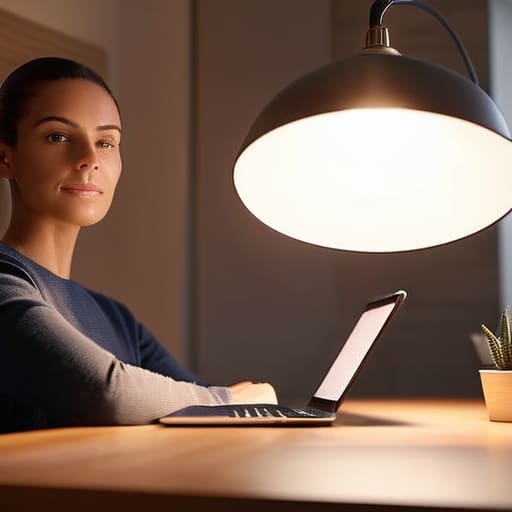
Please don’t let the influencers fool you: you do not need a three-point professional studio kit or a ring light that looks like a UFO landed in your living room just to look decent on a Tuesday morning. Most of the advice you see online about how to light a room for video calls is designed to sell you gear you’ll eventually end up using as a very expensive coat rack. I spent six years in IT support watching people get increasingly frustrated because they were trying to follow “pro” setups in tiny spare bedrooms that simply weren’t built for it. Usually, the problem isn’t a lack of equipment; it’s just that you’re sitting in a dark corner with a single, harsh overhead bulb making you look like a character in a noir film.
I’m not here to pitch you a subscription-based lighting app or a piece of hardware that breaks the moment you move it. Instead, I’m going to show you how to use the stuff you already own to get a clean, professional look. We’ll talk about where to place a basic desk lamp, how to use your windows without blinding yourself, and exactly what to do when your setup feels a bit fiddly. This is the no-nonsense version of lighting: practical, cheap, and actually sustainable.
Table of Contents
Natural Light Positioning for Webcam Without the Glare
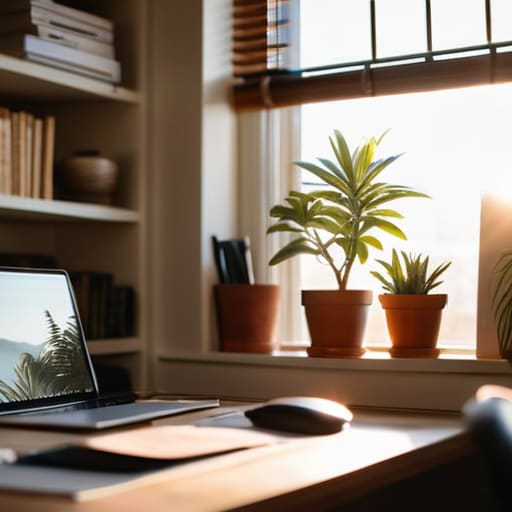
The easiest way to fix your lighting is to use what you already have: a window. But if you sit with your back to the glass, you’ll end up looking like a dark silhouette in a witness protection program. If you sit directly facing it, you’ll likely deal with harsh squinting and blown-out highlights. The sweet spot for natural light positioning for webcam use is to have the window off to one side. This creates a slight, natural shadow on the other side of your face, which adds depth and prevents you from looking like a flat, two-dimensional sticker stuck onto your background.
If the sun is hitting your face too directly and making you look washed out, don’t fight it with expensive gear. Just pull a sheer curtain across the window. This acts as a DIY diffuser, softening the light and making it much more forgiving on your skin. It’s a much better way of improving webcam image quality with lighting than buying a cheap ring light that makes your eyes look like glowing white circles. It’s free, it works, and it doesn’t require a new power outlet.
Reducing Shadows in Video Conferencing Using What You Own
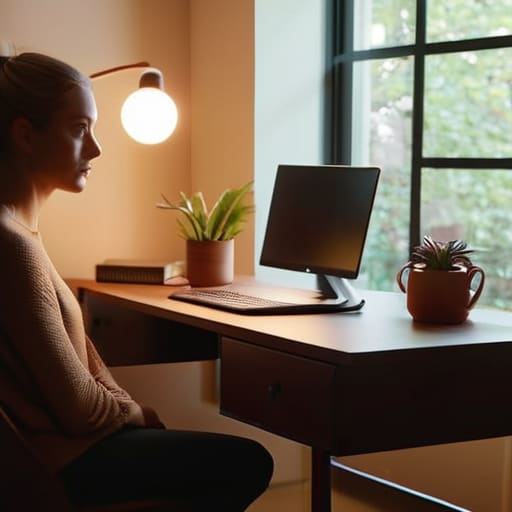
You don’t need to go out and buy a professional ring light vs softbox for Zoom setups just to stop looking like a silhouette. Most of the time, the heavy shadows under your eyes or the dark patch on one side of your face are caused by having a single, harsh light source coming from the side. To fix this, look for what you already have—a floor lamp, a desk lamp, or even a bedside light—and move it. The goal is to create a makeshift three-point lighting setup for remote work by using a secondary light to fill in those dark spots.
If you have a lamp with a shade, aim it at a white wall or the ceiling behind your monitor rather than directly at your face. This turns the entire wall into a massive, soft reflector, which is much better for improving webcam image quality with lighting than a tiny, bright bulb pointed straight at your forehead. It diffuses the light and helps in reducing shadows in video conferencing without that clinical, “interrogation room” vibe. Just watch out for the color temperature; if your lamp is a warm yellow and your window is bright blue, you’re going to look a bit sickly. Try to match them up if you can.
Five ways to stop looking like a ghost in your meetings
- Position your main light source slightly above eye level. If it’s too low, you get that “unsettling interrogation” look where your nostrils are the main feature; if it’s too high, you just look like a shadow in a cave.
- Use a piece of white paper or a cheap piece of foam board to bounce light back onto the side of your face that’s currently in the dark. It’s a zero-cost way to fill in those heavy shadows without buying a second lamp.
- Turn off the overhead “big light” if it’s a harsh fluorescent bulb. Those things are designed for warehouses, not human faces, and they make everyone look slightly sickly and grey.
- If you do buy a ring light, don’t get the cheapest one on Amazon that plugs into a USB port. They usually have terrible color accuracy and will make your skin tone look like an orange. Look for something with adjustable “warmth” so you can actually look human.
- Check your background for “light leaks.” If there is a bright window or a lamp directly behind you, your webcam will try to compensate by turning you into a dark silhouette. Close the blinds or move the lamp.
The short version
Face the window or move your desk so the light hits your face, not your back; otherwise, you’re just a dark silhouette in a bright room.
If you’re using a lamp, don’t point it directly at your eyes or your lens—bounce it off a wall or use a piece of paper to soften it so you don’t look like you’re being interrogated.
You don’t need a ring light to look decent; just find a way to get even light across your face so you aren’t one-half shadow and one-half glow.
## The expensive mistake
You don’t need a ring light that makes you look like you’re staring into a portal to another dimension; you just need to stop sitting with a window directly behind your head so you don’t look like a witness in a true crime documentary.
Saoirse Doyle
Don't overthink it

At the end of the day, you don’t need a ring light that looks like a UFO hovering over your desk. If you’ve positioned yourself facing a window and used a cheap floor lamp to fill in those dark shadows under your eyes, you’ve already done 90% of the work. Remember that the goal isn’t to look like a polished influencer; it’s just to ensure your colleagues can actually see your face instead of a silhouette in a dark room. Stick to soft, indirect light, keep the glare off your glasses, and you’re good to go. If you do decide to buy a dedicated light later, just check the power requirements first—I’ve seen enough people trip over cables just to look slightly more professional.
We spend so much time worrying about the “perfect” setup that we end up paralyzed by the gear we don’t have. But your work matters more than your lighting, and your team is likely more focused on what you’re saying than whether your background is perfectly illuminated. Once you have the basics sorted, stop tweaking the brightness and just get on with your day. A functional, clear image is a tool that works for you, not a project that consumes your afternoon. Now, go turn that lamp on and get back to what you were actually supposed to be doing.
Frequently Asked Questions
Should I buy one of those expensive ring lights, or is a desk lamp actually enough?
Don’t buy the ring light. Most of them are just cheap plastic circles that create a weird, artificial glow that makes you look like you’re in a sci-fi movie. A decent desk lamp with a warm bulb is plenty. If the light is too harsh, just drape a thin white t-shirt over it—it acts as a diffuser. Save your money for something that actually matters, like a better chair or better bread flour.
What happens to my video quality if my internet connection is a bit spotty?
If your connection starts acting up, your video quality is usually the first thing to go. Most platforms like Zoom or Teams will automatically drop your resolution to save the audio—because being able to hear someone is more important than seeing them in high definition. You’ll likely see yourself become a pixelated, blurry mess. If it gets really bad, the video might freeze entirely. If you’re in a crucial meeting, just turn your camera off; it saves bandwidth and stops you from looking like a slideshow.
How do I stop my face from looking washed out if I'm using a bright window?
The problem is the contrast. Your camera is trying to figure out how to show the bright window and your face at the same time, and it usually chooses the window, leaving you looking like a silhouette.
