
I spent six years on a helpdesk watching people try to solve simple problems with expensive, bloated software that required a PhD and a monthly subscription just to list their toaster. Most “expert” guides will tell you that a home inventory is some grand, high-tech digital asset management system, but that’s mostly nonsense designed to sell you a premium cloud tier. In reality, what is a home inventory is much simpler: it is just a way to make sure you aren’t staring at a blank screen and a mounting sense of panic when an insurance adjuster asks what you actually lost.
I’m not going to suggest a complex database or a tool that locks your data behind a paywall you’ll forget to cancel. Instead, I’m going to show you the boring, functional version of how to do this. We will walk through exactly what you need to document, how to organize it so it doesn’t become a second job, and—most importantly—how to keep your records in a format that stays yours even if you stop paying for an app. No hype, no fluff, just the steps that actually work.
Table of Contents
Documenting Household Assets Without Losing Your Mind
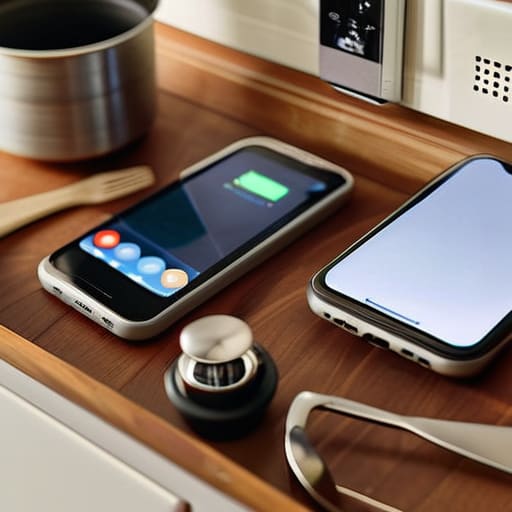
The biggest mistake people make is trying to do it all in one weekend. If you sit down with a clipboard and decide you’re going to catalog every spoon, fork, and sock in the house, you will quit by hour two. Instead, treat it like a slow-burn project. I usually start by walking through one room at a time with my phone camera. Don’t worry about spreadsheets yet; just take videos of the drawers, the closets, and the electronics. This is the most effective way of documenting household assets because a thirty-second video of a messy junk drawer tells an insurance adjuster more than a handwritten list ever could.
Once you have the footage, you can decide how much effort you want to put into organizing personal property records. You can go the manual route with a simple folder on your computer, or you can look into digital home inventory apps. If you go the app route, just remember my rule: check the exit strategy. If you stop paying the monthly subscription, do you still have access to your photos, or does the company lock your data behind a paywall? Pick the method that requires the least amount of maintenance, otherwise, it’s just another chore you’ll eventually ignore.
The Truth About Digital Home Inventory Apps

You’ll see plenty of ads for digital home inventory apps promising to turn your life into a seamless database. Most of them look sleek, but they usually fall into one of two traps: they’re either too complex for a quick update, or they’re a subscription service that will eventually charge you just to look at your own data. If you stop paying the monthly fee, you might find yourself locked out of the very records you need most during a homeowners insurance claims process. I don’t like being held hostage by my own spreadsheets, so I tend to approach these tools with a healthy dose of skepticism.
If you do decide to go the app route, my rule is simple: test the export function first. Before you spend an hour photographing every toaster and towel, make sure you can download that information as a simple PDF or CSV file that lives on your own hard drive. You aren’t just organizing personal property records; you are building a safety net. If the app’s servers go down or the company disappears, your disaster preparedness checklist shouldn’t vanish with them.
Five ways to keep this from becoming a massive chore
- Don’t try to do it all in one weekend. You’ll burn out by the time you reach the kitchen junk drawer. Pick one room, or even just one category like “electronics,” and do that. If you do one room a month, you’re done by next year and you didn’t hate your life the whole time.
- Use your phone’s camera, not a notebook. Taking a photo of a serial number or the back of a TV is ten times faster than typing out twenty digits. Just make sure you upload those photos to a cloud service you actually use, otherwise, you’ve just created a digital pile of clutter that lives only on your phone.
- Focus on the “big boring stuff” first. You don’t need to list every spatula and mismatched sock. Start with the high-value items—laptops, appliances, furniture, and jewelry. If an insurance adjuster asks about a $2,000 sofa, they don’t care about your collection of novelty mugs.
- Keep a “receipt folder” in your email and a physical one for the big stuff. Whenever you buy something significant, take thirty seconds to snap a photo of the receipt or move the digital invoice to a specific “Home Inventory” folder. It saves you from digging through five years of Amazon order histories when you actually need the proof.
- Check your subscription status. If you use an app to manage this, look at the fine print. Some of these services charge a monthly fee just to host your data. If you stop paying, do they delete your photos? Do you get a PDF export? Make sure you aren’t renting your own life’s history from a company that might hike its prices next year.
The short version
Don’t aim for perfection; a messy spreadsheet with photos of your electronics is better than a pristine app you never actually open.
Always check the “exit strategy” for any app you download—if you stop paying the monthly fee, make sure you can actually export your data instead of being locked out of your own life.
Focus on high-value items first, like jewelry, tech, and appliances, so you aren’t wasting your Saturday documenting every single spatula you own.
The real point of a list
A home inventory isn’t some high-level asset management project; it’s just a way to make sure that if the worst happens, you aren’t sitting on your kitchen floor trying to remember if that laptop was a MacBook or a Dell while an insurance adjuster waits on hold.
Saoirse Doyle
Getting it done and leaving it alone

At the end of the day, a home inventory doesn’t need to be a high-tech, automated masterpiece. You don’t need a subscription-based app that promises to scan your entire living room in seconds if you aren’t prepared to pay a monthly fee just to keep your own data accessible. Whether you end up with a simple spreadsheet, a folder of photos on a hard drive, or a basic notes app, the goal is the same: having a reliable paper trail when things go wrong. Focus on the big, expensive stuff first—electronics, appliances, and furniture—and don’t let the pursuit of perfection turn this into a project that never actually ends.
My best advice is to treat this like my sourdough starter: give it a little attention, set it up correctly, and then let it sit. You don’t need to update your inventory every time you buy a new toaster or a pack of socks. Just do a quick sweep once a year, or whenever you move house, and then get back to your actual life. A home inventory isn’t meant to be a hobby or a way to organize your existence; it is a safety net designed to catch you when life gets messy. Once the net is woven, you can stop thinking about it and go back to everything else.
Frequently Asked Questions
How often do I actually need to update this list so it isn't useless?
Don’t aim for perfection; aim for “useful enough.” If you try to update this every time you buy a new toaster, you’ll stop doing it by February.
Do I really need to photograph every single thing I own, or is that overkill?
No, you don’t need to photograph every spoon and sock. That’s a fast track to burnout, and once you’re burnt out, the inventory stays half-finished and useless.
Where is the safest place to store all these photos and receipts without them getting lost in a cloud subscription?
If you want to avoid the “subscription trap,” you need to look at local storage with a redundant backup. I’m talking about an external hard drive or a NAS (Network Attached Storage) that sits in your house. It’s a bit more fiddly to set up initially, but once it’s done, you own the bits and bytes. Just remember: a single drive is a single point of failure. If you don’t have a second copy somewhere else, you don’t have a backup; you just have a ticking clock.
