
I used to think my biggest challenge in IT was a corrupted database or a server that refused to reboot, but nothing prepared me for the sheer, unadulterated chaos of a toddler discovering a dual-monitor setup. There is a very specific, heart-stopping sound—a crunch of plastic or the frantic tapping of tiny fingers on a mechanical keyboard—that tells you your workflow has just been hijacked. Most parenting blogs will tell you that you need a dedicated, locked room or a thousand-euro smart-gate system to solve this, but honestly, that’s just expensive noise. Learning how to make a home office child safe isn’t about buying more gear; it’s about realizing that your expensive hardware is basically just a collection of very shiny, very dangerous toys to a three-year-old.
I’m not here to sell you on a lifestyle overhaul or a subscription-based monitoring app that will stop working the second you miss a payment. Instead, I’m going to give you the boring, practical version: which cables to tuck away, which drawer locks actually hold up against a determined climber, and how to shield your hardware without turning your workspace into a padded cell. We’ll focus on what actually works to keep your tech intact and your kids out of the power strips, using the stuff you likely already have in your junk drawer.
Table of Contents
Preventing Electrical Hazards for Toddlers and Cord Chaos
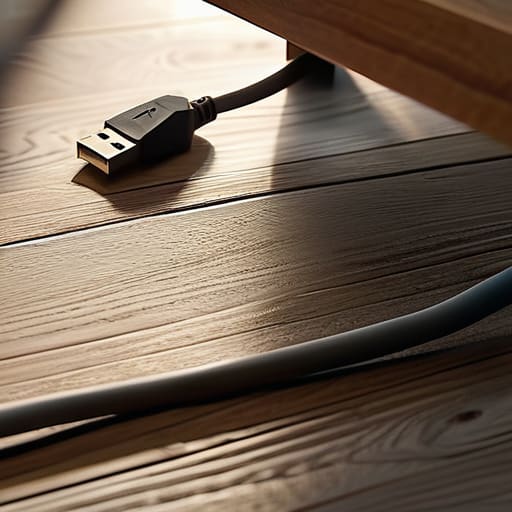
If you’ve ever watched a toddler discover a power strip, you know it’s less like a child playing and more like a tiny demolition expert looking for a way in. The easiest fix is the one I used to tell my users constantly: if you can see the wires, they can touch the wires. I suggest getting some basic plastic cord covers or even just routing everything through a heavy desk leg. Preventing electrical hazards for toddlers isn’t about fancy smart-home integration; it’s about making sure those loose USB-C cables don’t become high-stakes pull-toys.
Once the wires are tucked away, you have to deal with the “spaghetti monster” under the desk. I like using cable management boxes—the kind that look like simple plastic bins—to house the entire power strip and all those messy adapters. It’s a cheap way of managing desk clutter with children while ensuring no curious fingers can reach a live socket. Just a heads-up: if you buy those adhesive cord clips, test them first. Most of them lose their grip after a month, and there is nothing more frustrating than a heavy cable snapping loose and hitting a kid in the head.
Securing Heavy Office Furniture Before It Tips
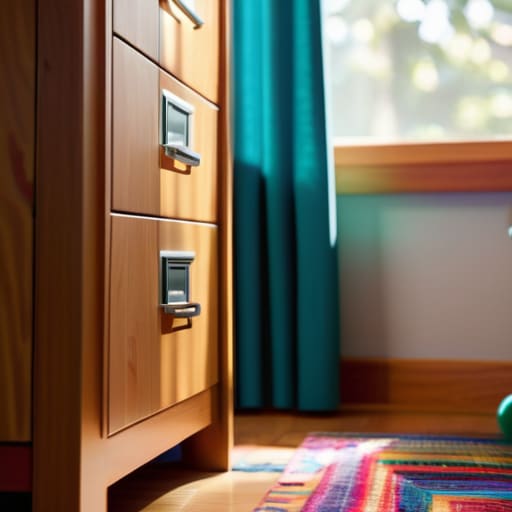
If you’ve ever seen a toddler treat a bookshelf like a ladder, you know that heavy furniture is a ticking time bomb. Most of us pick office pieces for their aesthetic or how much paper they can hold, but we rarely consider their center of gravity once a small human starts pulling on the drawers. Securing heavy office furniture isn’t just about the big stuff like filing cabinets; it’s about any tall unit that could tip if someone uses the bottom drawer as a step stool. I always suggest using anti-tip furniture straps or L-brackets anchored directly into a wall stud. It’s a ten-minute job that saves you a trip to the emergency room.
Don’t forget about your monitor arms and heavy desk lamps, too. If your setup is perched on the edge of a desk, a curious hand can turn a high-end monitor into a projectile. While I’m usually focused on preventing electrical hazards for toddlers, I’ve learned that physical impact is just as much of a risk to your gear and your kid. If you can’t anchor the desk itself, at least ensure the heaviest items are pushed toward the back and away from the “reach zone.”
The small things that cause big headaches
- Get a handle on your hardware. If you have a laptop or a tablet that isn’t actively in use, put it in a drawer or on a high shelf. It’s not just about the cost of the device; it’s about the sticky fingers, the juice spills, and the inevitable “why is the screen cracked?” conversation you’ll have later.
- Sanitize your peripherals. If you’re working from a desk that doubles as a play area, remember that keyboards and mice are basically petri dishes. Give your gear a quick wipe with a non-abrasive electronic cleaner once a week, especially if you’ve got a kid who thinks your mechanical keyboard is a Lego set.
- Watch the small parts. Those tiny little things—USB dongles, SD cards, or even the loose screws from a monitor arm—are magnets for toddlers. If it can fit through a toilet paper roll, it’s a choking hazard. Keep a small “tech bin” with a lid for these bits so they don’t end up on the carpet.
- Manage your cables (again). I know I mentioned cords earlier, but specifically, look at your headset wires and charging cables. They are tempting “pull handles” for little hands. If a child yanks a charging cable, they aren’t just breaking the wire; they’re potentially pulling a heavy laptop or a monitor right onto their head.
- Check your ink and toner. If you use an inkjet printer, keep those ink cartridges and replacement bottles locked away. They are bright, they look like toys, and they are a massive, staining mess if they get punctured or swallowed. If your printer has an open paper tray, consider a small child-proof latch or just keep the tray closed when you aren’t printing.
The quick checklist for a safe workspace
Anchor your heavy stuff—bookshelves, filing cabinets, and monitors—to the wall or desk using straps; if it can tip, a toddler will eventually find a way to pull it down.
Hide the power strips and tuck away the loose cables; it’s not just about preventing tripping, it’s about stopping curious hands from pulling a whole setup onto their heads.
Lock the small stuff in drawers or use physical covers for any hardware with tiny parts; if it can fit in a mouth, it shouldn’t be sitting on the edge of your desk.
The reality of the "work zone"
“A home office isn’t a room to a toddler; it’s a high-stakes obstacle course filled with shiny buttons and expensive things that make noise. You aren’t just child-proofing a workspace; you’re trying to build a perimeter around your sanity before they find the one button that deletes your entire afternoon’s work.”
Saoirse Doyle
Making it stick without losing your mind

At the end of the day, securing a home office isn’t about turning your workspace into a padded cell; it’s about managing the small, predictable risks that turn a productive afternoon into a crisis. We’ve looked at how to anchor your heavy bookshelves so they don’t become climbing frames, how to tuck away those lethal power strips, and how to hide the expensive peripherals that a toddler’s curiosity will inevitably target. It’s a bit of a chore to go around checking every screw and cable tie, but it’s much easier than explaining to a pediatrician why your child tried to eat a USB-C cable. Once you’ve done the heavy lifting of the physical setup, most of these fixes are “set and forget” solutions that let you focus on your actual job.
I know it feels like you’re constantly fighting a losing battle against chaos, especially when your office is just another room in a house full of living, breathing people. You might feel like you’re constantly compromising your professional setup just to keep things safe, but try to view it as building a boundary rather than a barrier. A safe office doesn’t mean you can’t work; it just means you can work without looking over your shoulder every thirty seconds. Get the basics right, check them once a month, and then let yourself get back to the work that actually matters.
Frequently Asked Questions
What’s the best way to secure my expensive monitor or laptop so a kid can't just grab it and pull the whole thing down?
If you’re worried about a tiny hand grabbing a monitor, don’t rely on the stand’s weight. Get a VESA-compatible monitor arm that clamps to the back of your desk; it makes the screen much harder to topple. For laptops, I usually just use a locking Kensington cable or simply treat the device like a hot stove—keep it on a raised stand or tucked behind a physical barrier. If it’s on the edge of the desk, it’s already lost.
Are there specific types of cable management boxes that are actually sturdy enough to stop a toddler from prying them open?
Most of the cheap plastic ones you see on Amazon are basically glorified Tupperware; a determined toddler will pop them open in seconds. If you want something that actually stays shut, look for models with a locking lid or a heavy-duty latch mechanism. They’re a bit bulkier and cost more, but they keep curious fingers away from the power strips. Just remember: if it doesn’t have a physical lock, it’s just a suggestion.
How do I keep my desk drawers locked without making it a massive pain in the neck for me to grab a pen every five minutes?
Don’t go for the heavy-duty magnetic locks on your main desk; you’ll end up leaving them unlocked because you’re too tired to hunt for the “key” every time you need a highlighter. Instead, use adhesive cable organizers to keep the messy stuff out of reach, and keep one single “decoy” drawer or a small desktop organizer for your essentials. If you must lock the big drawers, get the ones with a quick-release button that stays tucked under the lip.
