
Please don’t let a tech YouTuber convince you that you need a $400 mesh system to solve your connectivity issues. I spent six years on a helpdesk watching people throw money at hardware upgrades when the actual problem was just a router tucked behind a metal filing cabinet or a microwave interfering with the signal. Most of the “solutions” you see online are just ways to sell you more plastic; they don’t actually teach you how to fix slow wifi by understanding how the signal actually moves through your specific walls. You don’t need a smarter house; you just need your current setup to stop fighting you.
I’m not going to give you a list of “life-changing” apps that charge a monthly subscription just to tell you your signal is weak. Instead, I’m going to walk you through the boring, practical steps that actually work: where to move your gear, which settings to toggle, and when it is genuinely worth the spend. We’ll focus on what to click and what to ignore so you can get back to your life without the constant buffering wheel of death.
Table of Contents
Reducing Wireless Congestion by Picking the Right Router Frequency Bands

Most modern routers are “dual-band,” which is just a fancy way of saying they broadcast two different signals: 2.4GHz and 5GHz. Think of the 2.4GHz band like a crowded, slow-moving country road. It travels through walls easily, but it’s incredibly prone to interference from your neighbor’s router, your microwave, or even a Bluetooth speaker. If your devices are constantly dropping connection, you’re likely stuck in that digital traffic jam. Reducing wireless congestion usually starts with moving your high-demand devices—like your laptop or gaming console—over to the 5GHz band. It’s much faster and has more “lanes,” though it doesn’t like traveling through thick brick walls as well.
If you find that your signal disappears the moment you walk into the kitchen, you might be dealing with a coverage issue rather than a speed issue. This is where optimizing network speed becomes a game of placement. I always tell people to check if their devices are accidentally clinging to the slower 2.4GHz band just because the signal looks “stronger.” A full bar of slow, congested signal is often worse than two bars of a clean, fast 5GHz connection.
Optimizing Network Speed by Actually Using Your Hardware Right
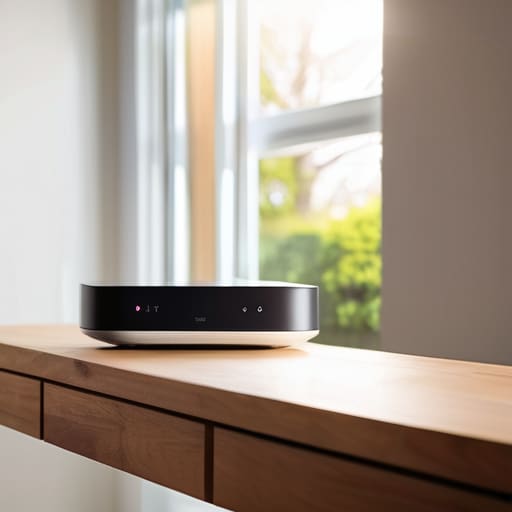
Before you go out and buy a mesh system or a shiny new router, let’s talk about where your current one is actually sitting. Most people tuck their router behind a TV, inside a cabinet, or in a corner near the floor because they don’t want the blinking lights ruining the aesthetic. This is a mistake. A router is essentially a radio, and radio waves don’t like traveling through solid wood, metal, or concrete. For a genuine wifi signal strength improvement, you need to get that device up high and out in the open. If it’s buried under a pile of mail or tucked behind a heavy sofa, you’re basically asking your signal to fight a war through a brick wall.
While you’re moving things around, check your settings for a firmware update. I know, it sounds like one of those annoying “your computer needs to restart” prompts we all ignore, but the firmware update benefits are real. Manufacturers often release patches that specifically address stability issues or bugs that cause your connection to drop when too many devices are active. It’s a five-minute task that can sometimes fix more problems than a hundred-dollar hardware upgrade. Just make sure you don’t pull the plug while it’s halfway through, or you’ll be dealing with a very expensive paperweight.
Five things to try before you go out and buy a new router
- Check your cables. It sounds stupid, but I spent three years at the helpdesk watching people troubleshoot software when their Ethernet cable was half-unplugged or frayed. If the physical link is dodgy, no amount of settings changes will save you.
- Stop the “hidden” bandwidth hogs. Check which devices are currently running massive updates or syncing huge cloud backups in the background. If your laptop is trying to upload 50GB of photos to a server while you’re trying to join a video call, your WiFi isn’t broken; it’s just busy.
- Update your firmware. Most people treat their router like a toaster—you plug it in and forget it exists. But manufacturers release patches that fix stability issues. Log into your router’s admin panel and see if there’s an update waiting. Just make sure you don’t pull the plug while it’s mid-update, or you’ll have a very expensive paperweight.
- Test with a wire. If you want to know if the problem is your internet provider or just your WiFi signal, plug a laptop directly into the router with an Ethernet cable. If the speed is still terrible, stop blaming the wireless signal and start calling your ISP to complain.
- Audit your connected devices. If you have old smart bulbs, three tablets, and a guest’s phone all clinging to your network, they are eating up “airtime.” If you don’t use a device, kick it off the network. It’s better to have five devices working perfectly than twenty devices struggling to stay connected.
The short version
Stop blaming your ISP for every hiccup; most “slow internet” is actually just your router being stuck behind a bookshelf or fighting for space with your microwave.
Use the 5GHz band for your heavy lifting like streaming or gaming, but don’t expect it to reach through three walls—that’s what the 2.4GHz band is for.
Before you drop a few hundred quid on a shiny new mesh system, try moving your current hardware to a central, open spot and see if that actually fixes the dead zones.
The truth about your signal
Most people think a slow connection is a sign they need to spend three hundred euros on a shiny new mesh system, but usually, it’s just that your router is hiding behind a sofa or fighting for space with your neighbor’s microwave. Before you start chasing the latest hardware, try moving the thing you already own to a better spot; it’s free, and it actually works.
Saoirse Doyle
The bottom line
If you’ve gone through the list, you’ve likely realized that fixing your WiFi isn’t about buying a shiny new mesh system with blinking lights. It’s usually just about managing what you already own a little more effectively. We’ve covered the basics: switching your low-power devices to the 2.4GHz band, moving the router out from behind the TV or inside a cabinet, and making sure your hardware isn’t fighting for space with your microwave. If you do those things and the speed is still bottoming out, then—and only then—should you start looking at your ISP or upgrading your cables. Most of the time, the bottleneck isn’t your internet connection; it’s just bad placement and messy frequencies.
I know it’s tempting to fall down the rabbit hole of “smart home” upgrades every time a page takes three seconds too long to load, but please don’t. Most of those “optimized” gadgets are just more things to manage and more subscriptions to track. My advice is to get your current setup stable, get your devices in their proper lanes, and then stop thinking about it. You don’t need a high-tech command center; you just need a connection that stays out of your way so you can actually get things done.
Frequently Asked Questions
If I change my frequency band, will my older devices (like my smart plugs or old printer) stop connecting entirely?
The short answer is yes, they probably will. Most smart plugs and older printers only speak 2.4GHz. If you force your router to only broadcast 5GHz, those devices will just sit there looking confused.
Is it actually worth paying for a mesh system, or am I just buying a more expensive way to solve a placement problem?
Most of the time, you’re just buying a more expensive way to solve a placement problem. If your router is tucked behind a metal filing cabinet or inside a wooden sideboard, a mesh system will just be a series of expensive, slightly less frustrated nodes. Move the router to a central, open spot first. If you’ve done that and still have dead zones in the far corners of the house, then—and only then—is a mesh system worth the money.
How do I know if the bottleneck is my actual internet plan or if it's just my hardware struggling to keep up?
The easiest way to tell is a simple bypass test. Plug a laptop directly into your router (or even your modem) using an Ethernet cable and run a speed test. If you get the speeds you’re actually paying for on the wire, your internet plan is fine; your WiFi is just struggling. If the speeds are still rubbish while plugged in, it’s time to call your ISP and complain.
