
I spent six years on a helpdesk listening to people describe their internet as “dying” every time they moved from the living room to the bedroom, and half the time, the solution wasn’t a miracle—it was just a better way to distribute the signal. You’ll see tech reviewers acting like buying a new setup is a spiritual experience, but when you’re actually sitting on the floor trying to figure out what is a mesh wifi system and whether it’s worth your hard-earned money, the hype is exhausting. Most people don’t need a bleeding-edge network designed for a smart mansion; they just want to stream a movie in the kitchen without the spinning loading icon ruining the mood.
I’m not here to sell you on a lifestyle or convince you that you need more gadgets to be productive. Instead, I’m going to give you the unvarnished truth about how these systems actually work, how much they’ll really cost you over three years, and—most importantly—what happens to your connectivity if you stop paying those sneaky monthly subscription fees. We’ll look at the actual setup process, the common points of failure, and whether a mesh system is a genuine fix or just an expensive way to move your problems around the house.
Table of Contents
- Fixing Wifi Dead Zone Solutions Without Buying More Junk
- The Truth About a Single Ssid Network and Seamless Roaming Technology
- Five things to check before you let a salesperson talk you into a mesh system
- The short version
- The reality of mesh networks
- The bottom line on mesh
- Frequently Asked Questions
Fixing Wifi Dead Zone Solutions Without Buying More Junk
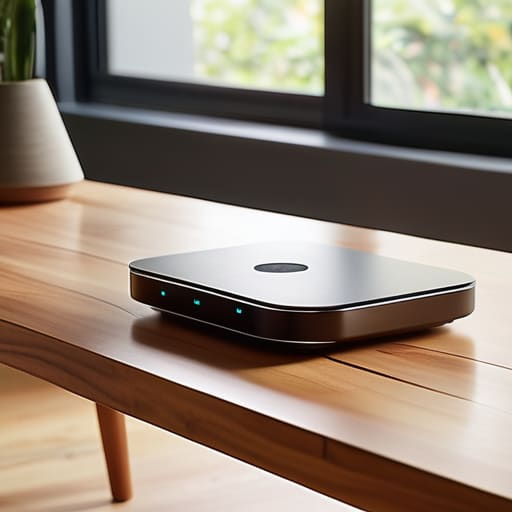
Before you go out and drop three hundred dollars on a shiny new box, let’s look at what you actually have. Most people think they need a total overhaul, but often you’re just fighting a bad placement issue. If your router is shoved into a corner behind a metal filing cabinet or tucked inside a media console, you’re essentially suffocating your signal. I’ve spent too many afternoons explaining that walls and appliances are the natural enemies of signal strength. Try moving your existing router to a central, elevated position first. It’s free, it’s boring, and it solves about half the problems people bring to my desk.
If you’ve moved the router and you still have a “dead zone” in the spare bedroom, you might consider adding wireless access points or a simple extender. However, be careful here; cheap extenders often create a second network name, meaning your phone won’t automatically switch when you walk downstairs. You want a setup that supports a single SSID network, so your devices don’t get stuck clinging to a weak signal from the living room. If you do decide to upgrade, just make sure you aren’t paying a monthly “premium support” fee for hardware that should just work out of the box.
The Truth About a Single Ssid Network and Seamless Roaming Technology

The biggest selling point you’ll see on the box is the promise of a single SSID network. In plain English, that means you won’t see “Home_WiFi_LivingRoom” and “Home_WiFi_Bedroom” cluttering up your phone’s settings. Instead, you just have one name, and the system is supposed to handle the heavy lifting of moving you between nodes. It sounds magical, but it’s really just a way to stop your phone from clinging to a weak signal from the hallway when you’re sitting right next to a node in the kitchen.
This is where seamless roaming technology actually comes into play. In a perfect world, your device hands itself off to the strongest signal without dropping your Zoom call or pausing your Spotify stream. In reality, it’s a bit of a tug-of-war between your phone and the router. Some devices are “sticky” and refuse to let go of a distant signal until it’s completely dead, which can make the mesh feel less seamless than the marketing suggests. If you find your connection stuttering as you walk through the house, it’s usually not the mesh failing, but your phone being stubborn about which node it wants to talk to.
Five things to check before you let a salesperson talk you into a mesh system
- Map your house before you buy. If you live in a small apartment, a mesh system is just an expensive way to clutter your shelves; you’re better off with one decent router. Mesh is for the people with thick walls or long hallways that act like signal sponges.
- Watch out for the “subscription trap.” Some newer, flashy mesh brands want you to pay a monthly fee just to access advanced security features or parental controls. Always check if the hardware actually works as a router the second you cancel that subscription, or if it turns into a very expensive paperweight.
- Placement is everything, and no, you shouldn’t hide the nodes in a cupboard. If you tuck a node behind a TV or inside a metal cabinet to make it look “neat,” you’re killing the very signal you’re trying to boost. They need to be out in the open, ideally halfway between your main router and the dead zone.
- Check the “backhaul” situation. If your house has Ethernet ports in the walls, use them to connect your mesh nodes. It’s called wired backhaul, and it’s much more stable than having the nodes try to talk to each other wirelessly through a load-bearing wall.
- Don’t ignore the app-only setup. A lot of these systems require you to use a specific smartphone app for everything—from changing your password to seeing who is on your network. It’s convenient until the app crashes or you want to manage your network from a laptop, which many of them won’t let you do.
The short version
A mesh system isn’t magic; it’s just multiple nodes working together to stop your connection from dropping when you move between rooms.
Don’t get lured in by “easy setup” apps that require a monthly subscription just to manage your own hardware—check the fine print before you buy.
If your house is small or built with mostly open spaces, a mesh system is probably overkill; you might just need to move your current router to a better spot.
The reality of mesh networks
“A mesh system isn’t some magical upgrade that makes the internet faster; it’s just a way to stop your connection from falling apart the moment you walk into the kitchen, provided you don’t get caught in a subscription trap for ‘premium’ security features you didn’t ask for.”
Saoirse Doyle
The bottom line on mesh

At the end of the day, a mesh system isn’t some magic wand that solves every connectivity issue in your house, but it is a reliable way to stop your signal from dropping every time you move behind a brick wall. If you’ve gone through the steps we discussed—checking your router’s placement, looking at your dead zones, and understanding that a single SSID is what actually makes the “seamless” part work—you’re already ahead of most people. Just remember my golden rule: read the fine print on the app subscription. If the manufacturer wants a monthly fee just to manage your nodes, walk away. A mesh system should be a set-it-and-forget-it piece of infrastructure, not another recurring line item on your bank statement that you have to manage.
Technology is supposed to serve you, not the other way around. We often get caught up in the hype of the newest, fastest, most expensive hardware, thinking a higher price tag equals a better life. It doesn’t. It just equals a slightly faster way to scroll through social media in the bathroom. My advice is to buy what works for your specific floor plan, set it up once, and then get back to living your actual life. Whether that’s baking a loaf of sourdough or finally finishing that book, your internet should be the invisible background noise that just works, allowing you to stop troubleshooting and start doing.
Frequently Asked Questions
Do I actually need a mesh system, or can I just buy a cheap Wi-Fi extender for half the price?
Look, if you just want to check your email in the far corner of the bedroom, an extender is fine. But extenders are basically just middle-men; they grab your signal, struggle to pass it on, and usually force your phone to cling to a dying connection instead of switching to the stronger one. A mesh system is a proper team. It’s more expensive upfront, but it actually works without you having to manually toggle your Wi-Fi on and off.
If I switch to a mesh system, do I have to throw away my current router and modem?
No, you don’t have to bin your current gear. Your modem stays exactly where it is—it’s the bridge to the internet, and the mesh system just sits on top of it. As for your old router, you have two choices: you can either tuck it in a drawer or, if you’re feeling technical, set it up as a secondary access point. Just make sure you turn off the old router’s Wi-Fi first, or they’ll just fight each other.
What happens to my network if I stop paying for the manufacturer's app subscription?
This is where the fine print gets annoying. If you’re using a system like Eero or Nest, your basic internet connection usually stays up, but you’ll lose the “smart” bits. You won’t get security updates, remote management via the app, or those fancy parental controls. It’s like owning a car where the steering wheel only works if you pay a monthly fee. Check your manual first; you don’t want to buy a paperweight.
