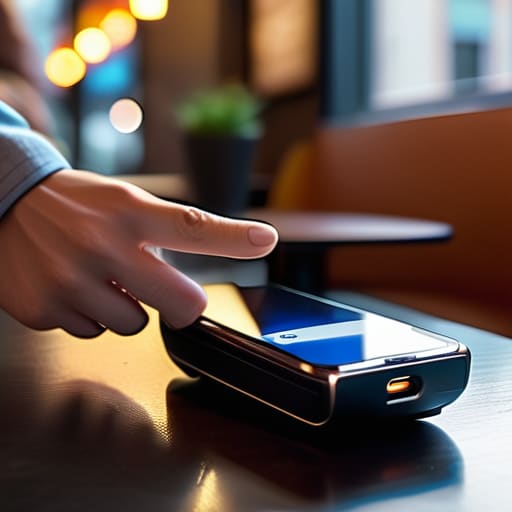
I spent six years on a helpdesk listening to people explain technology back to me like they were reading from a glossy brochure, and if I hear one more person describe Near Field Communication as a “revolutionary wireless ecosystem,” I might actually lose my mind. It’s not a revolution; it’s just a way for two things to talk when they’re practically touching. Most tech blogs will leave you spinning with jargon, but when you’re actually standing at a busy coffee shop terminal trying to figure out what is nfc and why your phone isn’t responding, you don’t need a lecture on radio frequencies. You just need to know where to tap and why it occasionally fails you when you’re in a rush.
I’m not here to sell you on a lifestyle or convince you that you need a smart-home setup that requires a monthly subscription just to unlock your front door. My goal is to give you the unvarnished truth about how this tech actually works in your pocket. I’ll walk you through what it does, what it costs (usually nothing, unless you’re buying fancy tags), and most importantly, what happens when the connection drops. No hype, just the steps.
Table of Contents
How Nfc Technology Works Without the Marketing Fluff
If you strip away the glossy brochures, how nfc technology works is actually quite simple and, frankly, a bit primitive. Unlike Bluetooth, which is designed to find your headphones across a room, NFC is built for when things are practically touching. It uses electromagnetic fields to trigger a tiny exchange of data between two points. Think of it like a very polite, very short conversation that only happens if you’re standing close enough to whisper in someone’s ear.
Inside your phone, there is a tiny nfc chip that acts as the gatekeeper. When you tap your device against a payment terminal or a smart tag, that chip creates a tiny loop of power that allows the data to jump across the gap. This is why it’s such a specific type of short range wireless communication; it’s physically impossible for it to work from across the house.
This lack of range is actually its biggest selling point for near field communication security. Because the signal dies out almost immediately, a stranger can’t just sit in a cafe and intercept your payment data from three tables away. It’s not “high-tech” in the way a mesh network is, but it’s reliable because it requires your physical intent to work.
The Nfc Chip in Smartphone What It Actually Does
Inside your phone, the NFC chip isn’t some massive, power-hungry processor. It’s a tiny, specialized component designed for one specific job: managing very brief, very close-range handshakes. When you tap your phone against a payment terminal or a smart tag, that chip wakes up, establishes a connection, and shuts back down almost instantly. This is why it feels different from nfc vs bluetooth technology; while Bluetooth is designed to maintain a steady stream of data across a room, NFC is built for intentional, physical proximity. It doesn’t want to find your headphones in your backpack; it only wants to talk when you tell it to.
Because this is a form of short range wireless communication, the physical distance acts as a built-in layer of protection. You aren’t accidentally paying for someone else’s groceries from across the aisle. The chip handles the heavy lifting of encrypting that tiny burst of data, ensuring that even though the connection is fast, it isn’t sloppy. It’s essentially a digital “tap and go” mechanism that turns your hardware into a secure key, provided you’re actually touching the right thing.
Five things to keep in mind before you start tapping everything
- Check your phone case first. I’ve spent far too many afternoons tapping a payment terminal like I was performing a ritual, only to realize a thick leather wallet case was blocking the signal. If it doesn’t work immediately, the case is usually the culprit.
- Don’t expect it to work through a crowd. NFC is designed for very close range—usually less than four centimeters. If you’re trying to tap a reader in a busy subway station, you need to be intentional about where you’re aiming, or you’ll just be hitting random people’s pockets.
- Know the difference between “tap to pay” and “tap to pair.” Most people use NFC for Apple or Google Pay, which is great, but some older Bluetooth headphones use it to pair. If your device isn’t connecting, check if you’re supposed to be tapping the phone to the specific sensor on the headset.
- Watch out for the “subscription trap” in NFC-enabled smart home gear. Some companies sell you a fancy NFC tag or a smart lock that works beautifully, but then they lock the “smart” features behind a monthly fee. If the tag stops working because you cancelled a subscription, you’ve basically just bought a very expensive sticker.
- Security is decent, but it’s not magic. While it’s much harder to “sniff” an NFC signal from across the room than it is to hack a weak Wi-Fi password, you should still be careful about tapping random, unverified stickers in public places. If a sticker looks like it was slapped on a pole by someone in a hurry, don’t tap it with your banking app open.
The short version
NFC is just a way for two devices to talk when they are practically touching, which is why it’s great for quick tasks like paying for coffee but useless for sending large files.
Your phone uses it mostly for digital wallets and quick pairing, but it’s a hardware feature that stays with you even if you stop paying for specific apps.
It is incredibly convenient for small, secure interactions, but don’t expect it to replace Bluetooth or Wi-Fi for anything that requires actual distance or speed.
## The reality of the "magic" tap
“NFC isn’t some futuristic breakthrough; it’s just a very short-range conversation between two pieces of hardware that happens so fast you don’t have time to realize it’s actually working.”
Saoirse Doyle
The bottom line on NFC
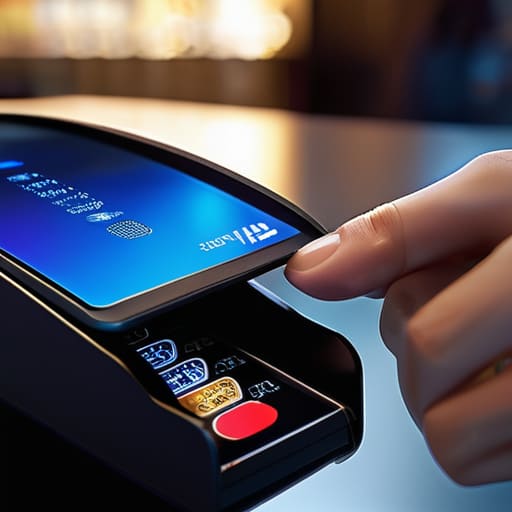
At the end of the day, NFC isn’t some futuristic magic trick; it is just a very short-range, very specific way for two pieces of hardware to shake hands. We’ve looked at how it powers your contactless payments, how it manages the tiny chip in your phone, and why it only works when things are practically touching. It is a tool designed for convenience, not for massive data transfers. If you try to send a high-res photo via NFC, you are going to have a bad time. But for tapping a transit card or pairing a headset without digging through a menu, it is arguably one of the most reliable bits of tech we have. Just remember that security relies on that physical proximity—if you aren’t touching it, it isn’t happening.
My advice is to stop worrying about whether you are “using” NFC enough and just let it exist in the background. You don’t need to master the protocol to benefit from it; you just need to know that when you tap your phone against that reader, a very specific, very boring set of instructions is being followed perfectly. Technology is at its best when it stops asking for your attention and just does the job it was built for. Use it to shave five seconds off your morning commute, and then get on with your actual life.
Frequently Asked Questions
Does my phone need to be unlocked for NFC to work when I'm paying for something?
The short answer is yes, usually. For security reasons, most payment apps (like Apple Pay or Google Wallet) require you to unlock your phone or authenticate with a fingerprint/face scan before they’ll trigger the NFC chip. It’s a safety feature so someone can’t just walk past you in a queue and tap your pocket to buy a sandwich. If you’re just tapping a transit card or a sticker, it might work while locked, but for money? You’ll need to unlock it.
Is it actually safe to tap my phone against a reader in a crowded place?
The short answer is yes, but don’t let the tech blogs scare you with “digital pickpocket” stories. For someone to steal your data, they’d practically have to be hugging you while holding a specialized reader right against your hip. Most modern phones also require you to authenticate—a fingerprint or face scan—before the NFC chip even wakes up to talk to a terminal. If you aren’t actively trying to pay, the chip is basically sleeping.
Can I use NFC to send files between two phones, or is it just for payments?
The short answer is: mostly no. While the tech allows it, it’s painfully slow for actual files. Think of NFC like a tiny, narrow pipe; it’s great for a quick “handshake” to say hello, but if you try to shove a photo through it, you’ll be waiting forever. Usually, your phone uses that NFC tap just to trigger a much faster connection, like Bluetooth or Wi-Fi, to do the heavy lifting.
