
I spent six years in a cramped, windowless IT office listening to people describe their digital lives as “hacked” because they saw a weird pop-up or lost a password. Most of the time, they weren’t victims of a mastermind; they just didn’t understand how their own data was being handled. There is a massive amount of marketing noise out there trying to sell you “security suites” that cost fifty quid a month, when really, you just need to understand what is end to end encryption and why it actually matters for your daily privacy. It isn’t some magical shield that makes you invisible, but it is the difference between a stranger reading your private messages and your data being mathematically unreadable to everyone but you.
I’m not here to sell you a subscription or scare you into buying a hardware key you’ll lose in a week. Instead, I’m going to break down how this actually works in the apps you already use, what happens to your messages if you lose your phone, and—most importantly—where the gaps are. No hype, just the practical reality of keeping your digital life from getting in your way.
Table of Contents
Public Key Cryptography Explained Without the Academic Fluff
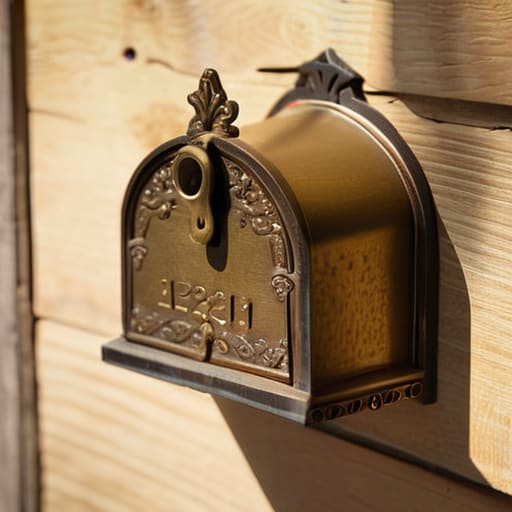
To understand how this works, you have to stop thinking about passwords as something you share and start thinking about them as something you never show anyone. In standard setups, you send a secret to a server, and the server holds the key. In public key cryptography, you essentially have two different keys: one that anyone can see, and one that stays tucked away on your device. Think of the public key like a physical mailbox slot. Anyone can walk up and drop a letter through the slot, but once that letter is inside, only the person with the actual key can open the box to read it.
This is the backbone of how we create secure communication channels without needing to meet in person to swap secret codes. When you send a message, your phone uses the recipient’s public key to scramble the data into gibberish. Even if a hacker intercepts that data mid-transit—what we call a man-in-the-middle attack—all they see is a digital mess that is mathematically impossible to unscramble. The only thing that can undo that scramble is the private key sitting on the recipient’s phone. It’s a bit of a math heavy lifting process happening in the background, but for you, it just means your texts stay private.
The Difference Between E2ee and Tls in Real Life

Most people assume that because they see a little padlock icon in their browser, their data is untouchable. That’s not quite right. That padlock usually means you’re using TLS (Transport Layer Security), which creates a secure tunnel between your computer and the website you’re visiting. It prevents someone sitting in a coffee shop from sniffing your password out of the air, but once your data reaches the company’s server, the tunnel ends. The company can see everything. They can scan your emails, log your searches, or hand that data over to advertisers because they hold the keys to unlock it.
The difference between E2EE and TLS is essentially a question of who holds the keys at the finish line. With TLS, the company acts like a post office that opens your mail to check the contents before delivering it. With end-to-end encryption, the company is just a blind courier. They move the envelope from point A to point B, but they don’t have the decryption keys required to see what’s inside. For most of us, that’s the distinction between “the connection is safe” and “my actual private conversations are safe.”
Five things to keep in mind before you trust an app with your privacy
- Check if the encryption is actually “end-to-end.” Some apps claim to be secure but use encryption that only protects your data while it’s moving, meaning the company itself can still peek at your messages on their servers. If they hold the keys, it isn’t true E2EE.
- Understand the “recovery key” trap. Many E2EE services give you a long string of random characters or a recovery phrase to use if you lose your phone. Write this down on physical paper. If you lose both your device and that key, your data isn’t just “locked”—it is gone forever. Not even the company’s support team can get it back for you.
- Watch out for “cloud backups” that bypass security. You might be using an E2EE messenger, but if you set your phone to back up your chat history to iCloud or Google Drive without enabling an extra layer of encryption there, you’ve just handed the keys back to the provider.
- Look at the metadata, not just the content. E2EE protects what you say, but it doesn’t always hide who you said it to, when you said it, or how long the conversation lasted. For most people, that’s fine, but if you’re looking for total anonymity, the “who and when” is often just as revealing as the “what.”
- Don’t assume it’s a magic shield against everything. Encryption protects the data in transit and at rest, but it won’t stop a keylogger on your laptop or someone physically looking over your shoulder while you type. It secures the pipe, not the person at the end of it.
The short version
E2EE means the service provider (like WhatsApp or Signal) can’t see your messages even if they wanted to, because they don’t hold the keys to unlock them.
Encryption isn’t a magic shield; it protects the content of your data, but it doesn’t hide the fact that you are talking to someone or when you are online.
The biggest risk isn’t the encryption breaking, it’s you losing access to your recovery keys or your device being unlocked while it’s sitting on your kitchen table.
The bottom line on privacy
“At the end of the day, end-to-end encryption is just about making sure the service provider is as blind to your data as a stranger on a bus. If they can’t see it, they can’t lose it, and they certainly can’t hand it over to someone else.”
Saoirse Doyle
The bottom line on your data

To keep it simple: end-to-end encryption is the difference between handing a letter to a courier who can peek inside and handing a locked steel box to a courier who doesn’t have the key. We’ve looked at how public key cryptography handles the heavy lifting and why E2EE is a much higher standard than the standard TLS encryption used for most websites. If you are using an app that claims to be secure, check if it actually uses E2EE for the content of your messages, not just the connection to the server. Just remember the golden rule I mentioned earlier: if you lose your recovery keys or your device, that encryption works exactly as intended—it keeps everyone out, including you.
At the end of the day, digital privacy shouldn’t feel like a full-time job or a math degree. You don’t need to understand the underlying calculus to make a smart choice about which tools you let into your life. My advice is to pick a few reliable, E2EE-standard tools for your most sensitive conversations and then stop worrying about the technicalities. Technology is supposed to serve you, not give you a headache. Once you have a basic, secure setup in place, the goal is to get back to actually living your life, rather than spending your evenings auditing your encryption protocols.
Frequently Asked Questions
If I lose my phone or reset my password, do I lose all my encrypted messages forever?
The short answer is: yes, you probably will. That’s the trade-off for actual privacy. Because the service provider doesn’t hold your keys, they can’t “reset” your access to your old messages. If you lose your device and haven’t set up a recovery key or a cloud backup (which often stores a copy of the key), those chats are gone. It’s frustrating, but it’s the only way to ensure a subpoena doesn’t turn your private life into a public file.
Does using end-to-end encryption make my messages slower to send or receive?
Technically, yes, there is a tiny bit of extra work for your phone to do. Your device has to scramble the message before sending it and unscramble it when it arrives. But we’re talking milliseconds here—the kind of delay you’d never notice even if you were staring at a loading bar. If your messages feel slow, it’s almost certainly your Wi-Fi or a spotty 5G connection, not the encryption itself.
Can my service provider still see my metadata, like who I'm talking to and when?
Yes, they can. Think of it like this: E2EE locks the contents of your envelope so no one can read your letter, but your service provider can still see the outside of the envelope. They know who sent it, who received it, and exactly what time it was dropped in the mail. Encryption protects the what, but it doesn’t hide the who, when, and where. If you’re trying to hide the pattern of your life, E2EE alone won’t do it.
