I spent six years on a helpdesk listening to people complain about rising utility bills, and most of the “solutions” I heard were absolute nonsense. People would suggest buying a $200 “smart energy monitor” or a series of expensive, proprietary power hubs that require their own monthly subscription just to tell you your toaster is plugged in. It’s exhausting. The truth is, most of these gadgets are just another way to make you feel like you need a complex system to solve a simple problem. If you actually want to know how to reduce standby power without turning your living room into a data center, you don’t need an app; you just need to understand where the invisible leaks are happening.
I’m not here to sell you a new ecosystem or a shiny piece of hardware. My goal is to give you the boring, practical version of what actually works. I’ll walk you through which devices are the real culprits, which power strips are worth the extra five pounds, and—crucially—what happens to your settings if you actually pull the plug. We’re going to focus on low-effort, high-impact moves that stop your house from bleeding money while you sleep.
Table of Contents
The Real Cost of Vampire Energy Consumption Solutions
Before you go out and buy a suite of expensive gadgets to fix this, let’s talk about the math. Most people think they need a high-tech overhaul, but the real cost of most vampire energy consumption solutions is often higher than the actual electricity they save. I’ve seen people spend eighty quid on “smart” plugs just to save about three quid a year on their utility bill. It’s a classic case of solving a problem with a tool that’s more complicated than the issue itself.
If you want to see the actual numbers, I suggest a simple phantom power usage measurement using a cheap plug-in watt meter. It costs about ten pounds and tells you exactly which device is the culprit. You’ll likely find it isn’t your fridge, but that old printer or the gaming console that stays in “instant-on” mode. My advice? Don’t over-engineer it. Before you invest in a complex ecosystem, try the unplugging electronics impact method first—just pull the plug on the stuff you aren’t using. It’s free, it’s boring, and it actually works.
How to Start Reducing Household Electricity Bills Today
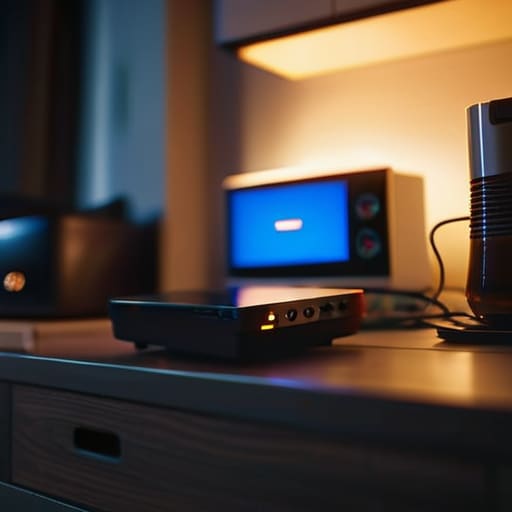
If you want to start reducing household electricity bills without turning your living room into a dark cave, start with the low-hanging fruit. The easiest win is a physical audit of your “always-on” devices. Walk through your house and look for those tiny, glowing LED eyes on your microwave, coffee maker, or game console. If it has a light, it’s drawing power. You don’t need to go around unplugging everything every night—that’s a recipe for burnout—but identifying the biggest culprits is the first step.
For the stuff you use daily but not constantly, like your TV setup or home office, I suggest looking into smart power strips benefits. A good smart strip can cut the connection to your peripherals (like printers or speakers) automatically when your main device is off. It’s a “set it and forget it” approach that actually works. If you’re feeling particularly skeptical, you can pick up a cheap phantom power usage measurement tool from a hardware store. It’ll show you exactly how many cents a single device is bleeding from your bank account every month, which usually makes the effort of switching it off feel a lot more worth it.
Five ways to actually stop the bleed
- Get some decent power strips—the kind with individual switches. I stopped using those fancy “smart” strips because they just add another app to manage, and frankly, I don’t need my power strip sending me push notifications. Just flip the switch on the strip when you head to bed or leave for work. It’s manual, sure, but it’s a zero-cost way to ensure your TV and game console aren’t sipping power all night.
- Check your “Sleep” vs. “Hibernate” settings on your computer. Sleep mode keeps the RAM powered so it wakes up fast, but it’s still drawing juice. If you aren’t going to touch the laptop for more than an hour, set it to Hibernate. It saves your state to the hard drive and cuts the power draw down to almost nothing. It takes an extra ten seconds to start up, but it’s worth the few cents you’ll save over a year.
- Look at your router. Most people leave their Wi-Fi running 24/7, which is fine, but if you have a secondary router or an old one sitting in a drawer acting as an extender, it’s likely a constant drain. If you don’t need that extra coverage at night, unplug it. Just be aware that if you use smart home devices (like bulbs or plugs), they’ll go offline until you plug it back in.
- The “hidden” culprits are usually the chargers. A phone charger plugged into the wall without a phone attached is still drawing a tiny bit of current. It’s not going to bankrupt you, but if you have a whole house full of them, it adds up. I keep a small power strip by my nightstand for all my charging bricks; when I’m done, I kill the strip.
- Be wary of “Eco-modes” that require a subscription or a specific brand of smart plug to work. A lot of these companies sell you a “solution” that costs more in monthly fees than the electricity it actually saves. If a device claims to save you money but requires a $5/month app to manage its power settings, walk away. Use a mechanical timer or a simple physical switch instead.
The short version for when you’re busy
You don’t need a smart home overhaul; just unplug the things that don’t actually need to stay “awake” to do their job.
Focus on the high-draw offenders like old gaming consoles and desktop setups rather than obsessing over a single phone charger.
If you buy smart plugs to save power, make sure they aren’t themselves drawing more energy than they’re actually saving.
The reality of the "always-on" lifestyle
We’ve been conditioned to think that if a device isn’t actively doing something, it isn’t costing us anything. But after years of looking at power draw logs, I can tell you that those little standby lights are basically just tiny, slow leaks in your bank account. You don’t need a smart home ecosystem to fix it; you just need to stop letting your gadgets stay awake for no reason.
Saoirse Doyle
The bottom line
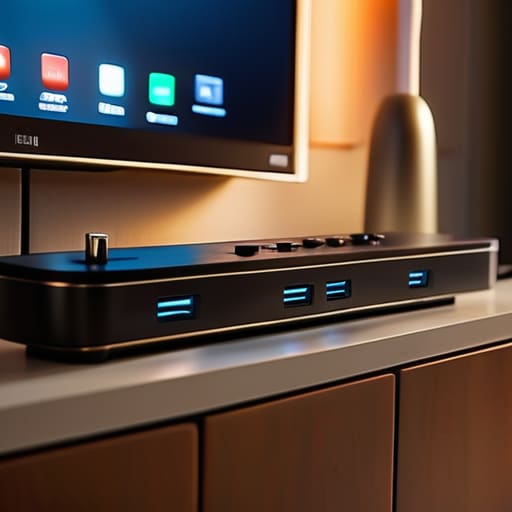
At the end of the day, you don’t need to turn your house into a dark, unplugged cave to see a difference. It’s really just about a few intentional shifts: swapping out those old, power-hungry peripherals, using smart power strips for your entertainment center, and being honest about which devices are actually worth the electricity they’re sipping while you sleep. You don’t have to fix everything overnight, but identifying the biggest offenders—usually that old printer or the gaming rig left on standby—is where you’ll see the most immediate return on your time. It’s less about a massive lifestyle overhaul and more about stopping the slow leak in your bank account.
I know it feels a bit tedious to hunt down every little glowing LED in the living room, but there is a certain quiet satisfaction in knowing your tech is working for you, rather than just draining your wallet for no reason. We spend so much time managing our digital lives that we often forget the physical cost of keeping it all running. If you take ten minutes this weekend to audit your plugs, you aren’t just saving a few euros; you’re reclaiming a bit of control over your own space. Keep it simple, keep it functional, and let the machines stay off when you aren’t using them.
Frequently Asked Questions
If I use smart plugs to cut power, will my router or smart home devices lose their settings every time I turn them off?
Short answer: No, your settings are safe. Most devices store their configuration on internal flash memory that doesn’t need power to stay put. When you toggle that smart plug back on, your router will reboot and try to reconnect just like it does after a power cut. Just a heads-up: if you cut power to a smart hub or a bridge, your other smart devices might show as “offline” in your apps until everything finishes its boot cycle.
Is it actually worth buying those expensive power strips with individual switches, or should I just stick to the cheap ones?
Honestly? Don’t bother with the expensive ones. I spent years troubleshooting hardware, and a power strip is just a bridge. A cheap, reliable one from a brand you actually recognize does the exact same job as a “smart” version. If you want to save money, buy a basic strip with individual switches so you can kill the power to your printer or coffee machine manually. It’s more tactile, and there’s no firmware to glitch out.
Will putting my computer or TV on a deep sleep mode actually save enough money to justify the hassle of waiting for them to boot back up?
Honestly? For a TV, no. It’s pennies. But for your computer, it depends on your workflow. If you’re just hitting “Sleep,” the difference is negligible. However, if you’re leaving a high-end desktop running all night, switching to a true shutdown or deep sleep actually matters. If you hate the boot time, just use “Hibernate”—it saves your open windows to the disk and pulls almost zero power. It’s the middle ground that doesn’t feel like a chore.
