I spent six years in a cramped IT office, listening to the rhythmic, aggressive clicking of mechanical keyboards and the low-frequency hum of server fans that seemed to vibrate right inside my skull. I remember one Tuesday, staring at a ticket queue that was growing faster than my sourdough starter, realizing that no amount of “mindfulness breathing” was going to fix the fact that my neck felt like it was being gripped by a vice. Most productivity gurus will try to sell you a $40 monthly subscription to a meditation app or a “zen” desk setup that costs more than my first car, but they’re missing the point. Learning how to manage stress at a desk job isn’t about finding a magical moment of peace; it’s about stopping the friction caused by your environment and your habits.
I’m not here to pitch you a lifestyle overhaul or a suite of expensive wellness tools. Instead, I’m going to give you the boring, practical version: the small, physical adjustments and digital boundaries that actually work when you’re mid-meltdown. We’ll look at what to change in your setup, what to turn off, and most importantly, how to keep your sanity without needing a total career pivot.
Table of Contents
The Ergonomic Workspace Setup That Actually Works
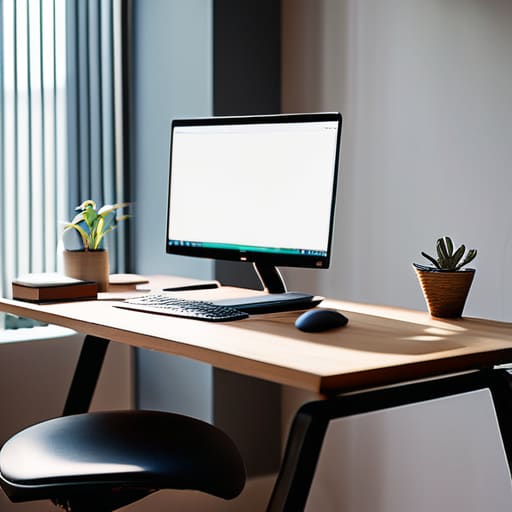
Most people hear “ergonomic workspace setup” and immediately think they need to drop a month’s rent on a chair that looks like it belongs in a spaceship. You don’t. After years of seeing people walk into the IT office with neck tension that could rival a professional wrestler, I’ve learned that the best setup is usually just about geometry. Your monitor should be at eye level so you aren’t staring down at your lap, and your feet actually need to touch the floor. If you’re using a laptop on a flat desk for eight hours a day, you aren’t working; you’re slowly turning yourself into a question mark.
Once you’ve sorted the physical stuff, you have to deal with the mental friction. I’m a big believer in microbreaks for mental clarity, but not the kind where you spend twenty minutes staring at a guided breathing animation. I mean the kind where you stand up, walk to the kitchen, and look at something that isn’t a glowing rectangle for sixty seconds. It’s about breaking the loop of constant digital input. If your environment is constantly fighting your body, no amount of “mindfulness” is going to stop you from feeling fried by 3:00 PM.
Microbreaks for Mental Clarity Without Looking Crazy

Most productivity gurus will tell you to download a meditation app that pings you every twenty minutes, which—let’s be honest—is just another notification to ignore while you’re already feeling overwhelmed. If you want actual microbreaks for mental clarity, you don’t need a guided journey through a digital forest. You just need to look away from the blue light. Try the 20-20-20 rule: every twenty minutes, look at something twenty feet away for twenty seconds. It sounds incredibly basic, but it stops your eyes from feeling like they’ve been rubbed with sandpaper by 3:00 PM.
If you’re worried about looking weird doing desk-based mindfulness exercises in an open-plan office, keep it low-key. You don’t need to sit cross-legged on the carpet. Just lean back, unclamp your jaw, and take three slow breaths. It’s a subtle way of managing sedentary work stress without making your coworkers think you’ve had a breakdown. The goal isn’t to reach enlightenment; it’s just to reset your nervous system before you start typing with unnecessary aggression.
Five ways to stop your job from feeling like a slow-motion crisis
- Kill your notifications, not your workflow. I spent years watching people jump every time a Slack ping went off; it’s a dopamine trap that keeps you in a state of low-level panic. Set your status to “away” or “focus mode” for an hour a day. If it’s actually an emergency, they’ll call you. If they don’t call, it wasn’t an emergency.
- Stop treating your inbox like a to-do list. When you use your email as a task manager, you’re letting other people’s priorities dictate your entire day. Move the actual work into a simple list or a calendar, and close the email tab. You can check it at 10:00, 1:00, and 4:00. Anything else is just performative busyness.
- Learn the “good enough” threshold. In IT, there is a massive difference between a system that is mission-critical and a spreadsheet that looks slightly messy. If you are spending forty minutes perfecting a slide deck that no one is going to look at for more than ten seconds, you aren’t being productive—you’re just anxious.
- Separate your “work brain” from your “home brain” with a physical ritual. When I finished my helpdesk shifts, I needed a hard line. It doesn’t have to be a gym session; it can be as simple as closing your laptop and putting it in a drawer, or changing your shirt the second you finish. If your work tools are always visible, your brain never actually clocks out.
- Audit your “productivity” subscriptions. A lot of us subscribe to Notion, Todoist, or various habit trackers thinking a new tool will fix our stress. Usually, it just adds another thing to maintain. If you find yourself spending more time organizing your tasks than actually doing them, delete the app and go back to a piece of paper. Paper doesn’t require a monthly fee and it never needs a software update.
The "no-nonsense" summary
Stop chasing the perfect setup; just fix your monitor height and your posture so you aren’t paying for a physical therapist later.
Don’t wait for a burnout meltdown to step away from the screen; five minutes of staring at a wall is better than an hour of staring at a spreadsheet.
Most productivity “hacks” are just more noise; focus on removing the friction in your current tools rather than downloading five new ones.
The truth about "wellness" tools
Most productivity apps are just digital clutter designed to make you feel like you’re working when you’re actually just rearranging your anxiety; real stress management isn’t a new subscription, it’s just setting a boundary with your hardware.
Saoirse Doyle
The bottom line
Look, we’ve covered a lot of ground here, from adjusting your chair height so you don’t end up shaped like a question mark, to the small, slightly awkward habit of stepping away from your screen every hour. None of this requires a massive budget or a complete lifestyle overhaul. You don’t need a subscription to a “wellness platform” that sends you passive-aggressive notifications every twenty minutes. You just need to fix the friction in your immediate environment and acknowledge that your brain isn’t a machine designed to process spreadsheets for eight hours straight without a break. If you can manage to get your monitor at eye level and actually stand up once in a while, you’re already doing better than most.
At the end of the day, your job is something you do, not something you are. I spent six years watching people burn themselves out trying to optimize every single second of their workday, only to realize that the most productive thing you can do is often just to close the laptop and walk away. Don’t let the pursuit of a “perfect” workflow become just another source of anxiety. Build a setup that serves you, take your breaks even when you feel too busy to take them, and remember that you are allowed to be human while you’re on the clock.
Frequently Asked Questions
What happens to my data if I try to move my entire workflow to a new productivity app to reduce stress?
The short answer? It’s usually a mess. Most apps use “proprietary formats,” which is just tech-speak for “we’ve locked your data in our specific house.” If you decide to leave, you’ll likely get a massive, disorganized ZIP file of JSON or CSV files that look like gibberish to a normal human. Before you jump ship for a “calmer” interface, check if they have a clean export feature. If they don’t, you aren’t reducing stress; you’re just building a digital prison.
Is it actually worth paying for a subscription-based focus timer, or am I just throwing money at a problem that a kitchen timer could solve?
Unless that app has a specific feature you can’t live without—like syncing with your calendar or pulling data into a weekly report—don’t bother. Most “focus” subscriptions are just glorified Pomodoro timers wrapped in a pretty UI. A $5 plastic kitchen timer from the supermarket does the exact same thing for zero monthly cost. If you can’t stay focused with a ticking clock on your desk, a $10-a-month subscription isn’t going to fix your brain.
How do I explain to my manager that I'm taking "microbreaks" without sounding like I'm just slacking off?
Don’t frame it as “taking a break”—that sounds optional and leisure-focused. Frame it as a performance tool. Tell them you’re implementing “interval-based focus blocks” to maintain high output and prevent decision fatigue. It’s much harder for a manager to argue with “optimizing cognitive stamina” than “stepping away for five minutes.” If they push back, just point out that a five-minute reset prevents the two-hour afternoon slump where you’re just staring blankly at a spreadsheet.
