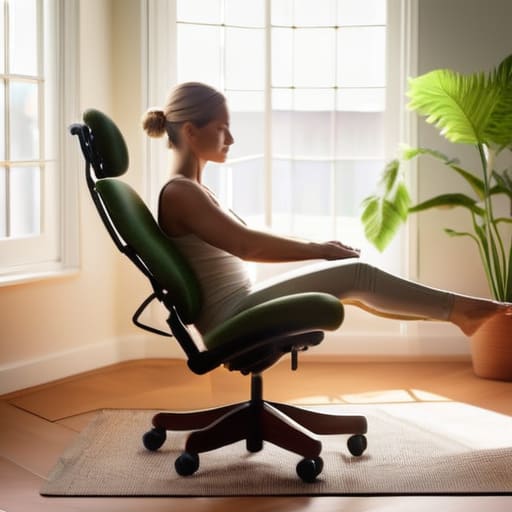
I spent six years in a cramped helpdesk cubicle, and if there’s one thing I learned, it’s that the wellness industry is predatory. They want you to believe that the only way to solve your discomfort is by dropping fifteen hundred Euro on a “smart” ergonomic chair that requires a firmware update just to tilt back. It’s nonsense. Most of the advice you see online about how to reduce back pain from sitting is just a thinly veiled sales pitch for expensive gadgets you don’t actually need. You don’t need a revolution in your home office; you just need to stop treating your spine like a structural afterthought.
I’m not here to sell you a subscription to a stretching app or a designer stool. Instead, I’m going to give you the unfiltered version: the small, boring adjustments to your existing setup that actually move the needle. We’ll look at how to position your monitor so you aren’t staring like a gargoyle, how to use items you already own to support your lumbar, and why your “ergonomic” setup is probably failing you. This is about making your current space work for you, rather than spending a fortune trying to outrun a bad posture.
Table of Contents
The Truth About Your Ergonomic Office Setup
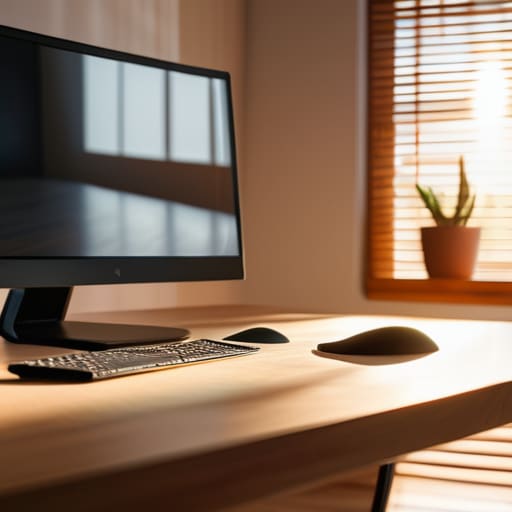
Most of the advice you’ll find online for an ergonomic office setup involves spending a small fortune on chairs that claim to have “dynamic lumbar support” or “adaptive mesh.” I spent six years in IT, and I can tell you that most people don’t need a $1,200 Herman Miller to stop feeling like a crumpled piece of paper by 3:00 PM. The reality is that your setup usually fails because it’s static. You sit in one position, your muscles lock up, and suddenly your sedentary lifestyle spinal health is in the gutter. It’s not about the brand of the chair; it’s about whether your monitor is actually at eye level so you aren’t staring down at your lap like a gargoyle.
If you do decide to invest in gear, be wary of the “standing desk” hype. While there are genuine standing desk benefits, they aren’t a magic cure-all. If you just swap sitting for standing without moving, you’ll eventually trade lower back pain for sore feet and hip issues. The goal isn’t to find the perfect position to stay in forever—it’s to find a way to keep moving. Real desk job posture correction happens in the transitions, not in the expensive hardware you buy to stay still.
Desk Job Posture Correction for People Who Hate Stretching

Look, I get it. Most “posture correction” advice involves spending twenty minutes doing yoga in your living room, and if you’re like me, that sounds like a chore you’ll abandon by Tuesday. You don’t need a lifestyle overhaul; you just need to stop fighting your own anatomy. The biggest culprit in a sedentary lifestyle’s impact on spinal health isn’t actually your back—it’s your hips. When you sit for eight hours, your hip flexors shorten and tighten, essentially pulling your pelvis forward and forcing your lower back to do work it wasn’t designed for.
Instead of a formal routine, try micro-adjustments that don’t feel like a workout. If you can, set a timer to stand up for just sixty seconds every hour. You don’t even need to do full stretches for lower back relief; just a simple standing reach or a quick stroll to the kitchen helps break the static load. If you’re looking for a permanent fix, the standing desk benefits are real, but don’t go buying a motorized behemoth just yet. Start by just changing your angle occasionally. It’s about movement, not perfection.
Five ways to stop your desk setup from ruining your spine
- Get your screen to eye level. If you’re looking down at a laptop, you’re essentially performing a constant, slow-motion neck strain. Prop the thing up on a stack of old textbooks or a cheap laptop riser so your chin stays level. It’s not about aesthetics; it’s about not feeling like a gargoyle by 3:00 PM.
- Use a lumbar roll (or a rolled-up towel). Most office chairs have a “support” feature that is actually just a piece of plastic that does nothing. If you can feel a gap between your lower back and the chair, stuff a small towel there. It forces your spine into its natural curve so your muscles don’t have to do all the heavy lifting.
- The 20-minute reset. You don’t need a formal yoga practice or a subscription to a stretching app. Just every twenty minutes, stand up, reach for the ceiling, and sit back down. It breaks the static load on your discs. If you wait until you’re actually in pain to move, you’ve already lost the battle.
- Check your feet. If they aren’t flat on the floor, your pelvis is going to tilt, and your lower back is going to pay the price. If your chair is too high and your feet are dangling, get a footrest. Even a sturdy box from a delivery works. It sounds basic because it is.
- Stop the “perch.” We all do it—leaning forward toward the monitor as if we’re trying to read a secret message. This puts immense pressure on your mid-back. When you feel yourself drifting forward, consciously scoot your hips all the way to the back of the chair. Use the chair’s backrest as a boundary.
The stuff that actually matters
Stop waiting for a “perfect” ergonomic setup to fix your back; start by adjusting what you already have, like propping your feet up on a box or moving your monitor to eye level.
Movement is more important than posture; even the most expensive chair in the world won’t save you if you stay frozen in it for eight hours straight.
If you’re going to invest in gear, check the resale value and the build quality first—you don’t want to be stuck with a $500 piece of plastic that’s unrepairable the moment a single adjustment lever snaps.
The expensive mistake
“You don’t need to drop a month’s rent on a designer ergonomic chair to fix your posture; you just need to stop treating your desk like a permanent campsite and actually move your body once in a while.”
Saoirse Doyle
The long game with your back

At the end of the day, there isn’t a magic gadget or a specific brand of lumbar support that will fix everything if you stay glued to your seat for eight hours straight. We’ve covered the basics: adjust your screen so you aren’t looking down like a gargoyle, get your feet flat on the floor, and for heaven’s sake, move your body every hour, even if it’s just to walk to the kitchen for water. You don’t need a high-end ergonomic overhaul to see results; you just need to stop letting your setup become a trap. It’s about reducing the friction between your body and your work so that by 5:00 PM, you aren’t too stiff to actually enjoy your evening.
I know it feels like just another thing to manage on an already overflowing to-do list, but treating your physical setup with the same attention you give your digital one is worth the effort. You aren’t trying to become a yoga instructor or a professional athlete; you’re just trying to ensure that your job doesn’t become a long-term debt you have to pay back in physical therapy later. Start with one small change—maybe just raising your monitor by a couple of inches—and see how it feels. Most of the time, the simplest adjustments are the ones that actually stick.
Frequently Asked Questions
Do I actually need one of those expensive standing desks, or is there a cheaper way to switch it up?
You don’t need to drop $600 on a motorized desk that’ll eventually jam anyway. If you have a sturdy kitchen counter or a high dresser, try a laptop riser or even a stack of heavy books first. The goal isn’t to stand all day—that’s just another way to hurt your feet—it’s about changing your posture every forty minutes. If a $30 desktop converter works for your current setup, buy that and spend the rest on a decent anti-fatigue mat.
What happens to my data if I start using a posture-tracking app that requires a monthly subscription?
Here’s the thing: most of these apps treat your posture data like a subscription service. If you stop paying, you usually lose access to the historical trends and the “progress” graphs that supposedly prove the app is working. Your data doesn’t just vanish into thin air, but it becomes locked behind a paywall. If the company goes bust or you decide you’re done, you’re often left with nothing but a blank screen.
If I've already developed a constant ache, is it a "fix the chair" problem or a "see a doctor" problem?
Look, I’m an IT person, not a doctor. If your back feels like it’s being gnawed on by a small, angry animal, or if you’re getting numbness or tingling down your legs, stop reading this and call a professional. That’s a “see a doctor” problem. If it’s just a dull, predictable ache that shows up at 3:00 PM, it’s likely your setup. Fix the chair first, but don’t ignore the warning lights.
