I spent six years at a helpdesk listening to people complain about their “productivity workflows” when, in reality, they were just trying to work on a kitchen stool with a laptop charger that only worked at a specific angle. There is this massive, expensive lie circulating online that learning how to set up a home office requires a $1,200 ergonomic chair and a minimalist desk that looks like it belongs in an architectural digest. Most of that advice is just marketing disguised as wellness, designed to make you feel like your current setup is a failure so you’ll go buy something shiny.
I’m not here to sell you a lifestyle or a subscription-based standing desk that locks your settings behind a monthly fee. Instead, I want to walk you through the actual, slightly boring mechanics of a functional workspace. We’re going to talk about the hardware that actually lasts, the cables that won’t drive you mad, and how to build a setup that stays out of your way. I’ll tell you what to buy, what to skip, and exactly what happens to your digital life if you decide to stop paying for those “smart” office gadgets halfway through the year.
Table of Contents
Ergonomic Workspace Design Without the Aesthetic Tax
You don’t need a $1,500 walnut desk and a curated collection of succulents to make a space functional. Most of the “aesthetic” home office content on social media is just expensive clutter that actually makes it harder to find your charger. When I talk about ergonomic workspace design, I’m not talking about buying a designer chair that looks like a piece of modern art but feels like sitting on a wooden plank. I’m talking about your spine. If you’re hunting for the best office chair for back pain, ignore the fancy fabric and look at the adjustment levers. If you can’t adjust the lumbar support or the armrests to keep your shoulders relaxed, you’re just paying for a pretty silhouette that will leave you aching by 3:00 PM.
The goal is to stop your gear from fighting you. If you decide on a dual monitor setup, don’t just let them sit haphazardly on the desk; get a cheap monitor arm so you can actually align them with your eye level. It clears up desk space and prevents that constant, nagging neck strain. Keep it simple: a stable surface, a chair that actually supports your lower back, and enough light so you aren’t squinting at a glare. Everything else is just optional decoration.
The Best Office Chair for Back Pain and Longevity
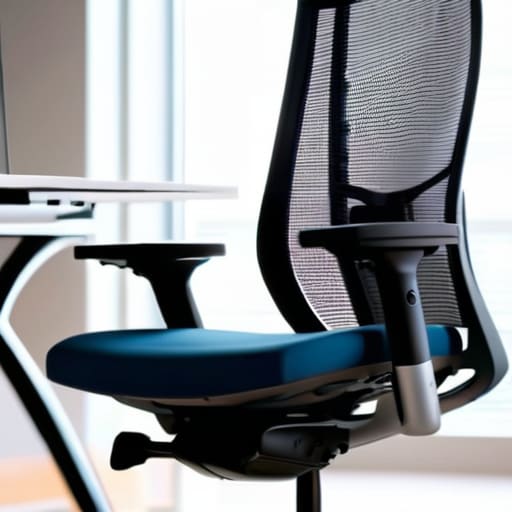
Look, I’ve spent enough hours in helpdesk chairs to know that most “ergonomic” marketing is just expensive foam and wishful thinking. If you are searching for the best office chair for back pain, ignore the influencers showing off velvet-lined gaming thrones. You don’t need a cockpit; you need adjustable lumbar support that actually hits your spine where it curves, and armrests that don’t force your shoulders into your ears. If the chair doesn’t let you adjust the seat depth, your legs will be numb by lunch, and no amount of remote work productivity tips will fix the fact that your circulation is cut off.
When choosing, I always look at the mechanical reality: how many moving parts are there, and what happens if a gas lift fails in two years? High-end brands like Herman Miller or Steelcase are the gold standard because they are built to be repaired, not tossed in a landfill. However, if you’re on a budget, look for a used commercial-grade chair from an office liquidator. You’ll get better build quality for half the price than any “home office” branded model from a big-box retailer. Just make sure you can actually adjust the tension to your weight.
The bits that actually matter once you’ve sat down
- Lighting that doesn’t make you squint. You don’t need a $200 smart lamp setup; you just need to make sure your monitor isn’t reflecting a window behind you and that you have a basic desk lamp to stop the eye strain. If you’re working in a dark room with just a glowing screen, your head will ache by 3 PM.
- The “One Cable” rule for sanity. I spent years untangling cables under desks for people who didn’t realize how much a mess of wires messes with your brain. Get a decent power strip and some Velcro ties. If you have to crawl under your desk to plug in a charger, your setup has already failed you.
- Internet stability over internet speed. Everyone obsesses over Mbps, but a fast connection that drops every twenty minutes is useless. If your Wi-Fi is patchy in your workspace, don’t buy a fancy new router yet—just run an Ethernet cable. It’s ugly, but it works, and it’s cheaper than a mesh system that still has dead zones.
- Peripherals that don’t feel like toys. You can use a laptop keyboard for a week, but if you’re doing this for a living, get a separate mouse and keyboard. It lets you position your screen at eye level rather than hunching over a laptop lid. Just check the warranty before you buy; most “ergonomic” brands have terrible support once the clicking gets weird.
- The subscription trap of “Smart” desks. You’ll see motorized standing desks everywhere now. They’re fine, but be wary of the ones that require a proprietary app to move. If that company goes bust or their servers go down, you’re left with a very expensive, very heavy wooden table that won’t go up. Stick to manual or basic programmable buttons.
The Reality Check
Don’t buy a “productivity” setup; buy a comfortable one. If your chair is actually supportive and your monitor is at eye level, you’ve already won 90% of the battle.
Avoid the subscription trap for hardware-adjacent software. If a tool requires a monthly fee just to manage your tasks, make sure you know if your data stays local or disappears when you cancel.
Stability matters more than aesthetics. A wobbly desk or a flickering monitor will break your focus faster than a messy pile of papers ever will.
The Real Cost of "Productivity"
Most people spend three weeks researching the perfect productivity app or a standing desk that looks like it belongs in a museum, when really they just need a stable surface, a monitor at eye level, and a way to stop their cables from becoming a tripping hazard. A home office isn’t a status symbol; it’s just a place where you shouldn’t feel physically defeated by 4:00 PM.
Saoirse Doyle
The Bottom Line
At the end of the day, setting up a home office isn’t about achieving that curated, Pinterest-perfect desk setup that looks great in a photo but feels terrible to actually use. It’s about the basics: a chair that doesn’t make your lower back ache by 2:00 PM, a desk that stays level, and enough light so you aren’t squinting at your monitor like a mole. You don’t need a $500 subscription-based productivity planner or a smart lamp that requires a firmware update just to turn on. Focus on the hardware that supports your body and the simple, reliable tools that stay out of your way. If your equipment isn’t actively making your job harder, you’ve already won half the battle.
Don’t let the endless cycle of “new tech” reviews make you feel like your current setup is a failure. Most of the time, you aren’t lacking a better system; you’re just lacking a bit of breathing room. Buy what you need, ignore the rest, and stop over-optimizing for a version of productivity that doesn’t actually exist. Once your chair is comfortable and your cables aren’t a tripping hazard, stop tinkering and just start working. Your office is a tool, not a hobby, and the best setup is simply the one that lets you get on with your life.
Frequently Asked Questions
How much should I actually spend on a second monitor versus just using my laptop screen?
Don’t feel pressured to buy a dual-monitor setup just because a YouTuber says it’s “essential.” If you’re just answering emails, your laptop screen is fine. But if you’re constantly toggling between a spreadsheet and a browser, your brain is paying a “context switching” tax that’s more expensive than any hardware. Spend about $150 on a decent 24-inch 1080p monitor. It’s enough to get a clear picture without overpaying for features you’ll never use.
Do I really need a dedicated router or mesh system for my home office, or will the one the ISP gave me work?
Look, if you’re just answering emails and occasionally jumping on a Zoom call, the ISP router is probably fine. But if your office is a different room from the router—or worse, a different floor—that “free” box is likely your biggest bottleneck. If your video freezes during meetings, don’t buy a fancy new subscription; get a mesh system or a long Ethernet cable. It’s a one-time hardware cost, so you aren’t stuck paying a monthly “connectivity fee.”
What happens to my data and files if I use a subscription-based cloud service for my work backups?
Here is the thing about cloud subscriptions: you don’t actually own the space; you’re just renting it. If your card expires or you decide the monthly fee isn’t worth it anymore, most services move your files into a “read-only” grace period for a few weeks. After that, they start deleting. If you haven’t downloaded a local copy to a physical drive by then, those files are gone. Always keep a hard copy.
