
I spent six years on a helpdesk listening to people explain why their “state-of-the-art” home automation was currently making them cry, and most of it boiled down to one thing: they bought into the marketing instead of the mechanics. Everyone talks about these systems like they’re some magical, seamless layer of future-tech, but when you’re actually sitting on your kitchen floor at 11 PM trying to figure out what is a smart light system that doesn’t require a PhD to dim, the reality is a lot more fiddly. It isn’t just about pretty colors on your phone; it’s about whether those bulbs still work when your internet decides to take a nap.
I’m not here to sell you on a lifestyle or tell you that your house will feel “magical” once you spend three hundred euros on overpriced glass. Instead, I’m going to break down the actual components—the hubs, the protocols, and the apps—without the breathless hype. I’ll tell you exactly what to click, what it’s going to cost you monthly, and, most importantly, what happens to your lights if you decide to cancel your subscription or if the manufacturer goes bust.
Table of Contents
Smart Home Automation Lighting What You Actually Buy
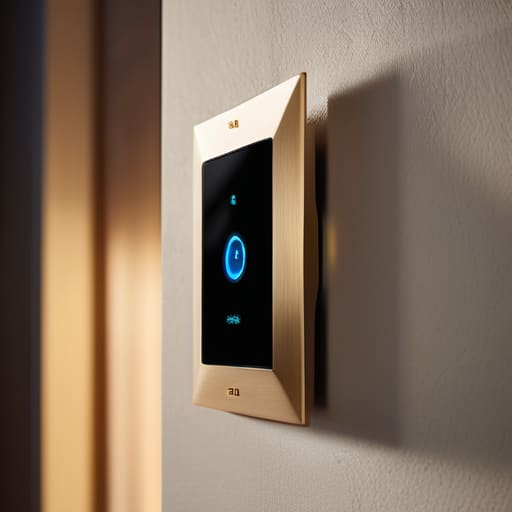
When you start looking into smart home automation lighting, you’ll quickly realize you aren’t just buying “bulbs.” You’re actually choosing between three different ways to play this game. The first is the easiest: smart bulbs. You screw them in, connect them to your Wi-Fi, and you’re done. They’re great for beginners, but if you have thirty of them, your router is going to start screaming for mercy. The second is smart switches, which replace the physical buttons on your wall. These are better for families because you don’t accidentally “kill” the smart bulb by flipping the manual switch off, but they require a bit of actual electrical work.
Then there’s the third option, which is the one I usually recommend if you’re serious: a dedicated hub. This is where you start hearing terms like Zigbee vs Z-Wave lighting. These aren’t Wi-Fi; they use different frequencies to talk to each other through a central “brain.” It’s a bit more setup upfront, but it keeps your internet from lagging every time someone dims the lights. Just remember: if you go this route, you are building an ecosystem, which means you’re often locked into one brand’s rules.
Voice Controlled Smart Lights When the Tech Stops Listening

Voice-controlled smart lights are usually the first thing people buy because being able to say “turn off the lights” while you’re already under a duvet feels like living in the future. It works beautifully right up until the moment it doesn’t. Most of these setups rely on a bridge or a direct connection to your Wi-Fi, which means you are entirely dependent on your internet connection and the company’s servers staying upright. If your router decides to take a nap, or if the manufacturer pushes a buggy firmware update, your voice commands become useless. You aren’t just buying a light; you’re buying a dependency on a cloud service.
The real headache starts when you realize that voice controlled smart lights are often the most fragile part of a smart home automation lighting setup. If you’ve built a complex routine around a specific brand, and that brand gets bought out or shuts down its servers, your expensive bulbs effectively become very dim, very overpriced regular bulbs. I always tell people to check if a device supports local control. If it requires a constant handshake with a server in another country just to turn on a lamp, you’re going to have a bad time eventually.
Five things to check before you buy a single bulb
- Check the “hub” requirement. Some systems work directly with your Wi-Fi, which is easy to set up but can slow down your internet if you add too many bulbs. Others require a dedicated bridge or hub plugged into your router. The hub is more stable, but it’s one more plastic box taking up space and another thing that can fail.
- Look for “Matter” compatibility. This is a new standard designed to make different brands play nice together. If a bulb says it supports Matter, it means you aren’t locked into one specific brand’s ecosystem forever. It’s the closest thing we have to a guarantee that your tech won’t become a paperweight in three years.
- Verify the “offline” behavior. I always check this: if your internet goes down, can you still turn the light on with the physical wall switch? Some cheap smart bulbs turn into expensive, non-functional bricks the second your router hiccups. You want lights that work like normal lights when the tech fails.
- Read the subscription fine print. A few companies are starting to gate “advanced” features—like scheduling or certain color scenes—behind a monthly fee. If you stop paying that subscription, you usually keep the light, but you lose the “smart” part of the smart light. Don’t buy hardware that requires a monthly rent to function.
- Map your switches. If you put a smart bulb in a lamp that is controlled by a traditional wall switch, and someone flips that switch off, the bulb is dead to the digital world. You can’t turn it on via your phone if the power is physically cut at the wall. You’ll either need to tape your switches down or invest in smart switches instead.
The TL;DR on not making a mess of your lighting
Don’t buy into the hype of “total automation” until you’ve checked if the bulbs work without an internet connection; if they don’t, you’re one router reboot away from sitting in the dark.
Watch the subscription creep—some systems charge you monthly just to access the “smart” features you already paid for, and if you stop paying, you’re left with very expensive, very dumb lightbulbs.
Stick to protocols like Zigbee or Matter if you can; they talk to each other more reliably than a dozen different proprietary apps that all want a piece of your phone’s storage.
The reality of the "smart" switch
A smart light system isn’t some magical aura of convenience; it’s just a collection of bulbs and hubs that require a stable internet connection and a decent amount of troubleshooting just to make sure you can turn the kitchen lights on without opening an app.
Saoirse Doyle
The bottom line

If you’ve made it this far, you probably already know that a smart light system isn’t a magic wand that fixes a messy house; it’s just a different way to manage your environment. You’ve seen that it usually boils down to choosing between simple bulbs that work with your existing setup or a more robust hub-based system that requires a bit more patience to install. Just remember my golden rule: before you hit ‘buy’ on that flashy starter kit, check if the app requires a monthly subscription just to keep your schedules running. You want a system that actually works for you, not one that turns your living room into a digital hostage situation the moment your internet hiccups or a company decides to sunset their servers.
At the end of the day, the goal isn’t to have the most “connected” home on the block or to win some imaginary award for automation. The goal is to make your daily life slightly less friction-heavy, whether that’s a light turning on automatically when you walk in with groceries or a dim setting that tells your brain it’s time to sleep. Don’t feel like you have to automate every single corner of your house by next Tuesday. Start with one room, see how it holds up when the software updates, and build at your own pace. Technology should serve your life, not become another chore on your to-do list.
Frequently Asked Questions
Do I need a special hub to make these work, or can I just use my Wi-Fi?
The short answer is: you can use Wi-Fi, but you probably shouldn’t. Wi-Fi bulbs are fine if you’re only buying two for a bedside lamp. But if you start adding twenty bulbs, switches, and sensors, your router will start sweating, and your internet will feel sluggish. That’s where a hub comes in—it’s basically a dedicated traffic controller for your lights so they don’t clog up your Netflix streaming.
What happens to my lights if the internet goes down or the company shuts down its servers?
This is the part where the “smart” part gets a bit shaky. If your Wi-Fi drops, most lights will still work via a physical switch or a local hub, but you won’t be able to use your phone or voice to dim them. If the company actually goes bust and shuts down their servers, you’re looking at expensive, very dumb lightbulbs. Unless you’ve bought local-control gear like Zigbee or Matter, you might be left in the dark.
Is it worth buying individual smart bulbs, or should I be looking at smart switches instead?
It depends on whether you want to change the light or the room. Smart bulbs are great for mood—dimming them for a movie or changing colors—but they have a fatal flaw: if someone flips the physical wall switch off, the “smart” part dies instantly. Smart switches are better for everyday use because your wall switch actually works, but you lose the ability to change colors. If you want color, go bulbs; if you want reliability, go switches.
