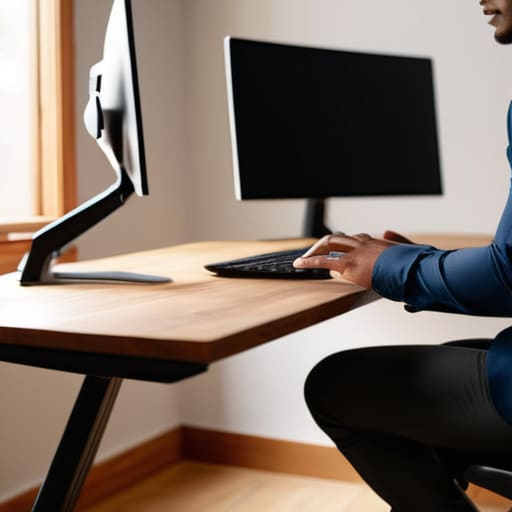
I spent six years on a helpdesk, and if there is one thing I learned, it’s that most people don’t need a $1,200 ergonomic chair to fix their back pain; they just need to stop treating their workspace like a battlefield. I see these “wellness influencers” selling $80 vertical mice and specialized lumbar pillows like they’re the holy grail, but most of that is just expensive noise designed to make you feel like your body is broken. The truth about how to sit properly at a laptop is usually much more boring and much more fiddly than a marketing campaign suggests. It isn’t about buying a new setup; it’s about adjusting the one you already have so it stops fighting you.
I’m not here to sell you a subscription to a posture-tracking app or a piece of furniture you’ll eventually use to hang laundry. Instead, I’m going to give you the unvarnished version of what actually works. We’re going to look at the specific, small adjustments to your screen height and elbow angles that actually stop the slouching, and I’ll tell you exactly which “ergonomic” gadgets are a waste of your hard-earned money.
Table of Contents
Eye Level Screen Height Stop the Neck Strain Prevention Battle
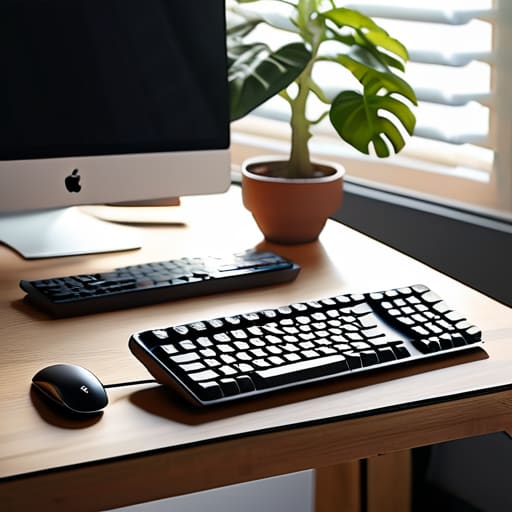
The biggest mistake I see—and I saw it constantly in the helpdesk days—is people treating their laptop like a fixed object rather than a piece of equipment that needs to move to fit them. If you are looking down at your screen, you are essentially carrying a bowling ball with your chin. This is the fastest way to trigger chronic neck strain. To fix this, your eye level screen height needs to be the priority. The top third of your screen should be directly in front of your eyes. If you’re using a laptop, you can’t do this while typing comfortably, which is why you need a separate keyboard and a stand (or even a sturdy stack of old cookbooks) to lift the device up.
Once the screen is at the right height, your posture usually follows suit. When the screen is too low, you instinctively lean forward, which ruins your ergonomic workstation setup and puts your spine in a C-shape. By bringing the monitor up, you allow your head to sit back over your shoulders. It might feel a bit weird for the first twenty minutes, but it’s the only way to stop that constant, dull ache from setting in by mid-afternoon.
Lumbar Support for Sitting Why Your Chair Is Lying to You
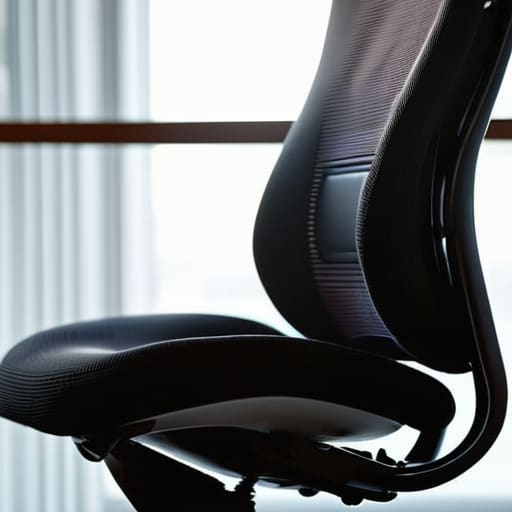
Most “ergonomic” office chairs are sold with the promise that they will mold to your body, but usually, they just provide a fancy-looking mesh back that does nothing for your spine. If you find yourself sliding down into a C-shape by 3:00 PM, it’s not because you’re lazy; it’s because the chair isn’t actually doing its job. Proper lumbar support for sitting isn’t about having a high-end leather seat; it’s about ensuring there is a physical presence pushing against the small of your back to maintain that natural inward curve.
If your chair lacks that specific bump, you aren’t stuck buying a thousand-dollar replacement. I’ve spent years seeing people try to fix their posture with expensive gadgets when a rolled-up towel or a dedicated lumbar cushion tucked into the seat works just as well. The goal is preventing slouching at desk workstations by giving your lower spine a reason to stay upright. If you can’t feel that support, your muscles are doing all the heavy lifting, and they will eventually revolt.
The bits you actually have control over
- Get an external keyboard and mouse. If you are trying to fix your posture while your hands are still reaching up to a laptop keyboard, you are fighting a losing battle against physics. You need the laptop elevated, which means your hands need to be on a separate surface.
- The 90-degree rule isn’t a suggestion, it’s a baseline. Your elbows, hips, and knees should ideally be at roughly ninety degrees. If your feet are dangling or your knees are tucked up toward your chest, you’re just asking for lower back issues by Tuesday.
- Stop the “turtle neck.” When the screen is too far away, we instinctively lean our heads forward to see better. This puts a massive amount of weight on your cervical spine. If you find yourself leaning in, your font size is too small. Increase it to 125% or 150% and let your head sit back.
- Watch your wrist angle. Your wrists should be neutral—flat, not cocked up or bent down toward the desk. If you’re using a laptop on a flat table, you’re likely hitting the keys at an angle that will eventually lead to repetitive strain. A cheap wrist rest or a slightly tilted keyboard helps.
- Movement is better than any “perfect” position. I spent years watching people try to find the one magical way to sit that wouldn’t hurt. There isn’t one. The best thing you can do is stand up, stretch, or walk to the kitchen every thirty minutes. Static is the enemy.
The "don't overthink it" summary
Stop trying to find the perfect $1,000 chair; just make sure your lower back actually has something to lean against so you aren’t doing all the work yourself.
If you’re looking down at your screen, you’ve already lost the battle; get a cheap laptop stand or a literal stack of books to bring the top of the screen to eye level.
The best setup isn’t a static one—if you feel a twinge, move. Your body wasn’t designed to be a statue, even if your job makes you feel like one.
The myth of the perfect setup
You don’t need a three-hundred-euro ergonomic chair to fix your posture; you just need to stop treating your laptop like a shrine and start treating it like a tool that shouldn’t be forcing your spine into a question mark.
Saoirse Doyle
Stop fighting your furniture
At the end of the day, you don’t need a thousand-euro ergonomic setup or a specialized chair that promises to fix your spine by Tuesday. You just need to get the basics right: get that screen up so you aren’t staring at your lap, and find a way to support the small of your back so you aren’t slouching into a question mark. If you can’t afford a dedicated monitor stand, use a stack of old cookbooks or a sturdy box. If your chair is a hollowed-out mess, roll up a towel and tuck it behind your lower back. It’s not about finding the “perfect” position—because that doesn’t exist—it’s about making sure your setup isn’t actively working against you while you try to get through your to-do list.
Most of the advice out there makes it sound like productivity is a series of expensive upgrades, but that’s just marketing nonsense. Real productivity is simply having a body that doesn’t ache by 3:00 PM. Don’t get caught up in the pursuit of the ultimate workstation; just focus on the small, boring adjustments that stop the tension from building up. Set your things up, do your work, and then actually get up and walk away from the desk once you’re done. Your back will thank you for it, and I promise, no amount of lumbar cushioning can replace a five-minute stretch.
Frequently Asked Questions
I’ve already bought a fancy ergonomic chair, so why does my back still ache after two hours?
Because a fancy chair is just a piece of furniture until you actually set it up. Most people buy a high-end ergonomic chair and then just sit in it like they would a kitchen stool. If you haven’t adjusted the lumbar tension to actually hit your curve, or if your seat pan is too deep and cutting off your circulation, that expensive mesh is just a very comfortable way to stay in pain.
Do I actually need a separate keyboard and mouse, or can I just get a better laptop stand?
If you buy a laptop stand to get the screen to eye level, you are effectively mandating a separate keyboard and mouse. If you try to type on the laptop while it’s propped up on a stand, you’ll be reaching up at a ridiculous angle, which is just trading neck pain for wrist strain. It’s a bad trade. Get the stand for your eyes, but get a cheap, reliable external set for your hands.
How often am I supposed to actually stand up and move, and does it even matter if I’m sitting "perfectly"?
Even if you have the most expensive ergonomic chair in the world, sitting is still sitting. You can’t “optimize” your way out of the fact that the human body isn’t designed to be static for eight hours. I aim for the 50/10 rule: fifty minutes of work, ten minutes of actually moving. It doesn’t matter if you’re walking to the kitchen or just stretching; the goal is to break the physical stagnation before your joints lock up.
