I spent six years in a cramped IT office answering tickets, and if I had a euro for every time someone asked me for a “miracle” ergonomic chair recommendation, I’d have retired by thirty. Most of the advice you see online is just people trying to sell you a €1,200 mesh throne that promises to fix your spine, when the real issue is much simpler: you’re treating your laptop like a stationary object instead of a piece of hardware that’s fundamentally designed to make you hunch. If you’re looking for a way to learn how to improve posture at a laptop without spending a month’s rent on a designer stool, you’re in the right place.
I’m not going to suggest any expensive gadgets or complicated “mindfulness” routines that require you to sit perfectly still for eight hours. Instead, I’m going to give you the unvarnished truth about how to actually set up your space using things you probably already own. We’ll talk about the specific height your screen needs to be, why a cheap external keyboard is non-negotiable, and exactly what to do when your neck starts feeling like it’s made of rusted iron. No hype, just the practical steps to make your setup stop fighting your body.
Table of Contents
- Fixing Your Eye Level Monitor Height Without Buying Junk
- Setting Your Wrist Position for Typing So You Dont Break
- Five ways to stop your desk setup from ruining your back
- The three things that actually matter
- The hard truth about "ergonomic" gear
- The long game of sitting down
- Frequently Asked Questions
Fixing Your Eye Level Monitor Height Without Buying Junk
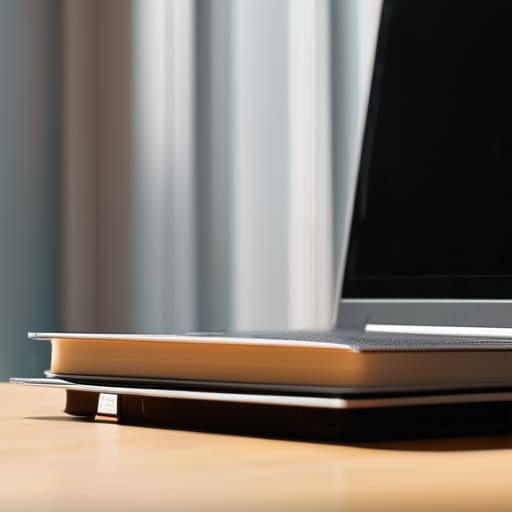
The first thing you’ll notice when you try to fix your setup is that the “ergonomic” stands sold on Amazon are mostly overpriced pieces of plastic designed to look sleek in a lifestyle photo. Most of them are too thin, too wobbly, or just the wrong height for your specific chair. If you want to achieve a proper eye level monitor height without contributing to the landfill, look around your house first. A sturdy stack of hardcover books or even a well-placed wooden crate works just as well as a dedicated stand. The goal isn’t aesthetics; it’s stability. You need your screen at a height where your chin isn’t dipping toward your chest, which is the primary culprit behind preventing neck strain from laptop use.
If you’re working from a kitchen table or a cramped corner, you might find that even a stack of books isn’t enough. In those cases, don’t go out and buy a specialized riser; just grab a box from your recycling bin or a heavy storage container. It’s not pretty, but it’s free and it gets the job done. Just make sure whatever you use is completely stable before you rest your laptop on it. There is nothing quite as frustrating as a wobbling screen when you’re trying to focus.
Setting Your Wrist Position for Typing So You Dont Break

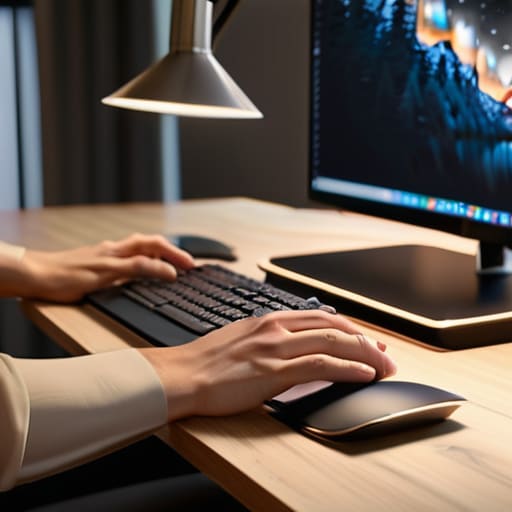
Most people treat their wrists like they’re trying to hammer nails into a board. You’ll see them hunched upward, or worse, resting heavily against the sharp edge of the laptop chassis. This is a recipe for carpal tunnel, and it’s one of those things that doesn’t hurt until it’s already a problem. When you’re focusing on your wrist position for typing, the goal is a neutral line. Your hands should float slightly above the keys, or rest on a soft surface, but they should never be angled sharply up or down.
If you’re working on a laptop directly on a desk, you’re fighting a losing battle. The keys are too low, forcing your wrists to bend to meet them. This is why I tell everyone that a proper ergonomic workstation setup usually requires a bit of separation. If you’ve already lifted your screen to eye level (as we discussed above), you’ll need an external keyboard. This allows you to pull the keyboard closer to your body so your elbows stay tucked at a 90-degree angle. It’s a small change, but it stops your forearms from feeling like they’re made of lead by 3:00 PM.
Five ways to stop your desk setup from ruining your back
- Get a separate keyboard and mouse. If you’re trying to type on a laptop while it’s sitting on a stand to save your neck, you’re going to wreck your wrists. You need the screen up high and your hands down low. It’s the only way to stop the “claw” shape.
- Check your chair height. If your feet are dangling or you’re perched on your tiptoes to reach the desk, your lower back is going to pay for it by the end of the afternoon. If your chair doesn’t go low enough, grab a firm cushion or a footrest. It’s not about being fancy; it’s about having your feet flat on something solid.
- Stop the “laptop hunch” by using a peripheral. I know, it’s an extra thing to carry in your bag, but if you work from cafes or libraries, a cheap Bluetooth keyboard is a lifesaver. It lets you prop the laptop up on a stack of books so you aren’t staring down at your lap for three hours.
- Watch your lighting to prevent the leaning lean. When your screen is too dim or there’s a glare from a window, you’ll instinctively lean forward to see better. That’s how you end up with a permanent curve in your spine. Adjust your brightness or move your desk away from the glare before you start leaning.
- Set a “movement timer” that actually works. Don’t download some over-engineered productivity app that nags you with bells and whistles. Just set a simple timer on your phone for every 45 minutes. When it goes off, stand up, stretch, and walk to the kitchen. You don’t need a complex system; you just need to move your body occasionally.
The three things that actually matter
Get your screen up. If you are looking down at a laptop, you are begging for a neck ache; use a stack of old textbooks or a cheap stand to bring the top of the screen to eye level.
Stop the “claw” hand. Your wrists should be floating or resting lightly, not bent at sharp angles or pressed hard against the edge of the desk while you type.
Move your body every thirty minutes. No amount of expensive ergonomic gear will save you if you sit like a statue for four hours straight; get up, stretch, and reset.
The hard truth about "ergonomic" gear
Most people think they need a three-hundred-euro chair to fix their back, but they actually just need to stop treating their laptop like a permanent fixture of their anatomy; if you’re staring down at a screen for eight hours a day, no amount of expensive foam is going to save your neck from the damage you’re doing yourself.
Saoirse Doyle
The long game of sitting down

At the end of the day, there isn’t a magic ergonomic chair or a fancy mechanical keyboard that is going to save you if you stay frozen in one position for eight hours straight. We’ve covered the basics: get your screen up so you aren’t staring at your lap, and keep your wrists neutral so you aren’t fighting tendonitis by age thirty-five. It isn’t about finding the perfect, expensive setup; it’s about removing the friction between your body and your hardware. If you can fix your eye level with a stack of old textbooks and keep your keyboard at a height that doesn’t make your shoulders climb toward your ears, you’ve already done more than most people. It’s the small, boring adjustments that actually keep you functional.
Don’t let the “wellness” industry convince you that you need a thousand-euro desk setup to be productive. Most of that is just noise designed to make you feel like your current workspace is broken. Your body isn’t a machine that needs a high-end upgrade; it’s a living thing that just needs a bit of breathing room. Set up your space, move around when your back starts to protest, and stop overcomplicating it. If your setup stops fighting you, you can actually get back to the work that matters.
Frequently Asked Questions
What do I do if I can't afford a fancy ergonomic chair or a standing desk?
You don’t need a €1,000 Herman Miller to stop feeling like a question mark. If you can’t afford the gear, use what’s already in your house. A firm cushion or even a rolled-up towel behind your lower back does more for your spine than a “gaming chair” with bad lumbar support. For a standing desk, clear off a kitchen counter or use a sturdy box on your existing desk. It’s not pretty, but it works.
How often am I actually supposed to get up and move so my back doesn't lock up?
Look, there’s no magic number, but the rule of thumb I used to give my team was the 30/5 rule: thirty minutes of sitting, five minutes of moving. Your body isn’t designed to be a static piece of hardware. If you feel that familiar stiffness creeping into your lower back, you’ve already waited too long. Stand up, stretch, or just walk to the kitchen for water. It’s not about a perfect routine; it’s just about breaking the freeze.
Is using a laptop stand and an external keyboard actually better, or am I just making my desk setup more complicated for no reason?
It’s not just you, and no, you aren’t overcomplicating things. A laptop is a terrible ergonomic tool because the keyboard and screen are physically tethered together; you either ruin your wrists to see the screen, or ruin your neck to reach the keys. Adding a stand and an external keyboard uncouples them. It’s a bit more clutter, sure, but it’s the difference between “working” and “working while your body sends you pain signals.”
