
I spent six years on a helpdesk watching people download every “life-changing” productivity app on the market, only to spend more time troubleshooting their sync errors than actually working. Most of the advice you see online about how to plan a week involves buying a $15 monthly subscription for a tool that promises to “optimize your cognitive load,” which is really just marketing speak for we want your credit card details. If you feel like you’re constantly fighting your own calendar rather than using it, it’s not because you lack discipline; it’s because you’ve been sold a broken system that prioritizes features over actual function.
I’m not here to pitch you a new digital ecosystem or a complex color-coding method that takes three hours to maintain. Instead, I want to show you the boring, reliable way to get your schedule under control using tools you probably already own. We’re going to look at how to build a repeatable routine that survives a Tuesday afternoon meltdown, what happens to your data if you stop paying for those “smart” planners, and how to make sure your plan actually stays out of your way.
Table of Contents
- Why Your Weekly Productivity Systems Are Actually Slowing You Down
- Goal Setting for the Week Without the Useless Fluff
- Five ways to actually map out your week without losing your mind
- The three things that actually matter
- The truth about the 'perfect' planner
- Stop planning, start doing
- Frequently Asked Questions
Why Your Weekly Productivity Systems Are Actually Slowing You Down
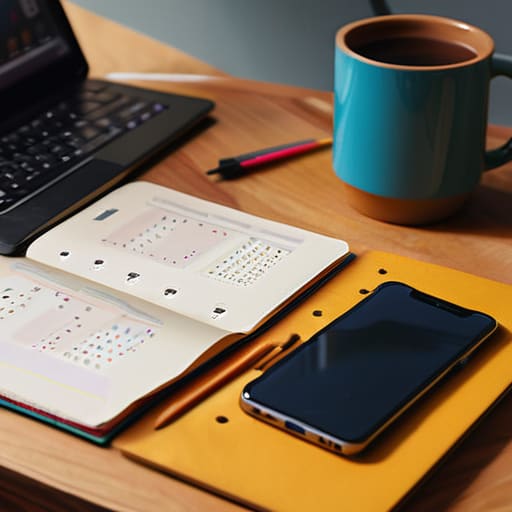
Most people approach a new week like they’re prepping for a massive system migration: they buy a new subscription, download a sleek template, and spend three hours color-coding categories. But after years of watching people struggle with the same digital clutter, I’ve realized that most weekly productivity systems are actually just sophisticated ways to procrastinate. You aren’t actually working; you’re just performing the ritual of work. If you spend more time tweaking your weekly schedule template than actually doing the tasks inside it, the tool has become the problem, not the solution.
The real friction usually comes from trying to force your life into rigid time blocking techniques that don’t account for reality. Life isn’t a series of perfectly nested calendar events; it’s a series of interruptions, slow internet, and unexpected phone calls. When you build a system that is too brittle, the first time a meeting runs over, the whole house of cards collapses. You end up feeling like you’ve failed, when really, you just picked a system that was too fragile to survive a Tuesday.
Goal Setting for the Week Without the Useless Fluff

Most people approach goal setting for the week by writing a massive, aspirational list of everything they wish they were doing. They end up with a twenty-item checklist that looks great on a Sunday night but becomes a source of guilt by Tuesday afternoon. I spent years watching people burn out because their “goals” weren’t actually goals; they were just a wish list of things that didn’t account for the reality of a Tuesday afternoon crisis.
Instead of aiming for perfection, try focusing on three non-negotiable outcomes. If you get those three things done, the week is a win. Everything else is just a bonus. When you’re managing daily tasks, it’s much easier to stay sane if you treat your list like a queue rather than a judge. You don’t need a complex weekly schedule template to make this work; you just need to stop pretending you have infinite energy. If a task is too big, break it down until it’s actually doable in one sitting. If it’s not, it’s just a project, not a task, and it shouldn’t be cluttering up your immediate view.
Five ways to actually map out your week without losing your mind
- Stop trying to time-block every single minute. I spent years watching people build these beautiful, color-coded calendars that fall apart the second a single meeting runs over or a child gets sick. Instead, just pick your three “must-dos” for the day. If you get those done, the day is a win. Everything else is just a bonus.
- Use a tool that lives where you actually look. If you’re using a high-end task manager on your desktop but you spend your whole day on your phone, you’re going to forget half your list. Pick one thing—a simple app or a physical notebook—and make sure it syncs or stays in your line of sight. And a quick warning: if you go with a subscription-based planner app, check their export settings now. You don’t want your entire life’s history trapped in a proprietary file format if you decide to cancel the sub next year.
- Build in “buffer time” like it’s a mandatory meeting. In IT, we call it overhead. If you schedule tasks back-to-back, you’re setting yourself up for a meltdown by Wednesday. Leave thirty minutes of “nothing” between big chunks of work. It’s for the inevitable emails that catch fire or the time it takes to actually find your notes.
- Do your planning on Sunday night or Monday morning, but keep it under fifteen minutes. If your weekly review starts feeling like a heavy chore, you’re doing too much. You aren’t writing a manifesto; you’re just looking at a calendar to see where the landmines are.
- Audit your recurring tasks once a month. We all have those “productivity” habits we keep doing just because we think we’re supposed to. If you’ve been “planning your week” every Sunday for three months and you still feel like you’re drowning, the system isn’t working. Scrap it and try something smaller.
The three things that actually matter
Stop hunting for the “perfect” app; if it takes more than ten minutes to set up your week, the tool is the problem, not your discipline.
Write down your three non-negotiables before you touch a calendar, otherwise you’ll spend the whole week reacting to other people’s emails.
Always check the export settings of whatever tool you choose; if you decide to cancel the subscription in six months, you need to know your data won’t be held hostage in a proprietary format.
The truth about the 'perfect' planner
A weekly plan isn’t a sacred contract you’re destined to break; it’s just a rough map to keep you from wandering into a Tuesday afternoon wondering where the last three hours went. If your system requires more maintenance than the actual work you’re trying to do, it’s not a tool—it’s a chore.
Saoirse Doyle
Stop planning, start doing

At the end of the day, planning your week isn’t about finding the perfect, color-coded digital ecosystem that syncs across every device you own. It’s about choosing a method that is actually sustainable and doesn’t require a PhD to maintain. You don’t need a complex hierarchy of nested folders or a subscription to a task manager that will lock your data behind a paywall the moment you cancel. Just pick a tool—whether it’s a cheap paper notebook or a basic, free calendar—that lets you see your commitments without getting in your way. Remember: if your system takes more time to manage than the actual tasks themselves, your system is broken.
I know the temptation to keep “optimizing” is strong, especially when you feel like you’re constantly playing catch-up. But most of that feeling is just noise. Once you have a basic way to see what’s coming and a realistic way to set your goals, the best thing you can do is stop tinkering. Close the apps, put the phone down, and just start the work. A mediocre plan that you actually follow is infinitely more useful than a perfect one that lives in a beautiful, unused template. You’ve got this, and honestly, it doesn’t have to be perfect to work.
Frequently Asked Questions
What happens to my existing calendar if I start using a separate planning app?
Nothing happens to your existing calendar. It’s still there, sitting in Google or Outlook, holding your doctor’s appointments and birthdays. Think of a planning app as a separate layer—it’s for the tasks and the “how” of your week, while your calendar stays the source of truth for “when.” The only real headache is if you want them to talk to each other; if you don’t sync them, you’ll just have to check two places.
How do I deal with a week where everything goes wrong and my plan becomes useless?
Look, this happens. A kid gets sick, the Wi-Fi dies, or a “quick” task turns into a four-hour nightmare. When the plan breaks, stop trying to force the old one back together; that’s just wasting more energy. Close the laptop, look at what is actually left on your plate, and pick the three things that cannot wait until Monday. Everything else gets moved or dropped. The goal isn’t a perfect week; it’s just surviving it.
Is there a way to do this without paying for a monthly subscription to some fancy task manager?
Absolutely. In fact, I’d suggest you try it. Most “pro” task managers are just glorified to-do lists wrapped in a subscription model that makes you feel like you can’t function without them.
