I spent six years in a tiny helpdesk office where the fluorescent lights hummed and the monitors felt like they were personally attacking my retinas. I’ve seen every “revolutionary” blue-light blocking gadget thrown at me—from $80 designer glasses that do nothing to subscription-based eye-tracking apps that just drain your battery. Most of this advice is just noise sold by people who want you to think you need a new setup when, really, you just need to fix your current one. If you’re searching for how to reduce eye strain at night, you don’t need a lifestyle overhaul or a pricey piece of hardware; you mostly just need to stop treating your screen like a flashlight in a dark room.
I’m not going to sell you on a “digital wellness journey” or any overpriced subscription service. Instead, I’m going to give you the boring, effective version: the specific toggles to flip in your OS, the cheap lighting adjustments that actually work, and the settings that won’t break your workflow when you turn them on. This is just about making your tech stop getting in the way of your sleep.
Table of Contents
- Adjusting Monitor Brightness and Warm Color Temperature Settings
- Why Blue Light Filter Benefits Arent a Magic Fix
- Five things that actually help when your eyes feel like they're full of sand
- The TL;DR on saving your eyes
- The reality of the "blue light" hype
- The Bottom Line
- Frequently Asked Questions
Adjusting Monitor Brightness and Warm Color Temperature Settings
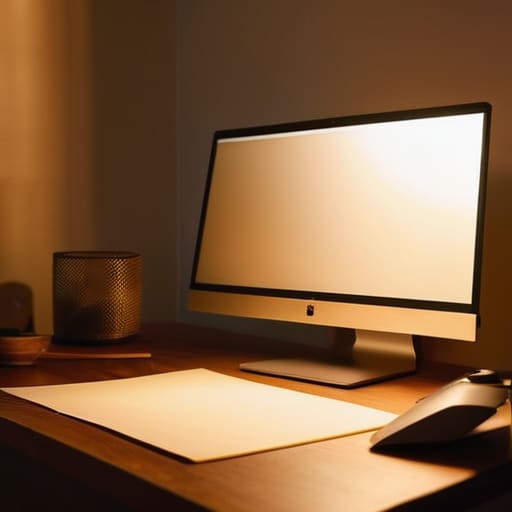
First, let’s talk about the easiest fix: adjusting monitor brightness. Most people leave their screens at a default setting that is far too bright for a dim room, which is basically like staring directly into a high-beam headlight. You want your monitor to match the light level of the room around you. If the screen looks like it’s glowing independently of the rest of the desk, it’s too bright. A good rule of thumb is to hold up a white piece of paper next to your screen; if the monitor looks like a light source compared to the paper, dial it down.
Next, you need to mess with your warm color temperature settings. Most operating systems have a built-in feature for this—Windows calls it “Night Light” and macOS calls it “Night Shift.” It shifts the display away from those harsh, clinical blues and toward a softer, amber hue. While people argue about the science, the practical reality is that it makes the screen feel less aggressive. This is one of the primary blue light filter benefits you’ll actually notice: it stops your eyes from feeling like they’ve been scrubbed with sandpaper by the time you finish your evening tasks.
Why Blue Light Filter Benefits Arent a Magic Fix
Look, I’ve seen people spend way too much money on “blue light blocking” glasses that look like something a character in a low-budget sci-fi movie would wear. Here is the truth from someone who spent years troubleshooting workstation setups: those glasses aren’t a magic wand. While the blue light filter benefits are real in the sense that they shift your screen toward a warmer spectrum, they don’t solve the actual physical problem of how you are interacting with the device.
The real culprit behind most digital eye strain symptoms isn’t just the color of the light; it’s how much you’re staring without blinking and how much tension you’re holding in your neck. You can turn your screen the color of a sunset, but if you’re still squinting in a pitch-black room or staring intensely at a tiny font for three hours straight, your eyes are still going to burn. A filter might help with melatonin production and screen time by making the light less aggressive, but it won’t fix a bad habit of ignoring your body’s signals.
Five things that actually help when your eyes feel like they're full of sand
- Use the 20-20-20 rule. Every 20 minutes, look at something 20 feet away for at least 20 seconds. It sounds like a productivity cult mantra, but it’s really just about giving your eye muscles a chance to stop being stuck in a permanent squint.
- Fix your lighting. If you’re working in a dark room with a bright screen, you’re basically staring into a spotlight. Turn on a lamp behind your monitor or use a bias light strip; it softens the contrast so your eyes don’t have to work as hard to adjust.
- Check your text size. I spent years watching people lean halfway into their monitors because they couldn’t read 10pt Arial. Go into your display settings and bump the scaling up to 125% or 150%. It’s free, it doesn’t cost a subscription, and it stops the “desk lean.”
- Control the glare. If you have a window behind you or a bright overhead light reflecting off your screen, you’re fighting a losing battle. Adjust your monitor angle or get a matte screen protector if you have to; if you’re constantly squinting to see past a reflection, you’re going to get a headache.
- Use a physical blue light filter if the software ones aren’t enough. If your “Night Shift” settings still feel too bright, you can buy amber-tinted glasses. They aren’t fashionable, and they won’t fix your sleep if you’re still scrolling through news feeds at 2 AM, but they do a decent job of cutting the harshness.
The TL;DR on saving your eyes
Don’t just rely on a blue light filter; match your monitor brightness to the actual light in your room so your screen isn’t acting like a spotlight.
Understand that software filters are a band-aid, not a cure—if your eyes still burn, you probably need to physically move your screen or take a real break.
Check your settings once, set them to repeat, and stop obsessing over new “eye-care” apps that just want a monthly subscription to do what your OS already does for free.
The reality of the "blue light" hype
We can spend all night arguing about whether blue light actually ruins your sleep or if it’s just a convenient scapegoat, but the truth is simpler: your eyes are tired because you’re staring at a high-contrast light box in a dark room. You don’t need a revolutionary new filter; you just need to stop treating your monitor like a spotlight.
Saoirse Doyle
The Bottom Line
At the end of the day, there isn’t a single “magic” setting that will fix a lifestyle of staring at high-intensity screens in a dark room. You’ve adjusted your brightness so it doesn’t feel like a flashlight, you’ve toggled on your warm color filters, and you’ve accepted that blue light software is a tool rather than a cure-all. The goal isn’t to find the perfect app or a subscription-based eye-tracking gadget; it’s about removing the friction between you and your screen. If you do these small, boring things—dimming the monitor, using warm tones, and actually taking a break—you’re already doing more than most people. It’s about making your tech work for you, instead of letting it grind your eyes down by 10:00 PM.
I know it feels like there is always another “revolutionary” eye-care product or a new productivity hack to buy, but most of that is just noise designed to make you feel like your current setup is broken. Your eyes aren’t broken; they’re just tired. Don’t overcomplicate this by chasing the next expensive gadget. Just set your settings, dim the lights, and walk away when the work is done. Your eyes—and your sleep schedule—will thank you for it.
Frequently Asked Questions
Do I actually need to buy those amber-tinted glasses everyone is selling, or is the software enough?
Honestly? For most people, no. If you’ve already tweaked your software settings to warm up the screen, those amber glasses are mostly just an expensive placebo. They work by physically blocking light, but your OS can do that digitally for free. Unless you’re sitting in a room with intense, unregulatable ambient light or you find the software shifts too distracting, save your money. Stick to the settings and spend that cash on better bread flour.
Will turning on night mode make my screen so yellow that I can't actually see what I'm working on?
It can, if you leave the slider on max. Most operating systems let you adjust the intensity of the “warmth.” If you crank it to the limit, you’ll feel like you’re staring at a piece of old parchment. Don’t do that. Slide it just far enough that the harsh white glare softens, but you can still tell the difference between a white background and a light grey one. It’s about balance, not a total color overhaul.
If I'm using a phone instead of a monitor, does the same advice apply to the mobile settings?
Yes, it’s basically the same logic, just with smaller buttons. You want to find “Night Shift” on iPhone or “Eye Comfort Shield” on Android. It does the same thing: shifts the screen toward the warmer, amber end of the spectrum. It’s free and built-in, so don’t bother downloading those “blue light blocking” apps from the app store—most of them are just subscription traps that do exactly what your phone already does for free.
