
How to Build Walking Breaks Into a Desk Job

I spent six years in IT support, and if there is one thing I learned, it’s that people love to sell you a “system” for things that don’t actually need one. I see these productivity influencers pushing $200 smartwatches and complex biometric tracking apps just to teach you how to build a walking break habit, and frankly, it’s exhausting. You don’t need a subscription service to tell you that your lower back hurts because you’ve been sitting in the same ergonomic chair for four hours straight. Most of that advice is just engineered friction designed to make you feel like you’re failing at being a human being.

I’m not here to sell you a lifestyle or a new piece of hardware. Instead, I want to give you the boring, functional version: how to actually step away from the screen without feeling like your entire workflow is going to collapse the moment you stand up. I’ll walk you through the low-effort ways to trigger these breaks, what to do when your calendar fights you, and how to make it stick without the digital clutter. No hype, no expensive gadgets—just a way to make your workday stop getting in your way.

Table of Contents

Combatting Sitting Fatigue Without Rewriting Your Schedule

Combatting Sitting Fatigue Without Rewriting Your Schedule

The mistake most people make is thinking they need to carve out a dedicated thirty-minute block for movement. If you’re staring at a deadline, you aren’t going to suddenly decide that now is the perfect time for a brisk stroll. Instead of trying to overhaul your entire calendar, look at habit stacking for fitness. This just means attaching a tiny bit of movement to something you already do without thinking. When you finish a meeting, or when your coffee machine is doing its thing, that is your cue. You don’t need a gym membership or a complex set of desk exercise routines; you just need to acknowledge the transition between tasks.

I spent years watching people try to “optimize” their way out of physical stiffness, usually by buying expensive standing desks that ended up as very pricey coat racks. Real combatting sitting fatigue is much more boring than that. It’s about the micro-movements—getting up to refill a water glass or pacing while you’re on a call where you don’t need to see a screen. It’s low-stakes, it doesn’t require a change of clothes, and most importantly, it doesn’t require you to rebuild your life just to avoid a backache.

Habit Stacking for Fitness Small Wins That Actually Stick

Habit Stacking for Fitness Small Wins That Actually Stick

The easiest way to make this work is to stop treating a walk like a separate, monumental event you have to schedule. Instead, use habit stacking for fitness by tethering your movement to something you are already doing without thinking. If you always brew a fresh pot of coffee at 10:00 AM, don’t just stand there waiting for the machine to finish its cycle; pace the kitchen or walk a lap around the garden. The goal isn’t a marathon; it’s simply attaching a small movement to an existing trigger so you don’t have to rely on willpower.

I used to think I needed a dedicated “fitness block” in my calendar, but that just felt like another chore on an already overflowing list. Now, I look for those tiny, natural gaps. If you’re waiting for a file to upload or a meeting to start, don’t just stare at the loading bar. Step away from the screen. These micro-movement benefits add up much faster than you’d expect, and they don’t require you to buy a subscription to a fancy wellness app or overhaul your entire life.

Five ways to make it happen without the mental overhead

  • Stop waiting for a “perfect” time. If you wait until your inbox is clear or your to-do list is finished, you’ll never leave your chair. Pick a trigger that already exists—like when your coffee machine is running or right after a specific recurring meeting—and just move.
  • Use a physical timer, not just a phone app. If you use your phone, you’ll end up scrolling through notifications instead of actually walking. A cheap kitchen timer or a dedicated watch keeps the goal visible and prevents the “just one more email” trap.
  • Keep your walking shoes where you can actually see them. I’ve learned that if my trainers are buried in the back of a closet, they don’t exist. Leave them by the door or under the desk. If the friction of finding your gear is too high, you won’t do it.
  • Don’t commit to a mile. When you’re starting, a mile feels like a chore you don’t have time for. Commit to five minutes or one lap around the block. It’s much harder for your brain to argue against five minutes of movement than a full workout.
  • Audit your “walking” environment. If you’re working from home, make sure you aren’t just walking from your desk to the kitchen to check the fridge. Map out a route that actually gets you outside or at least away from your screens so the break actually functions as a reset.

The "No-Fuss" Summary

Stop trying to find a perfect 30-minute window; five minutes of walking after a meeting is better than a scheduled hour that never happens.

Tie your movement to something you already do, like waiting for the kettle to boil or finishing a specific task, so you don’t have to use willpower to remember.

Don’t buy expensive gear or new apps to “track” this; if you can walk out your front door or down a hallway, you have everything you need.

The Myth of the Perfect System

You don’t need a fancy fitness tracker or a choreographed movement protocol to make this work; you just need to decide that five minutes of walking is more useful than five minutes of staring at a spreadsheet until your eyes glaze over.

Saoirse Doyle

Stop Overcomplicating the Walk

Stop Overcomplicating the Walk for daily movement.

At the end of the day, you don’t need a $500 smartwatch or a specialized training program to make this work. You just need to stop treating your movement like a massive project that requires a dedicated block of time. Whether you’re using habit stacking to tie a quick lap around the kitchen to your coffee break, or simply setting a timer to remind you that your brain needs a reset, the goal is to reduce the friction. If you try to turn this into a high-performance fitness regime overnight, you’ll likely abandon it by Tuesday. Keep it small, keep it predictable, and focus on removing the mental barrier between sitting down and getting back up.

I spent years watching people try to “fix” their productivity by downloading every new app on the market, only to realize they were just more tired than when they started. Walking isn’t a hack or a productivity miracle; it’s just basic maintenance for a human body that wasn’t designed to be bolted to a chair for eight hours straight. Don’t wait for the perfect moment or the perfect weather to start. Just stand up, walk to the window, and give yourself permission to be away from the screen for five minutes. Your files will still be there when you get back, and you’ll likely find you’re much better at dealing with them once you do.

Frequently Asked Questions

What do I do if my job doesn't allow me to actually leave my desk or my workstation?

If you’re chained to a desk—whether it’s a strict call center or a high-security workstation—don’t try to force a walk that isn’t going to happen. You’ll just end up frustrated. Instead, focus on “micro-movements.” Do calf raises while reading an email, or seated spinal twists between tasks. It isn’t a marathon, but it breaks the physical stagnation. If you can’t change your location, change your posture every twenty minutes. It’s low-effort, but it works.

How much walking is actually worth the effort if I'm just trying to clear my head?

If you’re just looking to clear your head, don’t get caught up in step counts or distance. I used to think I needed a 5k to “count,” but that’s just more data to manage. Honestly? Ten minutes is usually the sweet spot. It’s enough time to break your visual focus on a screen and let your brain reset without turning a break into a workout. If you can walk to the end of the street and back, you’ve done enough.

Should I use a specific app or wearable to track this, or is that just more digital clutter?

Honestly, if you’re looking for a way to feel more “optimized,” an app is just another thing that’ll ping you while you’re trying to work. Unless you actually enjoy looking at graphs, skip the wearable. A basic phone pedometer is fine, but even that’s extra friction. If you want to track progress without the clutter, just use a physical calendar and a pen. It’s harder to ignore a red ‘X’ than a notification.
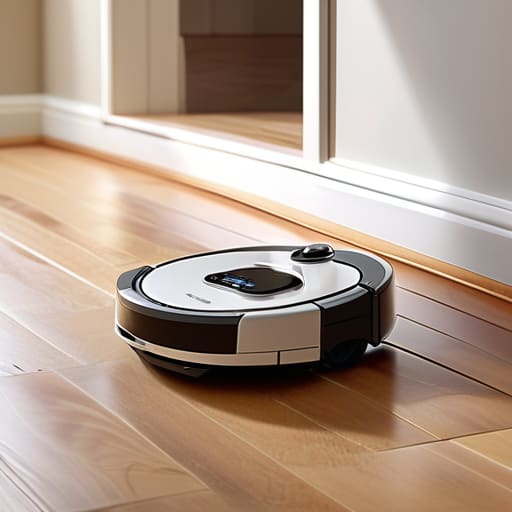
Are Robot Vacuums Worth It? an Honest Assessment

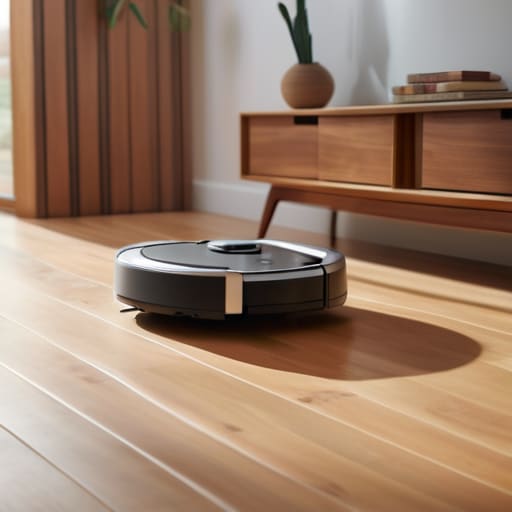
I spent six years in IT support watching people buy “smart” solutions that actually just created more tickets for me to close. So, when the marketing for robot vacuums started promising a life of effortless, pristine floors, my internal alarm bells went off. Most of the reviews you read online are written by people who have nothing to do with the reality of living with a dog, a messy kitchen, or a house full of low-slung furniture. People keep asking are robot vacuums worth it, but they’re usually asking the wrong question. They should be asking if they’re ready to become a part-time janitor for a machine that thinks a stray charging cable is a mountain range.

I’m not here to sell you on the dream of a hands-off lifestyle. Instead, I want to talk about what actually happens when you bring one of these into your home. I’ll walk you through what they actually clean, which ones are just expensive paperweights, and—most importantly—what the ongoing costs look like once the initial novelty wears off. We’ll look at the maintenance, the inevitable stuck-under-the-sofa moments, and whether the time you save is actually worth the fiddly upkeep required to keep the thing running.

Table of Contents

Automated Floor Maintenance What It Cleans and What It Ignores

Automated Floor Maintenance What It Cleans and What It Ignores

Here is the reality of automated floor maintenance: these machines are excellent at maintaining a baseline, but they are not a replacement for a proper deep clean. If you have a daily battle with crumbs or fine dust, a robot is great for keeping the floor from looking “gritty” between your actual cleaning sessions. They excel at the repetitive, low-level stuff—the stuff that usually makes you sigh when you see it. However, if you are looking for the best robot vacuum for pet hair to handle a massive shedding season, you’ll find they struggle with the clumps that gather in corners or against baseboards.

The biggest gap is usually the “edge case” problem. A robot will zip across the middle of your rug with decent efficiency, but it will almost certainly ignore the heavy debris tucked under the sofa or the dust bunnies hiding behind the door. You’ll find that robot vacuum suction power vs manual cleaning is a losing battle when it comes to corners; a handheld vacuum or a real broom still wins there every time. They keep the floor mostly clean, but you’ll still need to do the heavy lifting once a week.

Robot Vacuum Suction Power vs Manual the Actual Performance Gap

Robot Vacuum Suction Power vs Manual the Actual Performance Gap

If you’re looking at the spec sheet, you’ll see numbers like “4000Pa” or “5000Pa” plastered everywhere. In my experience, those numbers are mostly marketing fluff. When comparing robot vacuum suction power vs manual cleaning, you have to realize that a robot is essentially a tiny, motorized puck trying to do a job designed for a human with an actual arm. A cordless stick vacuum can concentrate all its force into one spot to pull grit out of a rug seam; a robot has to distribute its energy across its entire underside while constantly moving.

This means that while a robot is great for keeping the “everyday” layer of dust at bay, it will almost never match a deep clean. If you have high-pile carpets or a house full of shedding animals, you aren’t looking for the best robot vacuum for pet hair to be your only tool; you’re looking for it to be your secondary tool. It manages the surface-level debris so that when you finally pull out the heavy-duty vacuum once a week, it’s not a total nightmare.

Five things to check before you let a robot loose in your house

  • Check your floor plan for “death traps.” If you have a dining room with heavy chair legs or a low-clearance sofa, the robot will spend half its battery life screaming for help. If you can’t clear a path, you’ll end up spending more time rescuing the machine than it spends cleaning.
  • Look closely at the “subscription” model for consumables. Some brands make it easy to buy the vacuum, but then they bake the cost of proprietary brushes, filters, and specialized cleaning solutions into a recurring expense. Before you buy, check if you can find generic replacements on Amazon, or if you’re locked into their ecosystem.
  • Don’t fall for the “mapping” hype if you have a small space. High-end LiDAR mapping is great for a three-story house, but if you live in a one-bedroom apartment, you’re paying a premium for a brain that’s too big for the room. A basic bump-and-turn model will do the same job for a fraction of the price.
  • Consider the “clutter tax.” A robot vacuum is essentially a tool that rewards you for having empty floors. If your lifestyle involves leaving laundry, shoes, or cables everywhere, the robot isn’t a “set and forget” solution—it’s just another chore you’ve added to your list to tidy up before the machine can run.
  • Ask what happens to your data. Most modern vacuums use cameras to navigate and map your home. If you aren’t comfortable with a company having a digital floor plan of your living room stored on their servers, look for models that rely on physical sensors rather than visual cameras.

The bottom line

The bottom line on robot vacuum value.

Don’t expect them to replace your deep clean; they are “maintenance” tools meant to stop dust from building up between the times you actually use a real vacuum.

Check the floor plan before you buy—if you have high-pile rugs or a lot of chair legs, you’ll spend more time rescuing the robot than it spends cleaning.

Look past the suction numbers and check the app subscription; if the “smart” features require a monthly fee just to see a map of your living room, you’re better off with a cheaper, “dumb” model.

The reality of the "set and forget" promise

“Most people buy a robot vacuum because they want to stop thinking about floors entirely, but you aren’t actually buying a cleaner; you’re buying a tiny, motorized roommate that requires its own weekly maintenance schedule just to keep it from dying under the sofa.”

Saoirse Doyle

The bottom line

So, are they worth it? If you’re expecting a device that replaces your actual vacuum cleaner, you’re going to be disappointed and probably a bit annoyed. They aren’t magic; they are just consistent. They handle the fine dust and the daily crumbs that build up between your deep cleans, but they will never tackle the heavy lifting or the corners where the cat hair actually hides. You have to weigh the cost of the machine—and the inevitable subscription for replacement filters and brushes—against the specific reality of your floor plan. If your home is a minefield of stray cables and low-slung furniture, you aren’t buying a helper; you’re buying a fiddly little chore that you’ll end up managing more than it manages for you.

Ultimately, don’t buy one because a tech reviewer told you it’s “life-changing.” Buy one if you can look at your floor and honestly say that having it run while you’re at work would take a small, measurable weight off your shoulders. Technology should be a tool that stays in the background, not another thing on your to-do list that requires constant troubleshooting. If it buys you twenty minutes of peace on a Tuesday, it’s a win. If it just becomes another piece of expensive plastic getting stuck under the sofa, let it go. Your time is worth more than a gadget that doesn’t work for your specific life.

Frequently Asked Questions

How much do these things actually cost to keep running once you've bought the initial unit?

The sticker price is just the entry fee. To keep it running, you’re looking at a steady cycle of consumables: brushes that fray, filters that clog, and those little side-sweepers that eventually look like chewed gum. Most brands sell these in packs, so expect to spend maybe £30–£50 a year on replacements. Also, watch out for the “smart” models that lock certain features behind a subscription—if you stop paying, you might find your vacuum suddenly much dumber.

Do I really need one of those expensive self-emptying bases, or is that just more tech to break?

The self-emptying base is the definition of a “convenience tax.” It works by sucking debris from the vacuum into a disposable bag inside the dock. It’s great because you only touch the dust once every month or two instead of every single day. However, you’re adding a motor that can fail, a sensor that can get clogged, and a recurring cost for those proprietary bags. If you hate emptying small bins, buy one. If you’re tight on budget, skip it.

What happens to the app and the vacuum's smart features if the manufacturer decides to stop supporting the software?

This is where the “smart” part of your vacuum becomes a liability. If the company goes bust or decides your model is too old, the app usually dies. Without the app, you lose the maps, the scheduling, and the ability to tell it which room is which. You’re left with a very expensive, very dumb hunk of plastic that only works if you can physically press its buttons. Check if the brand has a history of long-term support before you commit.

Direct Debit or Standing Order: the Difference That Matters

I spent six years on a helpdesk watching people panic because their bank balance looked nothing like their spreadsheet, usually because they couldn’t remember which automated payment was responsible for the leak. It’s rarely a massive error; it’s usually just the subtle, annoying difference between a direct debit vs standing order that no one bothered to explain when you set it up. You think you’ve automated your life, but then a utility bill fluctuates, or a subscription hikes its price, and suddenly your “set and forget” system is actually just set and stress.

I’m not here to give you a lecture on banking theory or tell you that a new fintech app will solve your soul. I’m going to tell you exactly how these two work in the real world: which one lets the company take what they want, which one keeps you in the driver’s seat, and what actually happens to your money when a payment fails. We’ll look at what to click in your banking app, what the potential hidden costs are, and how to make sure you can actually cancel the lot without a fight.

Table of Contents

Standing Orders

Setting up automated bank Standing Orders.

A standing order is a fixed instruction you give your bank to send a specific amount of money to a particular person or business at regular intervals. It is a one-way street where you are the one in the driver’s seat, setting the amount and the date, and then stepping back. Because the amount never changes, it is the most predictable way to move money without needing to log in every single month to manually trigger a transfer.

I used to set these up for people who were tired of their banking apps nagging them about “pending tasks” every Friday. If you have a fixed rent or a set amount you want to send to your savings account, a standing order is your best friend because it is set and forget. The downside is that it is entirely blind; if your electricity bill jumps up because of a cold snap, your standing order won’t care. It will keep sending the same old amount, leaving you to deal with the shortfall manually.

Direct Debits

Managing monthly bills via Direct Debits.

A direct debit is an authorization you give to a company that allows them to pull varying amounts of money from your account on a regular basis. Unlike a standing order, the amount and the timing can change, provided the company notifies you in advance. This makes it the standard way to handle utility bills, phone contracts, or any subscription where the cost fluctuates based on your actual usage.

In my years on the helpdesk, I saw a lot of people panic when their bank balance looked different than expected, often because they didn’t realize a direct debit had adjusted for a seasonal price hike. The real value here is convenience and automation; you don’t have to do a thing once the mandate is signed. However, you do need to keep a closer eye on your statements. Since you’ve handed over the keys to the company, you are trusting them to get the math right every single time.

Comparison of Payment Methods

Feature Direct Debit Standing Order
Control Authority The Service Provider (Payee) The Account Holder (Payer)
Payment Amount Variable or Fixed Fixed only
Setup Process Payee requests authorization Payer instructs bank
Best For Bills and subscriptions Rent or fixed transfers
Flexibility High (amounts can change) Low (requires manual update)
Key Feature Automated variable collection Automated fixed instruction

The Bank Mandate Explained Who Actually Controls the Money

The Bank Mandate Explained Who Actually Controls the Money.

This is where the “set it and forget it” mentality can actually bite you. Understanding the mandate isn’t just about banking terminology; it’s about knowing exactly who holds the keys to your account when the numbers start moving. If you don’t know who is pulling the strings, you aren’t managing your money—you’re just watching it happen.

With a standing order, you are the sole operator. You tell the bank, “Move exactly £40 on the first of the month,” and they do exactly that. There is no middleman. It is a rigid, one-way instruction that stays within your control, making it great for predictable costs like rent.

A direct debit is different because you are essentially handing over a permission slip to a company. You grant them a mandate to reach into your account and take whatever amount they’ve decided is due. While this is convenient for fluctuating bills like electricity, it means the company—not you—is technically driving the bus.

For absolute control over the specific amount leaving your account, the standing order wins every time.

Fixed vs Variable Payments Why Your Automated Bank Transfers Fail

The reason this matters is simple: it’s the difference between a predictable bill and a surprise math problem. If you treat a variable bill like a fixed one, you end up with an overdraft or a missed payment, both of which are annoying and expensive in ways that could have been avoided with five minutes of setup.

A standing order is your rigid, reliable friend. You tell the bank exactly how much to send on a specific date, and they do it—no questions asked. It is perfect for rent or a fixed gym membership, but it is completely blind to changes. If your utility bill spikes because of a cold snap, the standing order will still send the old, lower amount, leaving you with a debt you forgot you had.

Direct debits are more flexible, which is a double-edged sword. They adjust automatically to whatever the company says you owe, which is great for electricity or phone bills, but it means you lose that sense of certainty. You aren’t just paying a bill; you are giving a company permission to change the math every month.

For managing fluctuating costs, the direct debit wins, provided you actually check your statements.

The quick version

Use a standing order when you want to be the boss of the amount—it’s perfect for fixed bills like rent where the number never changes.

Use a direct debit when you want the company to handle the math—it’s better for utility bills that fluctuate, but it means you have to keep an eye on your balance.

Always check your bank app before cancelling a direct debit; unlike a standing order, which just stops, a direct debit is a formal agreement that can leave a messy paper trail if you don’t close the loop properly.

## The fundamental difference

“If you want to know which one to use, just ask yourself who you want holding the remote: you, or the company you’re paying. A standing order is a set amount you send on your terms; a direct debit is you giving them a key to your front door and hoping they only take what they promised.”

Saoirse Doyle

The Bottom Line

If you are looking for the simplest rule of thumb, use a standing order for the things that never change—like your monthly rent or a fixed subscription to a service that doesn’t fluctuate. It is predictable, and you are the one in the driver’s seat. Use direct debits for everything else, specifically those utility bills or credit card payments that shift every month. Just remember that with a direct debit, you are essentially handing the company a digital key to your account, so you need to keep a close eye on your statements to ensure they aren’t overcharging you. If you ever decide to cancel, a direct debit is usually easier to stop via your banking app, whereas a standing order requires you to manually go in and kill the instruction yourself.

At the end of the day, the goal isn’t to build a complex financial fortress; it is just to make sure your money goes where it is supposed to without you having to think about it every Tuesday morning. Most of the stress comes from the friction of uncertainty, not the actual math. Once you have mapped out which bills are fixed and which are variable, you can set these up, walk away, and get back to more important things—like finally getting your sourdough starter to behave. Don’t let the banking terminology intimidate you. It is just a series of clicks, and once it is set, it should stay out of your way.

Frequently Asked Questions

What actually happens to my money if I try to cancel a direct debit while a payment is already processing?

Here is the reality: cancelling a direct debit is like trying to un-ring a bell. If the payment instruction has already hit the banking system, your cancellation won’t stop that specific transaction. The money will likely still leave your account. You haven’t “cancelled the debt”; you’ve just told the bank not to send any future ones. If you’re in a bind, contact the company directly. Stopping the transfer doesn’t make the bill go away.

Can I set up a standing order to pay a company that usually takes direct debits?

Technically, yes, you can set up a standing order to pay them, but it’s usually a bad idea. Companies prefer direct debits because it lets them adjust the amount and collect it on their schedule. If you try to force a fixed standing order on a bill that fluctuates—like an electricity statement—you’ll end up either underpaying and getting late fees, or overpaying and leaving money sitting in their account. Just stick to the direct debit if they offer it.

If I make a mistake on a standing order amount, how long does it take for the bank to fix it?

If you’ve messed up the amount on a standing order, you’re the one in charge, which is both a blessing and a curse. You can log into your banking app and change the amount immediately, but that change usually only applies to the next scheduled payment. If the money has already left your account, the bank won’t “undo” it. You’ll have to manually request a refund from the person you paid, which is a headache.

How to Free Up Phone Storage Without Deleting Your Photos

Please don’t download one of those “Super Cleaner Pro” apps that promises to magically reclaim your gigabytes with a single tap. Most of them are just glorified advertisements that clutter your home screen and, frankly, make your phone run slower by running constant background processes. If you’re searching for how to free up phone storage, you don’t need a subscription-based miracle worker; you just need to find the specific, bloated files that are actually eating your space. I spent six years at a helpdesk watching people pay monthly fees for “optimization” tools that did nothing more than delete their browser cache, and it’s a complete waste of money.

I’m not going to give you a list of lifestyle hacks or tell you to “be more mindful” of your digital footprint. Instead, I’m going to show you exactly where the junk hides—from those massive WhatsApp video threads to the hidden cache files that your settings menu won’t immediately show you. We’ll go through what to delete, what is safe to move to a hard drive, and what happens to your photos if you decide to offload them to a cloud service you might not want to pay for next year.

Table of Contents

Delete Unused Applications Before They Break Your Battery

Delete Unused Applications Before They Break Your Battery

Most people think the main problem with a full phone is the space itself, but it’s actually what those apps are doing in the background. Every app you haven’t opened since last summer is likely still running little processes, pinging servers for updates, or refreshing your location. This is the fastest way to drain your battery and optimize mobile memory for things that actually matter. When you delete unused applications, you aren’t just gaining back megabytes; you’re giving your processor a much-needed break.

Don’t go through your home screen one by one; that’s a recipe for decision fatigue. Instead, go into your settings and look at the “Storage” or “App Management” section. It will show you exactly which apps are taking up the most room and, more importantly, when you last used them. If you see a game or a social media tool that hasn’t been touched in three months, kill it. If you’re worried about losing data, check if the app has a cloud backup first. If it doesn’t, or if it’s a proprietary mess that locks your files away, that’s a sign you might want to look for better cloud storage alternatives before you hit delete.

How to Remove Duplicate Photos Without Losing the Good Ones

How to Remove Duplicate Photos Without Losing the Good Ones

If you’re anything like me, your camera roll is a graveyard of near-identical shots. You took five versions of the same sourdough loaf because you weren’t sure about the lighting, and now those duplicates are eating your capacity. Most people think they need a fancy third-party cleaner to remove duplicate photos, but honestly, most of those apps are just subscription traps designed to nag you. Before you download anything new, check your native gallery app first. Both iOS and Android have finally added decent built-in tools that group similar shots together so you can pick the winner and bin the rest in one go.

When you’re cleaning things up, don’t just blindly hit “delete all.” I’ve seen too many people accidentally wipe out a burst of photos that actually contained the one shot they wanted. Use the “Duplicates” folder in your photo settings to review them manually. It’s a bit fiddly, but it’s the only way to truly manage device storage space without the regret of a missing memory. Once you’ve cleared the junk, you’ll likely find you have enough room to breathe without needing to pay for more cloud space.

Five more ways to clear the clutter without losing your mind

  • Check your messaging apps for the “media bloat.” Go into WhatsApp or iMessage settings and look at the storage usage; you’ll likely find a massive pile of videos and memes sent in group chats three years ago that are eating up gigabytes. Delete the media, not the conversations, if you actually want to keep the text.
  • Offload your music and podcasts instead of deleting them. If you use Spotify or Apple Podcasts, you’re probably carrying around high-quality downloads for shows you finished months ago. Delete the downloads; you can always stream them again, and it stops your phone from constantly trying to index files you aren’t listening to.
  • Clear your browser cache, but do it manually. Don’t trust those “one-tap clean” apps that claim to speed up your phone—they usually just add more junk. Go into your mobile browser settings, find ‘Clear Browsing Data,’ and select ‘Cached Images and Files.’ It’s a small win, but it stops that weird lag when you’re scrolling.
  • Audit your “Recently Deleted” folders. It sounds silly, but when you delete a video or a batch of photos, they don’t actually leave your device; they sit in a purgatory folder for 30 days. If you’re truly low on space, you have to go into that folder and hit ‘Delete All’ to actually get the storage back.
  • Be wary of the “Cloud Migration” trap. Moving everything to iCloud or Google Photos is great until you hit the storage limit and they start nagging you to pay $2.99 a month forever. If you move files to the cloud, make sure you actually select the “Optimize Storage” option on your device, otherwise, you’re just paying for a second copy of everything you already have.

The quick version

Stop downloading “cleaning” apps that promise to automate everything; they usually just run in the background and drain your battery.

If you haven’t opened an app in three months, delete it—you can always redownload it later if you actually miss it.

Before you clear out your media, double-check that your cloud backup is actually finished, or you’ll be staring at a blank gallery and a very expensive mistake.

The truth about "storage cleaners"

Most of those ‘one-tap’ cleaning apps are just digital clutter masquerading as a solution; they’ll promise to clear gigabytes, but they usually just end up tracking your data or making your phone run slower while you pay them a monthly fee to tell you what you already knew.

Saoirse Doyle

The bottom line

The bottom line of digital storage management.

At the end of the day, clearing space isn’t about finding some magic setting or buying a more expensive model with a massive hard drive. It’s about the boring, manual work we talked about: cutting the apps that are draining your battery, cleaning out the duplicate photo clutter, and actually looking at what’s taking up room. If you’ve gone through your apps and moved your heavy media to a cloud service or an external drive, you’ve already done more than most people. Just remember my rule: before you commit to a monthly subscription for extra storage, check the cancellation terms. You don’t want to find yourself locked out of your own memories just because you stopped paying a ten-dollar monthly fee.

Don’t let the “storage full” notification turn into a source of digital anxiety. Your phone is a tool meant to serve you, not a digital hoard that you feel obligated to maintain. If a device starts feeling sluggish or heavy with useless junk, it’s okay to just start deleting. You don’t need a perfect, streamlined system to be productive; you just need a device that works when you actually need to use it. Once you’ve cleared the digital cobwebs, put the phone down and go do something that doesn’t involve a screen. Even my bread starter deserves more attention than a phone full of screenshots you’ll never look at again.

Frequently Asked Questions

If I delete an app to save space, will it also wipe all the data and login info associated with it?

It depends on how you delete it. If you just tap “Remove App” on an iPhone, it might keep your data tucked away in a little folder just in case you reinstall it later. If you want it gone for good, you have to select “Delete App.” On Android, it’s usually cleaner, but I always suggest checking your settings first. If you’re worried about losing your login, just make sure you know your password before you hit delete.

Is it actually worth paying for extra iCloud or Google storage, or am I just kicking the can down the road?

Look, paying for more storage is just a digital Band-Aid. It works, but it’s a subscription that never ends. If you’re paying $2.99 a month just to keep hoarding blurry screenshots, you’re essentially paying a tax on your own clutter. Use the extra space if you need it for peace of mind, but if you can manage it by actually deleting things, do that instead. At least then you aren’t paying for a problem you could fix for free.

What’s the safest way to move my old videos to a hard drive without them getting corrupted or lost in a weird file format?

Don’t trust a “quick transfer” by dragging folders across. The safest way is to copy, then verify. Use a physical external drive—not a cloud service that might compress your files into something unplayable. Once the transfer is done, check the file sizes on the drive against the originals. If they match, you’re likely fine. Also, keep the originals on your phone for a week; don’t hit ‘delete’ until you’ve actually watched the videos on the drive.

Text Neck: What Looking Down All Day Does

I spent six years at a helpdesk watching people try to “fix” their posture with $80 ergonomic neck braces and expensive subscription-based posture-tracking apps that pinged them every five minutes. It’s all a bit much. Most of these gadgets are just clever ways to sell you a solution to a problem you actually solved by just moving differently. If you’re currently rubbing the base of your skull because you spent three hours scrolling through recipe sites, you’ve probably wondered what is text neck and why it feels like your head weighs fifty pounds. It isn’t a medical mystery or a fancy new physiological disorder; it’s just your spine protesting the fact that you’ve turned it into a permanent question mark.

I’m not going to sell you a specialized cushion or a monthly app subscription to tell you to sit up straight. Instead, I want to break down the actual mechanics of how this happens and, more importantly, the low-effort adjustments that actually work. We’ll look at how to change your setup without buying a whole new desk, and I’ll tell you exactly which “ergonomic” tools are a waste of your money. No hype, just the practical stuff you need to stop the ache.

Table of Contents

The Reality of Your Cervical Spine Posture

The Reality of Your Cervical Spine Posture

To understand why your neck feels like it’s been in a wrestling match, you have to look at the physics of your cervical spine posture. Your head isn’t some weightless balloon; it weighs roughly 10 to 12 pounds when it’s sitting squarely on your shoulders. That’s fine for a balanced stack. But the moment you tilt your chin down to check a notification, you’re effectively turning your head into a heavy lever. By the time you’ve reached a 60-degree angle, that same head is putting nearly 60 pounds of pressure on your neck muscles.

This isn’t just about being a bit stiff; it’s about how your body compensates for a constant, unnatural load. When you stay in this position, your muscles have to work overtime just to keep your eyes level with the screen. Eventually, they fatigue, and that’s when you start noticing the forward head posture symptoms—the dull ache at the base of your skull or that weird, tight sensation between your shoulder blades. It’s a slow, cumulative process, not a sudden injury, which is exactly why it’s so easy to ignore until it actually hurts.

Forward Head Posture Symptoms You Cant Ignore

Forward Head Posture Symptoms You Cant Ignore

It usually starts with a dull, nagging ache right where your neck meets your shoulders. You might think it’s just a long day at the desk, but if you’re noticing a persistent tightness that doesn’t go away with a quick stretch, those are the classic forward head posture symptoms trying to get your attention. It isn’t just a sore neck; it’s a heavy, dragging sensation that makes your shoulders feel like they’re permanently hiked up toward your ears.

If you start getting headaches that feel like a tight band around your forehead, or if your fingers feel a bit tingly when you’re scrolling through your phone, that’s a sign the issue is moving beyond simple muscle fatigue. This is often where poor smartphone usage ergonomics starts to mess with your nerves. You aren’t just “stiff”—your body is actively struggling to hold up the weight of your head because your alignment has shifted. If you’re feeling that specific type of radiating discomfort, it’s your body’s way of saying the current setup isn’t working.

Five ways to stop your phone from ruining your posture

  • Raise your screen to eye level. It feels weird at first, like you’re performing a silent prayer, but it’s better than tilting your head down at a 60-degree angle for three hours straight. If you’re on a phone, hold it up; if you’re on a laptop, get a cheap stand or a stack of old cookbooks.
  • The “Chin Tuck” reset. Every time you finish a long scrolling session, sit up straight and pull your chin straight back—not down, but back, like you’re trying to make a double chin. It feels ridiculous, but it forces those deep neck muscles to actually do their job for once.
  • Audit your workstation setup. If you’re working from a couch or a bed, you’ve already lost the battle. You need a flat surface and a chair that doesn’t make you slouch like a question mark. If your setup is fundamentally broken, no amount of “stretching” is going to fix the underlying issue.
  • Set “scrolling timers.” Most of us don’t realize we’ve been hunched over until the ache starts. Use your phone’s built-in screen time settings to nudge you. It’s not about being more productive; it’s about reminding your body that you aren’t actually a permanent part of the furniture.
  • Move your shoulders. Text neck usually comes with tight chest muscles and weak upper back muscles. Every hour, just roll your shoulders back and down. It’s a tiny, low-effort movement that prevents your entire upper body from collapsing forward into that permanent hunch.

The quick version

It isn’t a medical mystery; it’s just the physical consequence of your neck acting like a crane to support a heavy phone all day.

If you’re starting to feel tension in your shoulders or a dull ache at the base of your skull, your posture is already sending you a warning.

You don’t need a fancy ergonomic gadget to fix it, but you do need to stop letting your chin drift toward your chest for hours on end.

The cost of a constant downward gaze

We talk about “tech neck” like it’s some mysterious new medical phenomenon, but it’s really just the physical bill coming due for the hours we spend hunched over our screens. Your spine wasn’t designed to act as a permanent kickstand for a smartphone.

Saoirse Doyle

Getting your neck back on track

Getting your neck back on track.

At the end of the day, text neck isn’t some mysterious medical phenomenon; it’s just the physical consequence of how we use our tools. We’ve talked about how that forward head posture puts an incredible amount of strain on your cervical spine and the specific symptoms—like those nagging headaches or that dull ache between your shoulder blades—that tell you something is wrong. You don’t need a fancy ergonomic setup or a subscription to a meditation app to fix this. Most of the time, you just need to stop treating your phone like a chin rest and start being a bit more mindful of where your eyes are actually landing. It’s about small, boring adjustments to how you hold your devices, rather than a complete lifestyle overhaul.

I know it feels easier to just power through the discomfort, especially when work or life demands you stay plugged in. But your body isn’t a piece of hardware you can just swap out when the joints start clicking. You don’t need to become a yoga expert overnight; you just need to listen to the signals your body is sending before they turn into chronic issues. Take the breaks, lift the screen to eye level, and give your neck a chance to exist in a neutral position for once. Your future self—the one without a permanent hunch—will definitely thank you for it.

Frequently Asked Questions

Can I actually fix my posture, or is my spine just stuck this way now?

The short answer is yes, you can improve it, but it’s not a “one-click fix.” Your spine isn’t a piece of hardware that’s permanently soldered in place, but it is held by muscles that have basically forgotten how to do their jobs. You can’t just “will” yourself into better posture; you have to retrain the muscles that have gone soft and stretch the ones that have tightened up. It’s tedious work, but it’s doable.

How do I know if my neck pain is just muscle strain or something more serious?

Look, I’m not a doctor, and if you’re looking for a medical diagnosis, you’re in the wrong place. But from a practical standpoint: if it’s just a dull ache that goes away after a stretch or a hot shower, it’s probably just your muscles protesting your screen time. However, if you start feeling numbness, tingling down your arms, or a weakness that makes you drop things, stop reading this and call a professional. That’s the signal that it’s moving past “soreness” into “nerve” territory.

Are there specific stretches that actually work, or is it all just wellness fluff?

Look, most “wellness” stretches are just expensive ways to feel better for five minutes. If you want to actually counter the hunch, you need to focus on the muscles that have gone slack. Chin tucks and doorway chest stretches aren’t flashy, but they target the specific tension from staring at a screen. Do them daily, not once a week. If a stretch feels like a temporary band-aid rather than a way to reset your posture, it’s probably fluff.

The Second Brain Idea, Stripped of the Hype

I spent six years on a helpdesk watching people drown in “productivity ecosystems” that were supposed to save them but actually just required a part-time job to maintain. Every time a new guru pops up on my feed claiming to have solved human forgetfulness with a complex web of interconnected apps, I roll my eyes. They make it sound like some mystical, life-altering upgrade, but when people ask me what is a second brain, they aren’t looking for a digital cathedral; they’re usually just tired of losing that one specific receipt or the notes from a meeting three weeks ago. Most of these setups are just expensive ways to feel busy without actually getting anything done.

I’m not here to sell you a subscription to a lifestyle you don’t have time for. Instead, I’m going to strip away the jargon and look at the actual mechanics of how you can store information without it becoming a second job. I’ll tell you which tools are actually worth your time, which ones will lock your data in a proprietary cage if you stop paying, and how to build a system that stays out of your way.

Table of Contents

The Code Method Productivity or Just More Work

The Code Method Productivity or Just More Work.

You’ll likely run into the CODE method if you start digging into Tiago Forte’s approach to building a second brain. It stands for Capture, Organize, Distill, and Express. On paper, it sounds like a tidy way to handle the deluge of information we deal with every day. The idea is to use cognitive offloading techniques so your brain can focus on thinking rather than just remembering that you read a decent article about sourdough hydration three weeks ago.

The problem is that “Organize” and “Distill” are often where people get stuck in a loop of productive procrastination. I’ve seen so many people spend four hours color-coding tags or setting up complex folders instead of actually doing their work. It turns into a job in itself. If you spend more time managing the system than using the information, you haven’t built a tool; you’ve built a digital filing cabinet that requires a full-time assistant.

If you do try it, keep it simple. The goal isn’t to create a perfect archive; it’s to make sure that when you actually need a piece of information, it isn’t buried under a mountain of digital clutter.

Cognitive Offloading Techniques That Actually Save Your Sanity

Cognitive Offloading Techniques That Actually Save Your Sanity

If you want to actually use these systems, you have to stop treating them like a museum and start treating them like a dumping ground. Real cognitive offloading techniques aren’t about building a perfect library; they are about getting the thought out of your head before it starts looping like a broken script. I’ve found that the most effective way to do this is to stop worrying about where a note “belongs” and just focus on getting it down.

Most people get stuck trying to master the PARA method organization or other complex filing systems before they’ve even written ten sentences. They spend three hours setting up folders and zero hours actually thinking. If you want this to work, you need a friction-less way to capture. Whether you use a simple text file or more complex personal knowledge management systems, the goal is the same: if it takes more than three clicks to save a thought, you won’t do it, and you’ll end up back where you started, trying to remember that one thing you read at 2:00 AM.

Five ways to stop building a digital graveyard

  • Pick one tool and stay there for at least six months. Most people spend more time “optimizing” their note-taking app than actually taking notes. If you’re constantly switching from Notion to Obsidian to Evernote, you aren’t building a second brain; you’re just rearranging the furniture in a house you haven’t moved into yet.
  • Prioritize searchability over organization. I used to spend hours making perfect nested folders, only to realize I never used them. It’s much faster to use a decent search function or a few simple tags than it is to play librarian. If you can’t find it in ten seconds, your system is broken.

  • Watch out for the subscription trap. Before you commit to a “premium” knowledge management tool, ask yourself: “If I stop paying $10 a month, do I lose access to my own thoughts?” If the answer is yes because they use a proprietary format, walk away. Use something that lets you export your data in plain text or Markdown.
  • Capture everything, but curate ruthlessly. A second brain isn’t a dump for every single link you see on Reddit; that’s just digital clutter. Only save things that are actually useful for a specific project or a recurring thought. If you save everything, you’ll end up with a massive pile of junk that’s too intimidating to ever look at again.
  • Keep the “input” phase separate from the “thinking” phase. Don’t try to organize your notes the moment you clip them. Just get the information into the system so it’s out of your head. You can deal with the filing and the formatting during your actual work time. Trying to do both at once is how you end up feeling like you’ve worked an eight-hour shift without actually producing anything.

The bottom line

The bottom line: avoid digital graveyards.

Don’t let the setup become the work; if you’re spending more time organizing your notes than actually reading them, your “second brain” has just become a very expensive digital filing cabinet.

Prioritize tools with local export options, because the moment you stop paying a monthly subscription, you shouldn’t be locked out of your own thoughts.

Start with a simple folder or a single app rather than a complex framework like CODE, because a system only works if it’s easy enough to use when you’re tired and just want to dump a thought and move on.

The real purpose of a digital brain

A second brain isn’t some mystical, high-performance engine for your intellect; it’s just a digital junk drawer that you’ve actually organized, so you can stop using your actual brain to remember where you put that one specific PDF from three months ago.

Saoirse Doyle

The bottom line

At the end of the day, a “second brain” isn’t some magical digital consciousness that’s going to fix your life. It’s just a way to move information out of your head and into a place where you can actually find it later. We’ve looked at the CODE method and different ways to offload your mental load, but the takeaway is the same: tools like Notion or Obsidian are just containers. They don’t work unless you decide on a simple way to use them, and more importantly, they shouldn’t cost you more in mental energy than they save you. If you spend more time organizing your notes than actually reading them, you haven’t built a system; you’ve just built a digital graveyard for ideas you’ll never revisit.

My advice is to start small. Don’t go out and buy a premium subscription to a complex app just because a productivity guru told you it’s essential. Pick one place—a basic folder, a simple notes app, or even a physical notebook—and just start dumping things there. The goal isn’t to achieve perfect organization; the goal is to stop feeling like you’re forgetting something every time you close your laptop. Once the system stops getting in your way, you’ll know you’ve actually built something useful. Now, if you’ll excuse me, I have a sourdough starter that needs more attention than most of these apps do.

Frequently Asked Questions

Which apps should I actually use, and what happens to my notes if I cancel the subscription?

Don’t get caught in the “app for everything” trap. If you just want to dump notes, use Obsidian or Apple Notes; they live on your device, so if a company goes bust, you still own your files. If you go with Notion, be careful—it’s a walled garden. If you cancel your subscription, you can usually still see your data, but you lose the fancy organization tools that make it usable. Always export a backup.

How much time am I actually going to spend "organizing" versus actually doing my work?

If you find yourself spending more time tagging, moving, and color-coding than actually writing or working, you aren’t building a system; you’re procrastinating with better tools. In my experience, if the “organizing” takes more than ten minutes a week, the system is broken. A second brain should be a quiet filing cabinet, not a full-time job. If you’re tweaking folders instead of finishing tasks, stop. Close the app and just do the work.

If I start building this, how hard is it to get my data out if I decide I hate the system in a year?

That is the most important question you can ask. Most “second brain” apps use proprietary formats, which is a fancy way of saying they’ve built a digital cage. If you use something like Notion, your data is stuck in their ecosystem; exporting it is a messy, soul-crushing process of spreadsheets and broken links. If you want an exit strategy, stick to Markdown files or apps that let you export everything as plain text. If you can’t read your notes in a basic text editor, you don’t own them.

Desk Stretches You Can Do Without Anyone Noticing

I spent six years in a cramped IT office where the only thing more broken than the server rack was my posture. I remember the exact moment I realized I’d become a permanent fixture of my swivel chair; it was a Tuesday, my lower back felt like it had been replaced by rusty gears, and I was staring at a ticket for a printer that didn’t even exist. Most productivity gurus will try to sell you a subscription to a “mindful movement” app or tell you that you need a three-thousand-euro standing desk to fix the problem. They’re wrong. You don’t need a digital coach breathing down your neck; you just need to know how to stretch at a desk without feeling like a complete lunatic in front of your coworkers.

I’m not here to give you a flow that requires yoga pants or a quiet studio. I’m going to show you the movements that actually work when you’re stuck in a spreadsheet and your neck feels like it’s made of concrete. This is the boring, practical version: a few specific moves you can do in thirty seconds that won’t break your workflow or your dignity. No hype, no expensive gear—just a way to stop your body from locking up before lunch.

Table of Contents

Wrist Stretches for Typing So Your Hands Dont Quit

Wrist Stretches for Typing So Your Hands Dont Quit

If you’ve spent any time in IT, you know the feeling: by 3:00 PM, your wrists feel less like body parts and more like two pieces of overcooked pasta. We spend hours in a static position, and while everyone talks about office ergonomics for posture, the reality is that no chair in the world can save you if your tendons are constantly under tension from repetitive typing.

I don’t recommend anything fancy or complicated. Start with a simple prayer stretch. Put your palms together in front of your chest, just like you’re praying, and slowly lower your hands toward your waist while keeping your palms pressed firmly together. You should feel a pull along the underside of your wrists. Hold that for about twenty seconds. If you feel a sharp, stabbing pain, stop immediately—that’s your body telling you you’ve gone too far.

Next, try the reverse. Extend one arm straight out in front of you, palm facing away like you’re telling someone to stop. Use your other hand to gently pull your fingers back toward your forearm. These wrist stretches for typing are most effective when you do them in short, frequent bursts rather than waiting until you’re already in pain.

Relieving Neck Tension at Work Without a Massage

Relieving Neck Tension at Work Without a Massage

Most people think neck pain comes from a bad chair, but after years of watching people hunch over laptops, I’ve realized it’s usually just the “tech neck” creep. You don’t need a $500 ergonomic chair to fix this; you just need to stop acting like your chin belongs in your chest. A simple way to start improving spinal mobility at work is the chin tuck. Sit up straight, look forward, and gently pull your chin straight back—like you’re making a double chin. It feels ridiculous for the first three seconds, but it resets your alignment without needing a yoga mat.

If your neck feels like it’s made of rusted iron, try the seated side stretch. Drop your right ear toward your right shoulder and hold it there. If you want to actually feel it, reach your left hand toward the floor. This is one of those small sedentary lifestyle movement breaks that actually works because it targets the traps, which are usually the first things to tighten up when you’re deep in a spreadsheet. Do it twice on each side, then get back to work.

Five ways to move when you're stuck in a chair

  • The “look away” rule: Every twenty minutes, look at something at least twenty feet away for twenty seconds. It’s not a stretch for your muscles, but it stops your eyes from feeling like they’ve been rubbed with sandpaper by 4 PM.
  • Shoulder blade squeezes: You don’t need to stand up for this. Just sit up straight and try to pinch your shoulder blades together like you’re holding a pencil between them. Hold it for five seconds. It undoes that weird “C” shape your spine makes when you’re staring at a spreadsheet.
  • The seated spinal twist: Sit on the edge of your chair, plant your feet, and use the armrest to gently rotate your torso to one side. It feels a bit silly, but it gets rid of that tightness in your lower back that builds up after three hours of sitting still.
  • Ankle circles: If you’re stuck in a long meeting where you can’t move, just lift your feet slightly and rotate your ankles. It keeps the blood moving so your legs don’t feel like heavy lead weights when you finally stand up.
  • The chest opener: Interlace your hands behind your back and gently pull your shoulders down and back. Most of us spend the day hunched forward; this is the simplest way to remind your chest muscles that they’re actually allowed to expand.

The short version

You don’t need a yoga mat or a standing desk upgrade; you just need to move your joints every hour so they don’t seize up.

Focus on the high-friction areas—your wrists, neck, and lower back—because that’s where the physical “debt” actually accumulates.

Consistency beats intensity; five seconds of a shoulder roll is better than a thirty-minute stretch session you only do once a month.

## The reality of desk ergonomics

You don’t need a three-thousand-dollar ergonomic chair or a specialized wellness app to fix your posture; you just need to remember that your body wasn’t designed to be a permanent fixture of a swivel seat. Most of the time, a thirty-second stretch is more effective than any expensive piece of hardware.

Saoirse Doyle

The reality of staying mobile

The reality of staying mobile daily.

Look, we’ve covered the wrists, the neck, and the basics of moving while you’re stuck in a chair. There isn’t a magic stretch that will undo eight hours of hunching over a keyboard, but these small movements are about preventing the damage before it starts. You don’t need a subscription to a wellness app or a $500 standing desk to make this work; you just need to remember that your body isn’t designed to be a static piece of hardware. If you can manage a quick wrist rotation or a neck tilt every time you finish a task, you’re already doing more than most people I used to support on the helpdesk. It’s about low-effort maintenance that keeps you from feeling like a rusted hinge by 5:00 PM.

At the end of the day, the goal isn’t to become a yoga master in your office cubicle. The goal is simply to make sure that when you finally close your laptop, you don’t feel like you need a physical therapist to help you walk to the kitchen. Don’t get caught up in trying to build a perfect, rigid stretching routine that you’ll abandon by Tuesday. Just pick one thing—one movement—and do it when you feel that familiar tightness creeping in. Consistency beats intensity every single time, especially when it comes to your own physical longevity.

Frequently Asked Questions

What if I’m in an open-plan office and don't want to look like I'm doing yoga in front of my boss?

I get it. Nobody wants to be “that person” doing downward dog next to the communal printer. If you’re in an open office, skip the big movements. Focus on isometric stretches—the ones where you push your hands against your desk or pull your shoulder blades together without actually moving your limbs. It looks like you’re just concentrating hard on a spreadsheet, but you’re actually preventing your upper back from turning into a brick.

How often do I actually need to do these stretches to see a difference in my back pain?

Look, if you’re waiting for a scheduled notification to pop up, you’ve already lost. Most people treat stretching like a gym session—something you do once a week for an hour. That won’t work for desk pain. You need to do these in small, three-minute bursts whenever you feel that specific “stiffness” setting in. If you wait until it actually hurts, you’re just managing damage rather than preventing it. Consistency beats intensity every single time.

If I'm already feeling sharp pain, should I keep stretching or just stop and get a better chair?

If it’s sharp, stop. Stretching is for tightness and dull aches; sharp pain is your body’s way of saying something is actually wrong. Pushing through it won’t make you more productive, it’ll just land you in a physical therapy appointment you didn’t budget for. If you’re at that point, the stretching isn’t working because your setup is failing you. Get a better chair, or at the very least, a decent lumbar support cushion.

A Laundry Routine That Stops the Pile Winning

I spent six years in IT support watching people try to “optimize” their lives with expensive, shiny software that ended up making them more miserable. I see the same thing happening with home management, especially when people start looking for a complex, color-coded system for how to set up a laundry routine. You don’t need a dedicated app to track your socks, and you certainly don’t need a $400 smart washing machine that requires a firmware update just to spin a load of towels. Most of that advice is just noise sold by people who want you to feel like your basic chores are a project management failure.

I’m not here to sell you a lifestyle or a subscription service. My goal is to give you the boring, functional version: a way to get the clothes clean and put away without it becoming a second job. I’ll tell you which machines actually last, which detergents are a waste of money, and exactly how to manage the flow so you don’t end up with a mountain of damp fabric smelling like a swamp. No fluff, no productivity hacks—just a system that stays out of your way.

Table of Contents

Minimizing Laundry Time With Zero Fluff

Minimizing Laundry Time With Zero Fluff.

The biggest mistake I see is the “big weekend mountain.” You spend all Saturday wrestling with a pile of clothes that has become a sentient entity, and by Sunday, you’re too exhausted to even look at a dryer sheet. To actually succeed at minimizing laundry time, you have to stop treating it like a single, massive event. Instead, aim for small, predictable loops. If you have a machine with a delay start, use it. Set it to finish right as you wake up or get home from work; it prevents that dreaded swamp smell that happens when wet clothes sit in the drum for six hours because you were too busy to hit ‘start.’

Don’t waste twenty minutes standing over a basket trying to decide what goes where. If you want real laundry day organization tips that actually stick, get a multi-compartment sorter. Sort by color or weight as you take your clothes off, not when they’re already dirty. If you’re already sorting clothes by fabric type at the point of entry, the actual washing part becomes a mindless, five-minute decision rather than a tactical puzzle.

Preventing Laundry Pileup Before It Starts

Preventing Laundry Pileup Before It Starts.

The reason most people end up staring at a mountain of fabric on a Sunday afternoon isn’t because they’re lazy; it’s because the friction of starting is too high. If you have to dig through a single, massive basket to find your darks, you’ve already lost. I’m a big believer in preventing laundry pileup by moving the decision-making process to the very beginning. Get a multi-compartment hamper—the kind that actually separates lights, darks, and delicates right there in the bin. It feels like an extra step until you realize you’re no longer standing over a pile of clothes for twenty minutes trying to decide what goes where.

If you can’t commit to a multi-bin system, at least try sorting clothes by fabric type as you take them off. It sounds tedious, but it’s much easier to toss a gym shirt into a specific pile the moment it hits the floor than to face a chaotic heap later. Most of the time, the “system” fails because it requires too much mental energy when you’re tired. Keep it low-effort. If the barrier to entry is just dropping a sock into a pre-sorted slot, you’ll actually do it.

Five ways to stop the cycle from winning

  • Sort as you go, not when the basket is full. Get a cheap divided hamper—one side for lights, one for darks. It sounds like extra work, but it stops that frantic, floor-wide scavenger hunt five minutes before you need to leave the house.
  • Stop treating every single item like it needs a delicate cycle. Most of your daily clothes can handle a standard wash. If you spend twenty minutes reading every single care label, you’re just wasting time you could spend doing literally anything else.
  • Set a timer on your phone for the “dryer stage.” The biggest mistake is letting clean, warm clothes sit in a heap at the bottom of the machine. That’s how you end up with a mountain of wrinkles that requires an iron you’ll never actually use.
  • Buy enough hangers to actually finish the job. There is nothing more demoralizing than having a basket of clean clothes and realizing you only have three hangers left. If you can’t hang it immediately, fold it. Don’t let it live in a “to-be-sorted” pile on a chair.
  • Don’t buy a fancy, expensive smart washer just because the app promises to text you when the load is done. Most of those apps are just another subscription or a way to harvest your data. A machine that spins and drains is all you actually need; the rest is just noise.

The bare minimum for staying on top of it

Pick a single, predictable day for the heavy lifting so it stops being a mental weight you carry all week.

Stop trying to sort everything by fabric type and color before it hits the machine; just get the clothes washed and dried so they aren’t sitting in a damp heap.

Don’t buy a fancy smart washer that requires a subscription to send you notifications; you don’t need more pings on your phone, you just need to hear the buzzer.

The truth about "systems"

Most people think they need a fancy color-coded sorting bin or a dedicated laundry app to fix their lives, but you don’t. You just need to stop treating the washing machine like a piece of furniture and start treating it like a task that has to be finished before you can actually sit down on the sofa.

Saoirse Doyle

The bottom line

Simplifying laundry is the bottom line.

At the end of the day, you don’t need a color-coded spreadsheet or a high-tech smart washer to manage your clothes. You just need to stop treating laundry like a monumental event that requires a whole Saturday to tackle. Stick to the basics: sort your loads before they hit the machine, don’t let the damp stuff sit in the drum until it develops a personality, and for heaven’s sake, actually fold things when they come out of the dryer. If you automate the small stuff—like having a dedicated basket for socks or a set day for towels—you remove the mental friction that makes the whole process feel like a chore. It’s about reducing the decision fatigue so you can just get it done and move on with your life.

I know it sounds uninspiring, but there is a quiet kind of freedom in a system that works without you having to think about it. The goal isn’t to become a “productivity guru” who masters the art of domestic management; the goal is to have clean socks when you need them without it feeling like a battle. Once you get these small, boring habits in place, the laundry stops being a looming shadow in the corner of your bedroom and just becomes another background task. Get the system running, stop overthinking the process, and go do something much more interesting than staring at a washing machine.

Frequently Asked Questions

What do I actually do with all the clothes that aren't dirty but aren't quite "clean" yet?

The “in-between” pile is usually where laundry goes to die. I used to have a chair that became a mountain of half-worn jeans and sweaters, which is just a recipe for clutter. Instead, get a dedicated “re-wear” hook or a small basket. If it’s not dirty enough for the wash but too messy for the drawer, it goes there. It keeps the floor clear and stops you from washing things that are perfectly fine.

Is it worth buying those expensive laundry organizers, or am I just throwing money at a problem I can solve with a plastic basket?

Don’t buy them. Most of those tiered, aesthetic organizers are just expensive ways to move clutter from the floor to a shelf. If you’re trying to solve a system problem with a purchase, you’re doing it wrong. Grab two or three sturdy plastic baskets—one for lights, one for darks, one for towels—and call it a day. It’s cheaper, it doesn’t require assembly, and it works exactly the same way.

How do I handle the "delicates" pile without it becoming a separate, permanent mountain of fabric?

The “delicates” mountain happens because we treat them like a special project instead of just another load. Stop waiting for a “delicate day” that never comes. Buy a stack of mesh laundry bags—get the decent ones that don’t snag—and put the items in them the second they come off your body. When they’re bagged, they go straight into the regular wash cycle. You aren’t being reckless; you’re just making them manageable.

Mesh Wifi or an Extender: Which One Fixes Your Dead Spot

I spent six years on a helpdesk listening to people describe their internet as “dying” every time they moved from the living room to the bedroom, and half the time, the solution wasn’t a miracle—it was just a better way to distribute the signal. You’ll see tech reviewers acting like buying a new setup is a spiritual experience, but when you’re actually sitting on the floor trying to figure out what is a mesh wifi system and whether it’s worth your hard-earned money, the hype is exhausting. Most people don’t need a bleeding-edge network designed for a smart mansion; they just want to stream a movie in the kitchen without the spinning loading icon ruining the mood.

I’m not here to sell you on a lifestyle or convince you that you need more gadgets to be productive. Instead, I’m going to give you the unvarnished truth about how these systems actually work, how much they’ll really cost you over three years, and—most importantly—what happens to your connectivity if you stop paying those sneaky monthly subscription fees. We’ll look at the actual setup process, the common points of failure, and whether a mesh system is a genuine fix or just an expensive way to move your problems around the house.

Table of Contents

Fixing Wifi Dead Zone Solutions Without Buying More Junk

Fixing Wifi Dead Zone Solutions Without Buying More Junk

Before you go out and drop three hundred dollars on a shiny new box, let’s look at what you actually have. Most people think they need a total overhaul, but often you’re just fighting a bad placement issue. If your router is shoved into a corner behind a metal filing cabinet or tucked inside a media console, you’re essentially suffocating your signal. I’ve spent too many afternoons explaining that walls and appliances are the natural enemies of signal strength. Try moving your existing router to a central, elevated position first. It’s free, it’s boring, and it solves about half the problems people bring to my desk.

If you’ve moved the router and you still have a “dead zone” in the spare bedroom, you might consider adding wireless access points or a simple extender. However, be careful here; cheap extenders often create a second network name, meaning your phone won’t automatically switch when you walk downstairs. You want a setup that supports a single SSID network, so your devices don’t get stuck clinging to a weak signal from the living room. If you do decide to upgrade, just make sure you aren’t paying a monthly “premium support” fee for hardware that should just work out of the box.

The Truth About a Single Ssid Network and Seamless Roaming Technology

The Truth About a Single Ssid Network and Seamless Roaming Technology.

The biggest selling point you’ll see on the box is the promise of a single SSID network. In plain English, that means you won’t see “Home_WiFi_LivingRoom” and “Home_WiFi_Bedroom” cluttering up your phone’s settings. Instead, you just have one name, and the system is supposed to handle the heavy lifting of moving you between nodes. It sounds magical, but it’s really just a way to stop your phone from clinging to a weak signal from the hallway when you’re sitting right next to a node in the kitchen.

This is where seamless roaming technology actually comes into play. In a perfect world, your device hands itself off to the strongest signal without dropping your Zoom call or pausing your Spotify stream. In reality, it’s a bit of a tug-of-war between your phone and the router. Some devices are “sticky” and refuse to let go of a distant signal until it’s completely dead, which can make the mesh feel less seamless than the marketing suggests. If you find your connection stuttering as you walk through the house, it’s usually not the mesh failing, but your phone being stubborn about which node it wants to talk to.

Five things to check before you let a salesperson talk you into a mesh system

  • Map your house before you buy. If you live in a small apartment, a mesh system is just an expensive way to clutter your shelves; you’re better off with one decent router. Mesh is for the people with thick walls or long hallways that act like signal sponges.
  • Watch out for the “subscription trap.” Some newer, flashy mesh brands want you to pay a monthly fee just to access advanced security features or parental controls. Always check if the hardware actually works as a router the second you cancel that subscription, or if it turns into a very expensive paperweight.
  • Placement is everything, and no, you shouldn’t hide the nodes in a cupboard. If you tuck a node behind a TV or inside a metal cabinet to make it look “neat,” you’re killing the very signal you’re trying to boost. They need to be out in the open, ideally halfway between your main router and the dead zone.
  • Check the “backhaul” situation. If your house has Ethernet ports in the walls, use them to connect your mesh nodes. It’s called wired backhaul, and it’s much more stable than having the nodes try to talk to each other wirelessly through a load-bearing wall.
  • Don’t ignore the app-only setup. A lot of these systems require you to use a specific smartphone app for everything—from changing your password to seeing who is on your network. It’s convenient until the app crashes or you want to manage your network from a laptop, which many of them won’t let you do.

The short version

A mesh system isn’t magic; it’s just multiple nodes working together to stop your connection from dropping when you move between rooms.

Don’t get lured in by “easy setup” apps that require a monthly subscription just to manage your own hardware—check the fine print before you buy.

If your house is small or built with mostly open spaces, a mesh system is probably overkill; you might just need to move your current router to a better spot.

The reality of mesh networks

“A mesh system isn’t some magical upgrade that makes the internet faster; it’s just a way to stop your connection from falling apart the moment you walk into the kitchen, provided you don’t get caught in a subscription trap for ‘premium’ security features you didn’t ask for.”

Saoirse Doyle

The bottom line on mesh

The bottom line on mesh systems.

At the end of the day, a mesh system isn’t some magic wand that solves every connectivity issue in your house, but it is a reliable way to stop your signal from dropping every time you move behind a brick wall. If you’ve gone through the steps we discussed—checking your router’s placement, looking at your dead zones, and understanding that a single SSID is what actually makes the “seamless” part work—you’re already ahead of most people. Just remember my golden rule: read the fine print on the app subscription. If the manufacturer wants a monthly fee just to manage your nodes, walk away. A mesh system should be a set-it-and-forget-it piece of infrastructure, not another recurring line item on your bank statement that you have to manage.

Technology is supposed to serve you, not the other way around. We often get caught up in the hype of the newest, fastest, most expensive hardware, thinking a higher price tag equals a better life. It doesn’t. It just equals a slightly faster way to scroll through social media in the bathroom. My advice is to buy what works for your specific floor plan, set it up once, and then get back to living your actual life. Whether that’s baking a loaf of sourdough or finally finishing that book, your internet should be the invisible background noise that just works, allowing you to stop troubleshooting and start doing.

Frequently Asked Questions

Do I actually need a mesh system, or can I just buy a cheap Wi-Fi extender for half the price?

Look, if you just want to check your email in the far corner of the bedroom, an extender is fine. But extenders are basically just middle-men; they grab your signal, struggle to pass it on, and usually force your phone to cling to a dying connection instead of switching to the stronger one. A mesh system is a proper team. It’s more expensive upfront, but it actually works without you having to manually toggle your Wi-Fi on and off.

If I switch to a mesh system, do I have to throw away my current router and modem?

No, you don’t have to bin your current gear. Your modem stays exactly where it is—it’s the bridge to the internet, and the mesh system just sits on top of it. As for your old router, you have two choices: you can either tuck it in a drawer or, if you’re feeling technical, set it up as a secondary access point. Just make sure you turn off the old router’s Wi-Fi first, or they’ll just fight each other.

What happens to my network if I stop paying for the manufacturer's app subscription?

This is where the fine print gets annoying. If you’re using a system like Eero or Nest, your basic internet connection usually stays up, but you’ll lose the “smart” bits. You won’t get security updates, remote management via the app, or those fancy parental controls. It’s like owning a car where the steering wheel only works if you pay a monthly fee. Check your manual first; you don’t want to buy a paperweight.

How to Write an Email That Gets a Reply

I spent six years in a tiny IT office, listening to the rhythmic click-clack of mechanical keyboards and the heavy sighs of people who had just spent twenty minutes reading a three-sentence message. Most “productivity experts” will tell you that you need a complex framework or a specific AI writing assistant to master your inbox, but they’re usually just trying to sell you a subscription you don’t need. The truth is, learning how to write a clear email isn’t about finding a magic template; it’s about stripping away the ego and the fluff that makes people stop reading halfway through.

I’m not going to give you a list of “power words” or tell you to download a new tool that costs $15 a month. Instead, I’m going to show you the boring, effective way to structure your thoughts so people actually do what you’re asking. We’ll look at how to front-load your requests, how to stop hiding your point in the third paragraph, and how to ensure your subject lines aren’t total mysteries. This is just about getting things done without the unnecessary digital clutter.

Table of Contents

Writing for Clarity and Brevity Without the Fluff

Writing for Clarity and Brevity Without the Fluff.

When I was running the helpdesk, the biggest drain on my time wasn’t the technical glitches; it was the “mystery emails.” You know the ones—three paragraphs of context before you even get to the actual request. If you want to master writing for clarity and brevity, you have to treat your recipient’s attention like a finite resource. Don’t treat an email like a diary entry. If you have a question, put it in the first two sentences. Everything else is just background noise that people will skim right over.

The goal is avoiding ambiguity in emails so you don’t end up in a five-message thread just trying to clarify what you meant in the first place. Use bullet points if you have more than two items to discuss. It looks cleaner, and it prevents people from missing the third point because it was buried in a wall of text. Most importantly, always end with a specific next step. Instead of saying “Let me know what you think,” try “Can you approve this budget by Thursday at 4 PM?” It’s not being pushy; it’s being helpful by removing the guesswork.

Avoiding Ambiguity in Emails So People Actually Understand You

Avoiding Ambiguity in Emails So People Actually Understand You

The biggest mistake I see—and I saw this constantly when I was managing the helpdesk—is the “vague request.” Someone sends an email saying, “The printer is broken,” or “Can we chat about the project later?” That isn’t a request; it’s a riddle. When you aren’t specific, you trigger a back-and-forth chain of five more emails just to figure out what the first one actually meant. Avoiding ambiguity in emails means doing the mental heavy lifting for the reader so they don’t have to.

Instead of “Let’s meet,” try “Are you free for a 15-minute Zoom call on Tuesday at 2:00 PM to finalize the budget?” If you need a file, name the file. If you need a decision, state exactly what is being decided. Effective communication in business isn’t about using fancy vocabulary; it’s about eliminating the guesswork. If your recipient has to ask a follow-up question just to understand your intent, you haven’t actually communicated anything yet. Give them the context, the deadline, and the specific outcome you’re looking for right up front.

Five ways to stop wasting everyone's inbox space

  • Put the “ask” in the subject line. If you need a file by Friday, don’t just write “Question.” Write “Action Required: Need Q3 Spreadsheet by Friday.” It saves the recipient from having to open the email just to figure out if they can ignore it for an hour.
  • Use bullet points for anything more than two items. If I see a wall of text, my brain immediately treats it like a Terms and Conditions update and starts skimming. If you have three questions, list them 1, 2, and 3. It makes it much harder for people to accidentally skip the second one.
  • The “One Email, One Topic” rule. I spent years seeing threads with forty replies because someone tried to discuss the budget, the holiday party, and a broken printer in a single chain. Keep them separate. It makes searching for that specific info six months later actually possible.
  • Watch your “justs” and “I thinks.” Phrases like “I just wanted to check” or “I think maybe we should” act like digital static. They don’t add meaning; they just make you sound unsure. If you need something, ask for it. You don’t need to apologize for taking up space in someone’s inbox.
  • End with a clear next step. Never end an email with “Let me know what you think” if you actually need a decision. Instead, try “Does this plan work for you, or should we pivot?” Tell them exactly what the finish line looks like so they don’t have to guess.

The three things to check before you hit send

Put the actual request in the first two sentences; if they have to scroll to find out what you want, they’re probably going to close the tab.

Swap vague words like “soon” or “later” for actual dates and times so nobody has to guess what your version of “urgent” looks like.

Read it once specifically looking for “fluff” words—if a sentence doesn’t provide new information or necessary context, just delete it.

The real cost of a vague email

An email that requires three follow-up questions isn’t just a bad piece of writing; it’s a tax on everyone’s time. If you don’t tell people exactly what you need and when you need it, you aren’t being ‘polite’ by leaving it open-ended—you’re just creating more work for yourself later.

Saoirse Doyle

Stop overthinking it

Stop overthinking it and write clearly.

At the end of the day, writing a clear email isn’t about mastering some complex linguistic art form; it’s about being respectful of the person on the other side of the screen. If you can cut the fluff, get straight to your point, and make sure your request is impossible to misunderstand, you’ve already done 90% of the work. Remember to keep an eye on your tone so you don’t sound accidental-aggressive, and for the love of everything, double-check your attachments before you hit send. It sounds basic, but after six years of cleaning up digital messes, I can tell you that the simplest way to communicate is usually the most effective.

Don’t feel like you need to overhaul your entire professional persona overnight. Start with the next email you send—the one you’re currently staring at with too many adjectives and a vague closing sentence. Just trim it down. You’ll find that people actually respond faster when they don’t have to play detective just to figure out what you want from them. Writing clearly isn’t about being perfect; it’s about removing the friction between your thought and their understanding. Once you stop making people work to read your messages, you’ll notice your entire inbox starts to feel a little less heavy.

Frequently Asked Questions

What do I do if I have to send a long, complicated email that can't actually be short?

When you can’t cut the length, you have to fix the architecture. If I’m looking at a wall of text, my eyes just glaze over. Use bold headers to act as signposts so people can skim to the parts that actually affect them. Use bullet points for lists—never long, winding sentences. Most importantly, put the “TL;DR” or the specific action item at the very top. Don’t make them hunt for the point.

How much "politeness" is too much before I start wasting everyone's time?

Politeness is fine, but performative warmth is just noise. If you’re spending two paragraphs telling me how much you hope my weekend was lovely before asking for the budget report, you’ve already lost me. I don’t need a social ritual; I need the request. Keep the “hope you’re well” to a single, sincere sentence. Anything more is just extra scrolling for the person on the other end.

If I'm sending this to a group, how do I make sure the right person actually takes responsibility for the task?

If you send an email to a group and expect everyone to “chip in,” you’re essentially asking for no one to chip in. I spent years watching group threads die because everyone assumed someone else was handling it.