
I spent six years in a cramped IT office where the air always smelled faintly of ozone and burnt coffee, listening to the rhythmic thwack of a heavy door hitting the frame every time someone decided they needed a “quick question” answered. Back then, I realized that most productivity gurus are selling you a fantasy; they want you to believe that if you just buy the right $15-a-month task manager or download a specific “focus” app, you’ll finally master how to manage interruptions. But let’s be honest: a shiny new interface isn’t going to stop your coworker from tapping you on the shoulder or your phone from buzzing with a useless notification.
I’m not here to pitch you a subscription service or a complex new workflow that takes three weeks to learn. Instead, I want to give you the unvarnished reality of setting boundaries with the tools and people already in your life. We’re going to look at what actually works—from adjusting your notification settings to the polite ways of saying “not right now”—without adding more digital clutter to your plate. This is about making your current setup stop getting in your way so you can actually get your work done.
Table of Contents
Setting Boundaries With Colleagues Before They Break Your Flow

The problem with most “office etiquette” advice is that it assumes everyone is naturally respectful of your time. They aren’t. Most people aren’t trying to sabotage you; they just haven’t realized that every time they lean over your shoulder to ask a “quick question,” they are forcing you to pay a massive cognitive switching penalty. It takes your brain much longer to get back into the groove than it takes them to ask the question.
If you want to actually protect your focus, you have to be explicit about when you are unavailable. I used to try being polite and just “powering through,” but that just taught people that my time was negotiable. Now, I use a simple visual cue. If my headphones are on, or if my status is set to “Do Not Disturb,” it means I am in a period of flow state preservation.
Don’t wait for a crisis to start setting boundaries with colleagues. Tell them ahead of time: “I’m going heads-down on this report until 11:00, but I’ll come find you as soon as I’m done.” It’s not rude; it’s just managing expectations so you can actually get your work finished.
Minimizing Workplace Distractions Without Looking Like a Jerk
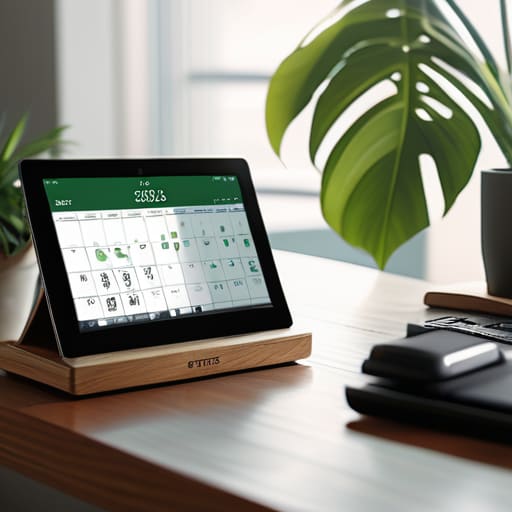
The trick to minimizing workplace distractions without coming across as the office hermit is to make your unavailability a visible, predictable thing rather than a sudden disappearance. If you just stop responding to pings, people assume you’re being difficult. If you use time blocking strategies—literally putting “Focus Time” on your shared calendar—you aren’t being rude; you’re providing them with a roadmap of when they can actually reach you. It turns a personal rejection into a logistical fact.
I used to think I could just power through the noise, but the cognitive switching penalty is real. Every time a “quick question” pulls you away from a task, it takes more than just a few seconds to get your brain back into the groove. You lose momentum, and usually, the quality of the work takes a hit. Instead of relying on willpower, I started using physical cues. A pair of large, over-ear headphones is the universal “do not disturb” sign of the digital age. It’s a low-effort way to signal that you are currently prioritizing flow state preservation without having to say a single word to the person standing at your desk.
Five ways to stop the bleeding when your focus gets hijacked
- Use a physical signal that isn’t a closed door. If you work in an open space, a specific desk lamp being on or even wearing large, visible headphones serves as a “do not disturb” sign that people actually respect. It’s less aggressive than a “No Entry” sign but tells people you aren’t just sitting there waiting to be chatted with.
- Batch your “quick questions.” When someone walks up with a “got a second?” request, don’t just drop everything. Ask them to send it in a quick Slack or email so you can look at it during your next scheduled break. It trains them to realize your time isn’t an infinite resource.
- Audit your notification settings once a month. Most of us have “urgent” pings turned on for things that are actually just marketing fluff or non-essential updates. If a notification doesn’t require an immediate physical reaction (like a fire alarm or a client crisis), it shouldn’t be allowed to pop up on your screen while you’re working.
- The “One-Tab” rule for deep work. If you are trying to finish a specific task, close every browser tab and application that isn’t strictly necessary for that task. Every open tab is a tiny, digital invitation to get distracted by something else. It’s fiddly to reopen them later, but the mental clarity is worth the extra clicks.
- Build a “buffer” into your calendar. If you think a task will take thirty minutes, schedule forty. This prevents the domino effect where one minor interruption or a slightly longer-than-expected email pushes your entire afternoon into a state of rushed, panicked chaos.
The bottom line
Stop looking for a magic app to solve your focus problems; most of the time, you just need to tell people when you aren’t available.
If you use “Do Not Disturb” modes, make sure they actually work—check your settings to ensure your notifications aren’t still popping up and breaking your concentration.
If a tool promises to “automate your focus” but requires a monthly subscription, ask yourself if you’re actually paying for productivity or just paying to feel like you’re being productive.
The reality of the "quick question"
Most interruptions aren’t actually emergencies; they’re just people testing the perimeter of your attention. If you don’t build a fence, they’ll keep wandering into your workspace every time they have a thought they can’t quite resolve themselves.
Saoirse Doyle
Getting your focus back

At the end of the day, managing interruptions isn’t about finding a magic piece of software or a “deep work” ritual that requires a $500 standing desk. It’s about the small, slightly awkward stuff: telling a colleague you’ll chat in twenty minutes, closing those sixteen browser tabs that are actually just digital clutter, and setting physical cues so people know you’re busy. We’ve spent a lot of time talking about boundaries and minimizing the noise, but the goal is really just to stop the constant context switching that leaves your brain feeling like fried eggs by 3:00 PM. If you can tighten up your current setup just enough so it stops fighting you, you’ve already won half the battle.
Don’t feel like you have to overhaul your entire life by Monday morning. Most of the productivity gurus will tell you that you need a complete systemic transformation, but I promise you don’t. Just pick one thing—maybe it’s turning off your Slack notifications for an hour, or maybe it’s finally telling your neighbor to knock before entering. Progress is incremental, and even a small reduction in the number of times your flow is broken makes a massive difference in how much energy you have left for yourself at dinner. Keep it simple, keep it boring, and just let your tools work for you instead of the other way around.
Frequently Asked Questions
What do I do if my boss is actually the one constantly interrupting my deep work?
This is the hardest one because the power dynamic is baked in. You can’t exactly tell your boss to “respect your boundaries” without it sounding like a HR nightmare. Instead, try making your focus visible. Use a status indicator on Slack or a physical sign, but pair it with a “return time.” Instead of “I’m busy,” try “I’m heads-down on that report until 2:00; can we sync then?” It frames your unavailability as a way to deliver better work.
Are there any specific apps or hardware tools that actually help, or is it all just digital noise?
Look, most “productivity” apps are just expensive ways to rearrange your clutter. If you want hardware, a physical timer or a simple “do not disturb” light works because it’s visible to others. For software, stick to the basics: the native “Focus” mode on your phone or a simple website blocker like Freedom. Just remember, if you go the subscription route, check the exit strategy. If you stop paying, do your blocked lists stay, or does the app just become another thing you have to manage?
How do I handle the guilt of telling someone "not right now" without feeling like I'm being rude?
The guilt usually comes from thinking “not right now” means “no, never.” It doesn’t. It just means “I am currently using my brain for something else.”
