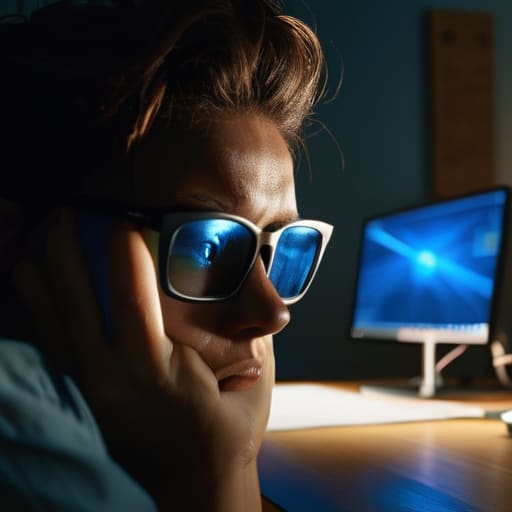
Blue Light: What the Evidence Actually Supports

I spent six years in a cramped IT office listening to people complain about eye strain, and most of the advice they were given was absolute nonsense. You’ve probably seen the ads for those $50 “blue light blocking” glasses that claim to be a miracle cure, but let’s be real: most of them are just expensive plastic. People get so caught up in the marketing that they forget the basics of what is blue light and how it actually interacts with your biology. It isn’t some magical, invisible poison; it’s just a specific part of the light spectrum that tells your brain it’s midday, even when you’re staring at a spreadsheet at 11:00 PM.

I’m not here to sell you a subscription to a wellness app or a pair of designer spectacles. Instead, I want to give you the boring, practical version of how to manage your screen time without making your life complicated. We’ll walk through the actual settings on your phone and laptop that work, what the science actually says about your sleep cycles, and—most importantly—which “solutions” are a complete waste of money.

Table of Contents

High Energy Visible Light the Science Without the Fluff
High Energy Visible Light the Science Without the Fluff

Technically, we’re talking about High-Energy Visible (HEV) light. It’s a specific part of the light spectrum that sits right between ultraviolet and the rest of the visible colors. Because it has a shorter wavelength, it carries more energy, which is why it’s called “high-energy.” You get it from the sun, obviously, but your phone and laptop are basically small, constant emitters of it. It isn’t “poison,” but it is intense, and your eyes weren’t exactly designed to stare at a concentrated beam of it for eight hours a day while you’re sitting in a dim living room.

This intensity is what leads to those annoying digital eye strain symptoms—the dry eyes, the headaches, and that heavy feeling behind your brow after a long shift. More importantly, it messes with your internal clock. When you’re staring at a screen late at night, that HEV light tricks your brain into thinking it’s midday, which causes significant circadian rhythm disruption. It essentially tells your body to stop the melatonin production you need to actually drift off. It’s not that the light is “evil”; it’s just that your biology is still running on much older software than your hardware.

Digital Eye Strain Symptoms Youre Probably Ignoring
Digital Eye Strain Symptoms Youre Probably Ignoring

Most people don’t realize they have digital eye strain until they’re staring at a wall in a dark room at 11 PM, wondering why their head feels like it’s being squeezed in a vice. It usually starts small: a slight dryness, a nagging itch, or that weird feeling that your focus is sliding around the screen rather than staying on the text. You might even notice your vision getting a bit blurry by mid-afternoon. I used to think this was just “getting older,” but after years of troubleshooting hardware, I realized it was just my eyes protesting the constant bombardment of high-energy visible light.

The real trouble, though, isn’t just the physical discomfort; it’s how it tricks your brain. When you’re staring at a bright display late at night, you’re essentially telling your body it’s midday. This leads to significant circadian rhythm disruption, which is a fancy way of saying your internal clock gets completely lost. Because of the way melatonin production and screens interact, your brain stops prepping for sleep because it thinks the sun is still up. If you find yourself lying awake with a racing mind despite being exhausted, your screen is likely the culprit.

Five ways to stop your screens from messing with your head

  • Use the built-in “Night Shift” or “Blue Light Filter” settings on your phone and laptop. It doesn’t make the screen look perfect—it’ll look a bit orange and warm—but it stops that harsh glare right before you try to sleep.
  • Get a pair of blue light glasses if you absolutely must work late, but don’t go spending sixty quid on them. Most of the time, the software settings mentioned above do the same job for free.
  • Follow the 20-20-20 rule. Every 20 minutes, look at something 20 feet away for 20 seconds. It sounds like something a primary school teacher would say, but it actually gives your eye muscles a chance to stop being stuck in a permanent squint.
  • Set a “digital sunset.” Try to put the phone down or at least turn the brightness all the way down an hour before you want to be asleep. If you’re still scrolling through news feeds at midnight, no amount of blue light filtering is going to save your sleep cycle.
  • Check your environment lighting. If you’re sitting in a dark room with a bright monitor, the contrast is what’s really killing you. Turn on a lamp or use some soft ambient light so your eyes aren’t fighting a battle between a black room and a glowing rectangle.

The short version

Blue light isn’t some invisible monster; it’s just a specific part of the light spectrum that can mess with your sleep if you’re staring at a screen right before bed.

If your eyes feel scratchy or your head aches after a long shift, it’s likely digital eye strain, and “night mode” settings are a decent band-aid, not a cure.

Don’t go out and buy expensive “blue light blocking” glasses unless you actually like them; most of what you need is just adjusting your screen brightness and taking actual breaks.

The reality of the glow

“Blue light isn’t some mysterious, invisible poison; it’s just a specific part of the light spectrum that’s great for keeping you awake during the day and terrible for helping you wind down at night. Your screen isn’t attacking you, it’s just doing exactly what it was designed to do: keep your brain alert, even when you’re trying to go to sleep.”

Saoirse Doyle

The bottom line on blue light

The bottom line on blue light.

At the end of the day, blue light isn’t some invisible monster coming to destroy your retinas, but it is a persistent variable in how you feel. We’ve covered how high-energy visible light impacts your circadian rhythm and why those stinging, dry eyes are usually a sign that you’ve been staring at a backlit rectangle for too long without a break. You don’t need to buy a pair of expensive, overpriced blue-light-blocking glasses that promise to fix your life; you just need to manage your environment. Use the night mode settings already built into your phone, dim your screens when the sun goes down, and for heaven’s sake, stop scrolling in total darkness right before you try to sleep.

My time on a helpdesk taught me that people usually look for a complex software fix when the solution is actually just changing a single habit. You don’t need a new productivity app or a specialized lighting setup to reclaim your focus or your sleep; you just need to stop letting your devices dictate your biology. Technology is supposed to be a tool that serves you, not a constant drain on your physical well-being. Set some boundaries with your screens, give your eyes a break, and remember that the most effective “system” is usually just the one that requires the least amount of friction to maintain.

Frequently Asked Questions

Do blue light glasses actually work, or are they just a way for companies to sell me more plastic?

Honestly? Most of them are just expensive plastic. If you’re buying them to stop eye strain, you’re probably wasting your money. The strain usually comes from how we use screens—not blinking enough or sitting too close—not the light itself. If you want to try them, fine, but I’d rather you just use the “Night Shift” setting already built into your laptop for free. It does the same thing without the markup.

Will turning on "Night Shift" or a blue light filter actually fix my sleep, or am I just masking the problem?

It’s a bit of both. Turning on Night Shift or a blue light filter helps by reducing the specific wavelength that tells your brain it’s noon, making it easier to wind down. But it isn’t a magic fix. If you’re scrolling through stressful emails or high-octane news at 11 PM, the blue light filter won’t save you from the mental stimulation. Use the filter, but don’t use it as an excuse to stay online longer.

Is it the blue light itself that's the issue, or is it just the fact that I'm staring at a screen for eight hours straight?

It’s a bit of both, but mostly it’s the staring. Blue light is a specific wavelength that can mess with your circadian rhythm, but “eye strain” is usually just your eye muscles getting exhausted from focusing on a fixed distance for too long. You can use a blue light filter all day, but if you don’t blink or look away from the screen every twenty minutes, your eyes are still going to feel like sand.

How to Protect Your Eyes When You Stare at Screens All Day

I spent six years in a cramped helpdesk office where the fluorescent lights hummed just loud enough to be annoying, and the only thing worse than the noise was the way everyone’s eyes looked by 4:00 PM—red, glassy, and completely drained. I used to see people dropping fifty quid on those cheap, orange-tinted blue light glasses that promised to save their vision, but honestly, most of them were just expensive plastic. If you’re looking for a magic pair of spectacles to fix your life, you’re going to be disappointed; learning how to protect your eyes from screens is less about buying new gear and more about fixing your actual habits.

I’m not here to sell you a subscription to a meditation app or a fancy ergonomic setup you don’t need. Instead, I’m going to give you the boring, practical version of what actually works: adjusting your OS settings, managing your lighting, and knowing when to actually look away. We’ll talk about what’s worth your time and what is just clever marketing designed to make you feel like your setup is broken.

Table of Contents

Spotting Digital Eye Strain Symptoms Before They Ruin Your Day

Spotting Digital Eye Strain Symptoms Before They Ruin Your Day

The thing about digital eye strain symptoms is that they don’t usually hit you like a lightning bolt; they sort of creep up on you while you’re halfway through an email. You might notice your eyes feeling slightly “gritty,” like there’s a tiny bit of sand behind your eyelids, or you might find yourself squinting at a spreadsheet that looked perfectly fine ten minutes ago. I used to think I just needed more caffeine, but it was actually my eyes telling me they were done for the day.

If you start getting a dull ache right behind your brow or a headache that sits right at the temples, that’s your body’s way of flagging computer vision syndrome. It’s easy to ignore these little warnings, but if you push through, you’ll end up spending the rest of the evening staring blankly at a wall because looking at anything—even a book or a phone—feels like a chore. Pay attention to the sudden need to rub your eyes or the way the text seems to dance slightly on the screen; those are the red flags that you need to step away before the headache becomes a full-blown event.

Why Blue Light Filtering Glasses Are Usually a Waste of Money

Why Blue Light Filtering Glasses Are Usually a Waste of Money

I’ve spent enough time in IT to know that when people feel a physical symptom, they immediately look for a gadget to fix it. Most of you will head straight to Amazon to buy a pair of blue light filtering glasses, thinking that a tinted lens is the magic shield between you and a headache. Here is the truth: unless you are working in a dark room with a massive, unshielded monitor, those glasses are mostly doing nothing but making your screen look slightly yellow.

The science is messy, but the practical reality is simpler. Most of your discomfort isn’t actually caused by the light spectrum itself; it’s caused by how you interact with the device. You aren’t blinking enough, you’re sitting too close, and you’re likely squinting at a screen that is way too bright for a dim room. If you want actual computer vision syndrome relief, don’t reach for your wallet first. Instead, look at your ergonomic workstation setup. Adjust your monitor height, fix your lighting, and use the built-in “Night Shift” or “Blue Light Filter” settings already on your laptop. They are free, they don’t require a new case, and they actually work.

Five ways to stop your eyes from feeling like they've been rubbed with sandpaper

  • Use the 20-20-20 rule. Every twenty minutes, look at something twenty feet away for twenty seconds. It sounds like a schoolroom drill, but it’s just a way to force your eye muscles to relax so they don’t lock up in a permanent stare.
  • Turn on the built-in “Night Light” or “Night Shift” settings in your OS. You don’t need to buy a special lamp or a subscription to a blue-light-blocking app; Windows and macOS already have this in the display settings. It makes the screen warmer, which is easier on the eyes when the sun goes down.
  • Adjust your monitor height. The top of your screen should be at or slightly below eye level. You want to be looking slightly downward at your work, not tilting your chin up like you’re watching a movie. It changes how wide your eyelids stay open and helps prevent your eyes from drying out.
  • Check your text size. If you find yourself leaning forward or squinting to read an email, your font is too small. Go into your browser or system settings and bump the scaling up by 10 or 15 percent. If you’re straining to see, you’re already losing the battle.
  • Clean your screen. I know it sounds trivial, but a layer of dust and fingerprint grease creates glare and reduces contrast. When the image is fuzzy, your eyes work harder to resolve the details. Grab a microfiber cloth and wipe it down once a week so you aren’t fighting through a smudge.

The short version for when your eyes are already burning

Stop looking for a magic gadget; the best thing you can do is the 20-20-20 rule: every 20 minutes, look at something 20 feet away for 20 seconds.

Use your OS settings instead of buying hardware; turn on ‘Night Shift’ or ‘Night Light’ in your display settings to warm up the screen without spending a cent.

Fix your lighting so you aren’t fighting glare; if there is a window behind you or a bright lamp reflecting off your monitor, your eyes are working twice as hard as they need to.

## The reality of the "eye strain" fix

“We spend so much time looking for a magical software update or a pair of expensive glasses to fix the problem, when the real solution is just as boring as it sounds: stop treating your eyes like they’re part of the hardware that doesn’t need maintenance.”

Saoirse Doyle

The bottom line

The bottom line for eye health.

Look, there isn’t a magic software update or a pair of expensive glasses that is going to fix the fact that humans weren’t designed to stare at backlit rectangles for ten hours straight. If you take anything away from this, let it be that the most effective tools are the ones that cost zero pounds: adjusting your brightness to match the room, using the built-in night mode settings already on your phone, and actually looking away from the screen every twenty minutes. You don’t need a subscription-based wellness app to tell you to blink; you just need to stop treating your eyes like they’re indestructible hardware.

At the end of the day, your tech should serve you, not the other way around. We spend so much time trying to optimize our digital lives—buying the right mouse, the right keyboard, the right productivity suite—that we forget the most important piece of the setup is the person sitting in the chair. Don’t let the pursuit of a “perfect” workflow turn into a reason to ignore your own physical limits. Take the breaks, dim the lights, and remember that no amount of digital efficiency is worth a permanent headache.

Frequently Asked Questions

Is there a specific setting on my phone or laptop that actually works better than the built-in blue light filters?

The short answer is no, because “better” is subjective when you’re just fighting physics. Your OS already has the best tools: Night Shift on Mac/iPhone or Night Light on Windows. They work by shifting the color temperature of the entire display. If you want something more aggressive, you can download f.lux, which lets you schedule much deeper amber tones. It’s free, it doesn’t require a subscription, and it won’t lock your files if you stop using it.

How often am I actually supposed to look away from the screen to make a difference?

The standard advice is the 20-20-20 rule: every 20 minutes, look at something 20 feet away for 20 seconds. It sounds like a chore, but it’s just about forcing your eye muscles to unclamp. If that feels too frequent, aim for a real break every hour where you actually stand up and look out a window. Just don’t switch from your monitor to your phone; that’s just trading one strain for another.

If I stop using a specific eye-care app or subscription, do I lose any data or settings I've already configured?

It depends on where the app stores its brain. If it’s a local utility—like a simple brightness shifter or a system-level blue light filter—your settings disappear with the app, but your files are fine. If it’s a subscription service that “tracks” your eye health or usage patterns, that data usually lives on their servers. If you cancel, you typically lose access to those historical charts. Check the fine print for “data portability” before you commit.

How to Set Up a Desk So Your Body Stops Complaining

Please don’t go spending three months’ rent on a “smart” ergonomic chair that promises to fix your posture with built-in sensors and heated lumbar support. Most of the people selling these high-end setups are just profiting from the fact that you’re already uncomfortable. After six years in IT support, I’ve seen more people ruin their backs with expensive gadgets than I have with basic setups. Learning how to set up a desk ergonomically isn’t about buying a piece of furniture that looks like it belongs in a sci-fi movie; it’s actually about the boring, unglamorous stuff—like where your elbows sit and how high your screen is relative to your eyes.

I’m not here to sell you a lifestyle or a subscription to a wellness app. I’m going to show you the practical, low-cost adjustments that actually stop your neck from feeling like it’s made of rusted gears by 3:00 PM. We’ll walk through exactly what to move, what to ignore, and how to use the gear you already own to stop fighting your workstation. This is the no-nonsense version of ergonomics: simple sequences that work, without the marketing fluff.

Table of Contents

Eye Level Monitor Placement to Stop the Neck Strain

Eye Level Monitor Placement to Stop the Neck Strain

Most people treat their monitor like a piece of furniture that just sits where it’s convenient, but it’s actually the most important anchor for your posture. If you’re constantly tilting your chin down to look at a laptop screen or staring up at a massive display, you’re essentially asking your neck muscles to hold up a bowling ball all day. For proper eye level monitor placement, the top third of your screen should be roughly at your eye line. This allows you to look slightly downward without actually dropping your head, which is the secret to preventing neck strain at work.

If you’re working on a laptop, please, just buy a cheap stand or a stack of sturdy books. Using a laptop flat on a desk is a recipe for a tension headache by 3:00 PM. Once you’ve raised the screen, you’ll need an external keyboard and mouse to maintain proper wrist alignment, because you can’t hunch over a raised laptop without destroying your shoulders. It’s a bit of a domino effect: fix the screen, fix the hands, and suddenly your whole ergonomic workstation setup actually feels like it’s working for you rather than against you.

The Truth About Proper Wrist Alignment and Your Keyboard

The Truth About Proper Wrist Alignment and Your Keyboard.

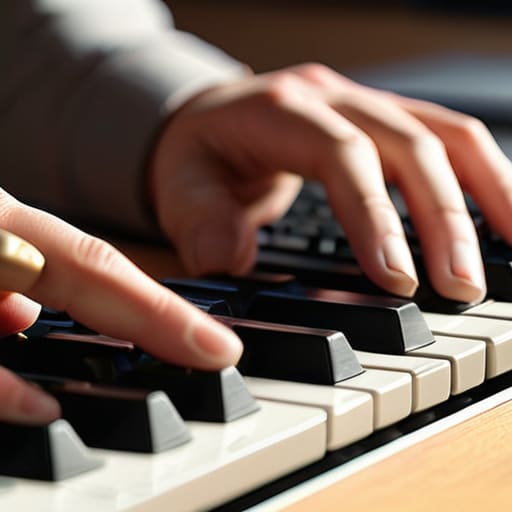
Most people think they need a fancy, split-design mechanical keyboard to save their joints, but you can spend three hundred dollars on a piece of plastic and still end up with carpal tunnel if your posture is rubbish. The goal here isn’t to find a “magic” keyboard; it’s about proper wrist alignment. When you’re typing, your wrists should be straight, not cocked upward like you’re playing a piano or bent sharply to the side to reach the number pad. If you find yourself resting your wrists on a hard desk edge while typing, you’re essentially compressing the nerves that allow your fingers to move.

If you don’t have a dedicated wrist rest, don’t go buying a gel-filled one just yet—most of them actually encourage you to lean too hard on your carpal tunnel. Instead, try to keep your hands floating slightly above the keys, or use a thin, firm support that keeps the back of your hand level with your forearm. A key part of an ergonomic workstation setup is realizing that your elbows should be at about a 90-degree angle, tucked relatively close to your ribs. If your desk is too high and you’re forced to reach up, no amount of wrist padding is going to stop the ache.

Five things to check before your back decides to quit

  • Fix your chair height so your feet actually touch the floor. If you’re dangling like a kid at a dinner table, you’re going to end up with lower back pain that no amount of stretching will fix. If your desk is too high and you can’t lower the chair, just get a footrest. It’s a cheap, one-time purchase that doesn’t require a monthly subscription to keep working.
  • Adjust your armrests so your shoulders can actually relax. If your armrests are too high, you’ll spend the whole day shrugging your shoulders toward your ears, which is a fast track to a tension headache. They should be low enough that your elbows hang naturally at your sides, not propped up like you’re posing for a photo.
  • Check your lumbar support—or lack thereof. Most office chairs have a “support” curve that is either non-existent or hits you in the wrong spot. You don’t need to buy a specialized $200 ergonomic throne; a rolled-up towel tucked into the small of your back does the exact same thing for zero dollars.
  • Mind the gap between your seat and the desk. If you’re sitting too far back, you’ll find yourself leaning forward to reach your mouse, which puts a massive amount of strain on your upper back. You want to be able to rest your forearms on the desk or the chair arms without feeling like you’re reaching for something on a high shelf.
  • Watch your leg room. I’ve seen people with perfectly adjusted chairs who still struggle because they’ve shoved a filing cabinet or a pile of boxes under their desk. If your knees can’t move freely or you’re constantly knocking them against something, your circulation is going to suffer, and you’ll feel sluggish by 3 PM.

The "don't overthink it" checklist

Get your monitor up; if you’re looking down at your lap, you’ve already lost the battle with your neck.

Keep your wrists flat, not cocked up like you’re playing a piano, or you’ll be paying for it in three years.

Stop chasing the “perfect” setup; if your feet touch the floor and your elbows aren’t hovering in mid-air, you’re doing better than most.

## The myth of the perfect setup

Most people think they need a thousand-dollar ergonomic chair to fix their back pain, but usually, you just need to stop treating your desk like a battlefield and start setting things up so you aren’t fighting your own furniture for eight hours a day.

Saoirse Doyle

Don't let the setup become the work

Don't let the setup become the work.

At the end of the day, setting up an ergonomic desk isn’t about achieving some kind of perfect, Pinterest-worthy aesthetic. It’s just about the basics we’ve covered: getting your monitor high enough so you aren’t staring at your chest, and making sure your wrists aren’t bent at a weird angle every time you type an email. If you do nothing else, just fix your eye level. That alone solves about half the tension headaches I used to see on the helpdesk. You don’t need a $1,200 chair or a specialized mechanical keyboard to make this work; you just need to stop fighting your own body for eight hours a day.

My advice is to treat your setup like my sourdough starter—it’s something you have to check on periodically, not something you “set and forget.” Your body changes, your workload shifts, and sometimes a new piece of hardware will throw your whole alignment off. If you start feeling that familiar ache in your shoulders or a dull throb in your wrists, don’t just ignore it and hope it goes away. Listen to the discomfort. Adjust the height, move the mouse, or just stand up for five minutes. A good setup shouldn’t be something you think about; it should be the thing that finally lets you get your work done and then walk away without feeling like you’ve been in a car accident.

Frequently Asked Questions

Do I actually need a standing desk, or is that just another expensive way to ruin my posture?

Look, the short answer is no. You don’t need a standing desk to be productive, and if you buy one thinking you’ll stand for eight hours straight, you’re just buying an expensive place to lean. The goal isn’t to stand; it’s to stop being static. If you can afford one, a sit-stand desk is great for changing positions every hour or so. But if it’s not in the budget, just focus on your monitor height first.

What happens to my back if my chair doesn't have built-in lumbar support?

If your chair lacks lumbar support, your spine will eventually start to mimic the shape of a question mark. Without that curve being held, your lower back muscles stay under constant tension just trying to keep you upright. You’ll likely end up slouching, which puts immense pressure on your spinal discs. It’s not an immediate disaster, but it’s a slow burn of aches. If you aren’t buying a new chair, grab a rolled-up towel; it’s cheaper and works.

Is it worth buying a separate mouse and keyboard, or can I just use my laptop on the desk?

If you’re planning to spend more than twenty minutes a day at this desk, buy the separate peripherals. Using a laptop directly on the desk is a trap; you either end up staring down at your lap like a gargoyle or hunching your shoulders to reach the keys. A separate keyboard and mouse let you raise the screen to eye level, which is the whole point of this setup. It’s a small upfront cost to save your neck.

Digital Burnout: the Signs Before You Notice Them

I remember sitting in a cramped server room back in my helpdesk days, the air smelling of ozone and stale coffee, staring at a flickering monitor until my eyes actually felt heavy. It wasn’t that I was lazy; it was that my brain had simply stopped processing the data coming at it. People love to dress it up in fancy, clinical terms, but when we talk about what is digital burnout, we aren’t talking about some complex psychological phenomenon that requires a $200-a-month mindfulness app to fix. It’s much simpler and much more annoying: it’s that specific, hollow exhaustion that hits when your tools stop feeling like helpers and start feeling like obligations you can’t escape.

I’m not here to sell you a new productivity framework or a subscription to a “digital detox” retreat. Instead, I want to talk about the practical, slightly boring reality of reclaiming your headspace. I’ll walk you through how to identify the actual signs of fatigue, which settings you can actually toggle to reduce the noise, and—most importantly—how to build a setup that works for you instead of demanding your constant attention.

Table of Contents

Recognizing the Cognitive Overload Symptoms Youve Been Ignoring

Recognizing the Cognitive Overload Symptoms Youve Been Ignoring

The problem with cognitive overload symptoms is that they don’t arrive like a sudden system crash; they arrive like a slow, annoying memory leak that gradually eats up all your available RAM. You don’t notice it at first. Then, suddenly, you’re staring at a simple email for ten minutes, unable to decide if “Best regards” sounds too aggressive or not aggressive enough. You start feeling that specific, heavy kind of brain fog where every new notification feels like a physical poke in the ribs. It’s not just being tired; it’s the feeling that your brain has too many tabs open and the spinning loading icon has become your permanent state of being.

You might also notice your patience thinning in ways that feel uncharacteristic. Maybe you snap at a family member because a webpage took three seconds too long to load, or you find yourself doomscrolling through news feeds even though you know it’s making you feel worse. This is where the impact of social media on mental health becomes very literal—it’s the constant, low-level friction of being “on” even when you aren’t working. If you find yourself reaching for your phone the second there is a lull in conversation, you aren’t just bored; you’re likely struggling with a depleted attention span that’s been overtaxed by constant digital noise.

The Hidden Impact of Social Media on Mental Health

The Hidden Impact of Social Media on Mental Health

We tend to talk about social media like it’s just a way to kill time, but it’s actually a massive, invisible drain on your processing power. It’s not just the hours you spend scrolling; it’s the constant, micro-level comparisons and the dopamine loops that keep your brain in a state of low-grade agitation. When you’re constantly jumping from a friend’s vacation photos to a news alert about a global crisis, you aren’t just “relaxing”—you are experiencing a relentless stream of context-switching. This is a primary driver behind the impact of social media on mental health, turning what should be a quick check-in into a fragmented mess of attention.

The real problem is that these platforms are engineered to bypass your willpower. You go in to check a single notification and emerge twenty minutes later feeling slightly more hollow and significantly more tired. This isn’t a personal failing; it’s how the software is built. If you don’t implement some form of intentional screen time management, you’ll find that your brain never actually enters a state of rest. You’re just idling at a high RPM, waiting for the next ping to tell you what to care about next.

Five ways to stop the digital bleed

  • Audit your notifications, not your willpower. You can’t “discipline” your way out of a phone that buzzes every time a stranger likes a photo. Go into your settings and turn off everything that isn’t a direct message from a human being. If it’s an app trying to sell you something or “remind” you of a streak, kill the notification. It’s not about being antisocial; it’s about deciding who gets to interrupt your actual life.
  • Set a “hard stop” for your hardware. In my old IT role, I saw people treat their laptops like an extension of their nervous systems. Pick a time—say, 8:00 PM—where the screens go dark. If you use a tablet for reading, get an e-ink one that doesn’t glow like a miniature sun. The goal is to give your eyes a chance to realize they aren’t looking at a light source anymore.
  • Stop paying for “productivity” tools that just create more work. I see this all the time: people spend three hours setting up a complex Notion workspace to “organize” their burnout, only to realize they’ve just added another digital chore to their list. If a tool requires a subscription and a learning curve just to tell you when to drink water, it’s probably part of the problem. Use a paper notebook for a week and see if you actually miss the bells and whistles.
  • Create physical distance between you and your chargers. If your phone lives on your nightstand, you’ve already lost the battle before you’ve even woken up. Charge your phone in the kitchen or a hallway. It sounds dramatic, but having to physically walk to another room to check an email prevents that mindless, half-asleep scrolling that leaves you feeling like you’ve been hit by a bus by 7:00 AM.
  • Reclaim your “analog” hobbies. I bake bread because you can’t “refresh” a sourdough starter to make it go faster. It requires patience, physical touch, and zero Wi-Fi. Find something that exists entirely in the physical world—gardening, sketching, even just a jigsaw puzzle. You need something to do where the only “input” is your own hands and the only “output” isn’t a data point for an algorithm.

The short version

Burnout isn’t a sudden crash; it’s the slow accumulation of “micro-stresses” from constant notifications and the mental tax of switching between twenty different tabs.

Your tools should serve you, not the other way around—if an app requires constant checking just to feel “productive,” it’s actually part of the problem.

Fixing it doesn’t require a digital detox or moving to a cabin; it usually just means setting harder boundaries on when your devices are allowed to demand your attention.

The reality of the "always-on" loop

Digital burnout isn’t a sudden system crash; it’s the slow, grinding attrition that happens when your brain is forced to process a never-ending stream of notifications, tabs, and pings until it simply stops being able to distinguish between a meaningful task and a useless distraction.

Saoirse Doyle

The bottom line

The bottom line of digital burnout.

At the end of the day, digital burnout isn’t about being “bad” at technology or failing to use the latest mindfulness app. It’s a physiological response to a world that expects you to be reachable, productive, and scrolling every single second of the day. We’ve looked at how cognitive overload fries your focus, how social media hijacks your dopamine, and how those tiny, constant notifications act like a slow leak in your mental battery. If you’ve been feeling like your brain is just a collection of open tabs that refuse to close, please know that it isn’t a personal failing. You aren’t broken; you’re just reacting to a system that was never designed to let you rest.

My advice is usually pretty boring: stop looking for a magic software fix and start looking for the exit signs. Turn off the non-human notifications, put the phone in another room while you eat, and accept that you do not owe the internet your constant attention. You don’t need a more complex productivity system to solve this; you just need to reclaim the space where your thoughts actually happen. The digital world will still be there when you get back, and I promise, the world won’t actually end if you go offline for a few hours to just be a person again.

Frequently Asked Questions

Is there a way to tell the difference between just being tired and actual digital burnout?

It’s a fair question, and honestly, the line is blurry. Being tired is usually about sleep; you rest, you reset, and tomorrow feels manageable. Digital burnout is different. It’s that specific, heavy resentment toward your devices. If the idea of seeing one more notification or opening a new tab makes you feel physically nauseous or deeply angry, that isn’t just a lack of sleep. That’s your brain telling you the interface has become hostile.

If I step away from my screens for a weekend, will that actually fix the problem or is it more permanent than that?

A weekend away is a band-aid, not a cure. It’ll clear the immediate fog, but if you spend Monday morning back in the same notification-heavy, chaotic setup, the burnout will crawl right back in. Think of it like a sourdough starter: you can’t just ignore it for a week and expect it to be healthy when you return. You have to fix the environment that’s causing the stress, or you’re just resetting the timer on your next crash.

Can I fix this without having to delete all my accounts and go off the grid entirely?

No, you don’t need to move to a cabin in the woods and burn your router. That’s not a solution; it’s just a different kind of stress. Most of the time, burnout isn’t caused by the accounts themselves, but by how much they demand of your attention. We just need to tighten the leash. It’s about setting boundaries on the tools you actually need, rather than nuking your entire digital life.

How to Manage Screen Time Without Deleting Everything

I spent six years at a helpdesk watching people spiral into a specific kind of tech-induced panic. Usually, it started with someone buying a $50-a-month “digital wellness” subscription or downloading a complex, gamified app that promised to turn their life around if they just tracked their data more aggressively. Honestly, most of these tools are just more noise added to an already loud life. If you are looking for a magical, expensive way to fix your focus, you are probably looking in the wrong direction. Learning how to manage screen time isn’t about finding a better app to monitor your failures; it’s about realizing that most of your devices are designed to be unmanageable by default.

I’m not here to sell you a new habit-tracking ritual or a subscription that expires in twelve months. I want to talk about the settings you already have access to, the physical friction you can create in your living room, and the specific ways to prune your notifications so they actually stop bothering you. I’ll tell you exactly what to click, which “features” are actually just traps, and what happens to your data if you decide to go dark for a weekend. No hype, just the boring, effective stuff.

Table of Contents

Spotting Smartphone Addiction Symptoms Before They Break You

Spotting Smartphone Addiction Symptoms Before They Break You

I spent six years watching people stare at their phones while their actual lives happened three feet to the left. It usually isn’t a dramatic crash; it’s a slow, quiet erosion of your attention. You’ll know you’re slipping into smartphone addiction symptoms when you find yourself unlocking your phone to check the time, only to realize ten minutes later that you’re deep in a thread about a celebrity scandal you don’t even care about. If your thumb moves toward that glass screen before your brain has even fully woken up in the morning, that’s not a habit—it’s a reflex.

It also shows up in how you feel physically. If you’re constantly feeling a phantom vibration in your pocket or getting those dull headaches from excessive blue light exposure late at night, your nervous system is likely stuck in a loop. You aren’t looking for a “digital detox” retreat in the woods; you’re likely just reacting to a device that is designed to be more interesting than your actual environment. Recognizing that the itch to scroll is a programmed response, rather than a genuine need, is the first step toward actually setting some boundaries.

Digital Wellbeing Strategies That Dont Require a New App

Digital Wellbeing Strategies That Dont Require a New App

Most people think the answer to feeling overwhelmed is downloading a new “focus” app that sends you more notifications to tell you to stop looking at notifications. It’s a loop, and it’s exhausting. Instead of adding more software to the pile, I prefer looking at the settings you already have. Start with your display; most modern phones have a “Night Shift” or “Blue Light Filter” mode. It isn’t a magic cure, but reducing blue light exposure in the hour before you head to bed helps signal to your brain that the workday is actually over.

The other thing I do is aggressively prune my home screen. If an app is designed to keep you scrolling, it shouldn’t be visible the moment you unlock your phone. Move the social media icons into a folder on the second or third page, or better yet, hide them entirely. By creating these small frictions, you’re practicing mindful technology use without needing a subscription to do it for you. It’s about making the “wrong” thing slightly harder to do, so you can actually focus on what you intended to do in the first place.

Five ways to actually reclaim your attention without paying for a subscription

  • Turn off every single non-human notification. If it’s not a text or a call from a real person, you don’t need a buzz in your pocket. I spent years telling users that “optimizing” their notifications just meant they were more reachable for advertisers, not more productive. Go to your settings, find ‘Notifications,’ and if it’s a news alert or a shopping app, kill it.
  • Use the grayscale trick. Most apps are designed like slot machines, using bright, dopamine-triggering colors to keep you scrolling. If you go into your Accessibility settings and turn on grayscale, Instagram suddenly looks like a very boring newspaper. It’s much harder to get sucked into a loop when the screen isn’t trying to seduce you.
  • Set a physical “charging station” outside of your bedroom. The biggest mistake I see is people using their phone as an alarm clock. It turns your bedtime into a scrolling session. Buy a cheap, $10 digital alarm clock and leave the phone in the kitchen. If you don’t have it next to your pillow, you won’t reach for it at 2:00 AM.
  • Audit your “home screen” real estate. If your most addictive apps are right there on the first page, you’ve already lost. Move them into folders on the second or third page. It adds just enough friction—that extra two seconds of searching—to make you realize, “Oh, I wasn’t actually looking for this, I was just bored.”
  • Check your “Screen Time” or “Digital Wellbeing” stats once a week, not once an hour. Looking at the hourly breakdown just makes you anxious and leads to “productivity guilt.” Once a week is enough to see the trend. If the number is going up, don’t buy a new app to fix it; just look at which specific app is the culprit and delete it.

The reality check: what actually sticks

Stop looking for a “magic” app to fix your focus; most of them are just another notification to ignore. The solution is usually in your existing settings, like turning off non-human notifications or setting grayscale mode to make the screen less dopamine-inducing.

Audit your subscriptions before you audit your habits. If you’re paying £8 a month for a “mindfulness” tracker that you haven’t opened in three weeks, cancel it. You aren’t failing at wellness; you’re just paying for digital clutter.

Build friction into the things that distract you. If you find yourself doomscrolling, move the app off your home screen and into a folder on the last page of your phone. If it takes more than three clicks to get to the distraction, you’re much more likely to actually put the phone down.

The trap of the "productivity" fix

Most people think they need a new, sophisticated app to manage their screen time, but you don’t need more software; you need to stop treating your phone like a person you’re obligated to reply to immediately.

Saoirse Doyle

The End of the Scroll

Breaking digital addiction: The End of the Scroll.

Look, we aren’t going to find a magic setting that fixes everything, and I’m not going to suggest you delete every account you own. We’ve covered the basics: recognizing when that mindless scrolling is actually a symptom of burnout, using the built-in grayscale and focus modes you already pay for with your hardware, and actually following through when the phone tells you to put it down. It’s about reducing the friction between you and your actual life. You don’t need a $10-a-month subscription to tell you that you’ve been on Instagram for three hours; you just need to stop treating your notifications like urgent work orders and start treating them like the interruptions they are.

At the end of the day, your phone is just a tool, like a toaster or a screwdriver. It’s meant to serve a purpose and then sit back down on the counter. If you find yourself feeling like you’re constantly chasing a digital ghost, remember that the most important things happening in your life won’t happen inside a glass rectangle. Go make some bread, go for a walk without your headphones, or just sit in a room without checking your email for twenty minutes. The world won’t break if you’re offline, and I promise you, it’ll be much quieter when you finally decide to log off.

Frequently Asked Questions

What happens to my data or my history if I use a third-party app to track my usage?

Here is the thing about third-party trackers: you aren’t just giving them your screen time stats; you’re giving them a map of your habits. Most of these apps collect data on which apps you use, how long you linger, and sometimes even your location. If you stop paying for a subscription, you usually lose access to the fancy charts, but the company often keeps the anonymized data they’ve already scraped. If you want privacy, stick to the built-in settings on your phone.

How do I stop the "doomscrolling" reflex without feeling like I'm totally disconnected from my friends?

The trick isn’t cutting off the internet; it’s changing how you access it. Most doomscrolling happens because the algorithm is designed to keep you scrolling while you’re bored.

Will setting strict app limits actually work, or is it just going to make me more frustrated when the timer runs out?

Honestly? If you just set a timer and try to white-knuckle your way through it, you’ll probably just end up hitting “ignore limit” and feeling annoyed. It’s like setting a diet and then staring at a cake; it doesn’t stop the craving. It works best when you use the limit as a nudge to realize you’ve been scrolling too long, rather than a digital padlock. If it’s just causing friction, change the setting, not your willpower.